mirror of
https://github.com/cotes2020/jekyll-theme-chirpy.git
synced 2025-12-18 13:44:15 +00:00
Compare commits
2 Commits
| Author | SHA1 | Date | |
|---|---|---|---|

|
47f230cf62 | ||
|
|
20d72b65ed |
39
.github/CONTRIBUTING.md
vendored
39
.github/CONTRIBUTING.md
vendored
@@ -1,43 +1,16 @@
|
||||
# How to Contribute
|
||||
|
||||
We want to thank you for sparing time to improve this project! Here are some guidelines for contributing:
|
||||
I want to thank you for sparing a time to improve this project! Here are some guidelines for contributing:
|
||||
|
||||
To ensure that the blog design is not confused, this project does not accept suggestions for design changes, such as color scheme, fonts, typography, etc. If your request is about an enhancement, it is recommended to first submit a [_Feature Request_](https://github.com/cotes2020/jekyll-theme-chirpy/issues/new?labels=enhancement&template=feature_request.md) issue to discuss whether your idea fits the project.
|
||||
|
||||
## Basic Process
|
||||
To ensure that the blog design is not confused, this project does not accept suggestions for design changes, such as color scheme, fonts, typography, etc. If your request is about an enhancement, it is recommended to first submit a [`Feature Request`](https://github.com/cotes2020/jekyll-theme-chirpy/issues/new?labels=enhancement&template=feature_request.md) issue to discuss whether your idea fits the project.
|
||||
|
||||
Generally, contribute to the project by:
|
||||
|
||||
1. Fork this project on GitHub and clone it locally.
|
||||
2. Create a new branch from the default branch and give it a descriptive name (e.g., `my-new-feature`, `fix-a-bug`).
|
||||
3. After completing the development, submit a new _Pull Request_.
|
||||
|
||||
## Modifying JavaScript
|
||||
|
||||
If your contribution involves JS modification, please read the following sections.
|
||||
|
||||
### Inline Scripts
|
||||
|
||||
If you need to add comments to the inline JS (the JS code between the tags `<script>` and `</script>`), please use `/**/` instead of two slashes `//`. Because the HTML will be compressed by [jekyll-compress-html](https://github.com/penibelst/jekyll-compress-html) during deployment, but it cannot handle the `//` properly. And this will disrupt the structure of the compressed HTML.
|
||||
|
||||
### External Scripts
|
||||
|
||||
If you need to add or modify JavaScripts in the directory `_javascript`, you need to install [Gulp.js](https://gulpjs.com/docs/en/getting-started/quick-start).
|
||||
|
||||
During development, real-time debugging can be performed through the following commands:
|
||||
|
||||
```console
|
||||
$ bash tools/run.sh
|
||||
```
|
||||
|
||||
Open another terminal tab and run:
|
||||
|
||||
```console
|
||||
$ gulp dev # Type 'Ctrl + C' to stop
|
||||
```
|
||||
|
||||
After debugging, run the command `gulp` (without any argument) will automatically output the compressed files to the directory `assests/js/dist/`.
|
||||
2. Create a new branch from `master` and give it a descriptive name (e.g., `my-new-feature`, `fix-a-bug`).
|
||||
3. After completing the development, commit and push to remote.
|
||||
4. Submit a new pull request.
|
||||
|
||||
---
|
||||
|
||||
:tada: Your volunteering will make the open-source world more beautiful, thanks again! :tada:
|
||||
:tada: Your volunteering will make the open source world more beautiful, thanks again! :tada:
|
||||
5
.github/FUNDING.yml
vendored
5
.github/FUNDING.yml
vendored
@@ -1,2 +1,3 @@
|
||||
ko_fi: coteschung
|
||||
custom: https://cotes.gitee.io/alipay-wechat-donation
|
||||
custom:
|
||||
- https://www.buymeacoffee.com/coteschung
|
||||
- https://cotes.gitee.io/alipay-wechat-donation
|
||||
|
||||
18
.github/ISSUE_TEMPLATE/bug_report.md
vendored
18
.github/ISSUE_TEMPLATE/bug_report.md
vendored
@@ -6,15 +6,12 @@ about: Create a report to help us improve
|
||||
<!-- NOTE: Please maintain all sections, otherwise the issue will be automatically closed :) -->
|
||||
|
||||
## Checklist
|
||||
|
||||
<!-- Please complete the following list of tasks, and then check it by changing the "[ ]" to "[x]" -->
|
||||
|
||||
- [ ] I have read the [tutorials](https://cotes2020.github.io/chirpy-demo/categories/tutorial/) and know the correct effect of the functional design.
|
||||
- [ ] There are no similar reports on [existing issues](https://github.com/cotes2020/jekyll-theme-chirpy/issues?q=is%3Aissue) (including closed ones).
|
||||
- [ ] I found the bug on the latest code of the `master` branch.
|
||||
<!-- Please complete the following list of tasks, and then check it by change the "[ ]" to "[x]" -->
|
||||
- [ ] I have read the [tutorials](https://chirpy.cotes.info/categories/tutorial/) and know the correct effect of the functional design.
|
||||
- [ ] There are no similar reports on existing issues (including closed ones).
|
||||
- [ ] I found the bug on the latest code of `master` branch.
|
||||
|
||||
## Describe the bug
|
||||
|
||||
<!-- A clear and concise description of what the bug is. -->
|
||||
|
||||
### To Reproduce
|
||||
@@ -28,31 +25,25 @@ Steps to reproduce the behavior:
|
||||
-->
|
||||
|
||||
### Expected behavior
|
||||
|
||||
<!-- A clear and concise description of what you expected to happen. -->
|
||||
|
||||
### Screenshots
|
||||
|
||||
<!-- If applicable, add screenshots to help explain your problem. -->
|
||||
|
||||
### Software
|
||||
|
||||
<!-- Please complete the following information -->
|
||||
- Ruby version: <!-- by running: `ruby -v` -->
|
||||
- Gem version: <!-- by running: `gem -v`-->
|
||||
- Bundler version: <!-- by running: `bundle -v`-->
|
||||
- Jekyll version: <!-- by running: `bundle list | grep " jekyll "` -->
|
||||
- Theme version: <!-- by running: `gem list | grep jekyll-theme-chirpy` -->
|
||||
|
||||
### Desktop
|
||||
|
||||
<!-- If necessary, uncomment and fill in the following list:
|
||||
- OS: [e.g. macOS 10.15.6]
|
||||
- Browser: [e.g. Chrome 85.0.4183.83 (64-bit)]
|
||||
-->
|
||||
|
||||
### Smartphone
|
||||
|
||||
<!-- If necessary, uncomment and fill in the following list:
|
||||
- Device: [e.g. iPhone 6]
|
||||
- OS: [e.g. iOS 13.6.1]
|
||||
@@ -60,5 +51,4 @@ Steps to reproduce the behavior:
|
||||
-->
|
||||
|
||||
### Additional context
|
||||
|
||||
<!-- Add any other context about the problem here. -->
|
||||
|
||||
9
.github/ISSUE_TEMPLATE/feature_request.md
vendored
9
.github/ISSUE_TEMPLATE/feature_request.md
vendored
@@ -7,29 +7,24 @@ labels: enhancement
|
||||
<!-- NOTE: Please maintain all sections, otherwise the issue will be automatically closed :) -->
|
||||
|
||||
## Checklist
|
||||
|
||||
<!-- Please complete the following list of tasks, and then check it by changing the "[ ]" to "[x]" -->
|
||||
<!-- Please complete the following list of tasks, and then check it by change the "[ ]" to "[x]" -->
|
||||
- [ ] I have read the [contributing guidelines](https://github.com/cotes2020/jekyll-theme-chirpy/blob/master/.github/CONTRIBUTING.md).
|
||||
- [ ] There is no similar request on [existing issues](https://github.com/cotes2020/jekyll-theme-chirpy/issues?q=is%3Aissue) (including closed ones).
|
||||
- [ ] There are no similar request on existing issues (including closed ones).
|
||||
- [ ] I have read the [project progress](https://github.com/cotes2020/jekyll-theme-chirpy/projects) and know the current progress of the project.
|
||||
- [ ] I was in the `master` branch of the latest code.
|
||||
|
||||
|
||||
## Is your feature request related to a problem? Please describe
|
||||
|
||||
<!-- A clear and concise description of what the problem is. Ex. I'm always frustrated when [...] -->
|
||||
|
||||
|
||||
## Describe the solution you'd like
|
||||
|
||||
<!-- A clear and concise description of what you want to happen. -->
|
||||
|
||||
|
||||
## Describe alternatives you've considered
|
||||
|
||||
<!-- A clear and concise description of any alternative solutions or features you've considered. -->
|
||||
|
||||
|
||||
## Additional context
|
||||
|
||||
<!-- Add any other context or screenshots about the feature request here. -->
|
||||
|
||||
13
.github/ISSUE_TEMPLATE/question.md
vendored
13
.github/ISSUE_TEMPLATE/question.md
vendored
@@ -1,6 +1,6 @@
|
||||
---
|
||||
name: Question
|
||||
about: Ask whatever you want
|
||||
about: Ask what ever you want
|
||||
labels: question
|
||||
---
|
||||
|
||||
@@ -8,13 +8,12 @@ labels: question
|
||||
|
||||
## Checklist
|
||||
|
||||
<!-- Please complete the following list of tasks, and then check it by changing the "[ ]" to "[x]" -->
|
||||
<!-- Please complete the following list of tasks, and then check it by change the "[ ]" to "[x]" -->
|
||||
|
||||
- [ ] I have read the [newlest tutorials](https://cotes2020.github.io/chirpy-demo/categories/tutorial/) and know the correct effect of the functional design.
|
||||
- [ ] There is no similar question on [existing issues](https://github.com/cotes2020/jekyll-theme-chirpy/issues?q=is%3Aissue) (including closed ones).
|
||||
- [ ] I have tried to find the answer on [Jekyll Forum](https://talk.jekyllrb.com/) and [StackOverflow](https://stackoverflow.com/questions/tagged/jekyll).
|
||||
- [ ] My question is based on the latest code of the `master` branch.
|
||||
- [ ] I have read the [tutorials](https://chirpy.cotes.info/categories/tutorial/) and know the correct effect of the functional design.
|
||||
- [ ] There are no similar question on existing issues (including closed ones).
|
||||
- [ ] I searched the Internet for related problems, but still couldn't solve it.
|
||||
- [ ] My question is based on the latest code of `master` branch.
|
||||
|
||||
## Description
|
||||
|
||||
<!-- Please describe your question in detail. -->
|
||||
|
||||
18
.github/PULL_REQUEST_TEMPLATE.md
vendored
18
.github/PULL_REQUEST_TEMPLATE.md
vendored
@@ -2,9 +2,9 @@
|
||||
|
||||
<!--
|
||||
Please include a summary of the change and which issue is fixed. Please also include relevant motivation and context. List any dependencies that are required for this change.
|
||||
-->
|
||||
|
||||
e.g. Fixes #(issue)
|
||||
-->
|
||||
|
||||
## Type of change
|
||||
|
||||
@@ -22,21 +22,23 @@ Please select the desired item checkbox and change it to "[x]", then delete opti
|
||||
Please describe the tests that you ran to verify your changes. Provide instructions so we can reproduce. Please also list any relevant details for your test configuration
|
||||
-->
|
||||
|
||||
- [ ] I have run `bash ./tools/deploy.sh --dry-run` (at the root of the project) locally and passed
|
||||
- [ ] I have run `bash ./tools/test.sh --build` (at the root of the project) locally and passed
|
||||
- [ ] I have tested this feature in the browser
|
||||
|
||||
### Test Configuration
|
||||
|
||||
- Browser type & version:
|
||||
- Operating system:
|
||||
- Ruby version: <!-- by running: `ruby -v` -->
|
||||
- Bundler version: <!-- by running: `bundle -v`-->
|
||||
- Jekyll version: <!-- by running: `bundle list | grep " jekyll "` -->
|
||||
- Bundler version:
|
||||
- Ruby version:
|
||||
- Jekyll version:
|
||||
|
||||
### Checklist
|
||||
|
||||
<!-- Select checkboxes by change the "[ ]" to "[x]" -->
|
||||
- [ ] I have performed a self-review of my code
|
||||
- [ ] I have commented on my code, particularly in hard-to-understand areas
|
||||
- [ ] My code follows the [Google style guidelines](https://google.github.io/styleguide/)
|
||||
- [ ] I have performed a self-review of my own code
|
||||
- [ ] I have commented my code, particularly in hard-to-understand areas
|
||||
- [ ] I have made corresponding changes to the documentation
|
||||
- [ ] My changes generate no new warnings
|
||||
- [ ] I have added tests that prove my fix is effective or that my feature works
|
||||
- [ ] Any dependent changes have been merged and published in downstream modules
|
||||
|
||||
9
.github/workflows/ci.yml
vendored
9
.github/workflows/ci.yml
vendored
@@ -36,5 +36,12 @@ jobs:
|
||||
ruby-version: 2.7
|
||||
bundler-cache: true
|
||||
|
||||
- name: Build Site
|
||||
env:
|
||||
JEKYLL_ENV: production
|
||||
run: |
|
||||
bundle exec jekyll b
|
||||
|
||||
- name: Test Site
|
||||
run: bash tools/deploy.sh --dry-run
|
||||
run: |
|
||||
bash tools/test.sh
|
||||
|
||||
26
.github/workflows/pages-deploy.yml.hook
vendored
26
.github/workflows/pages-deploy.yml.hook
vendored
@@ -25,5 +25,29 @@ jobs:
|
||||
ruby-version: 2.7
|
||||
bundler-cache: true
|
||||
|
||||
- name: Check baseurl
|
||||
run: |
|
||||
baseurl="$(grep '^baseurl:' _config.yml | sed "s/.*: *//;s/['\"]//g;s/#.*//")"
|
||||
if [[ -n $baseurl ]]; then
|
||||
echo "BASE_URL=$baseurl" >> $GITHUB_ENV
|
||||
fi
|
||||
|
||||
- name: Build Site
|
||||
env:
|
||||
JEKYLL_ENV: production
|
||||
run: |
|
||||
bundle exec jekyll b -d "_site$BASE_URL"
|
||||
|
||||
- name: Test Site
|
||||
run: |
|
||||
bash tools/test.sh
|
||||
|
||||
- name: Deploy
|
||||
run: bash tools/deploy.sh
|
||||
run: |
|
||||
if [[ -n $BASE_URL ]]; then
|
||||
mv _site$BASE_URL _site-rename
|
||||
rm -rf _site
|
||||
mv _site-rename _site
|
||||
fi
|
||||
|
||||
bash tools/deploy.sh
|
||||
|
||||
@@ -3,9 +3,7 @@ dist: bionic
|
||||
|
||||
language: minimal
|
||||
|
||||
branches:
|
||||
only:
|
||||
- /^release\/(\d)+(\.(\d)+){1}$/
|
||||
if: tag =~ /^v(\d)+(\.(\d)+){2}$/
|
||||
|
||||
jobs:
|
||||
include:
|
||||
|
||||
3
Gemfile
3
Gemfile
@@ -17,6 +17,3 @@ end
|
||||
|
||||
# Performance-booster for watching directories on Windows
|
||||
gem "wdm", "~> 0.1.1", :install_if => Gem.win_platform?
|
||||
|
||||
# Jekyll <= 4.2.0 compatibility with Ruby 3.0
|
||||
gem "webrick", "~> 1.7"
|
||||
|
||||
217
README.md
217
README.md
@@ -1,89 +1,230 @@
|
||||
<div align="center">
|
||||
|
||||
# Chirpy Jekyll Theme
|
||||
|
||||
A minimal, responsive, and powerful Jekyll theme for presenting professional writing.
|
||||
|
||||
[](https://rubygems.org/gems/jekyll-theme-chirpy)
|
||||
[](https://github.com/cotes2020/jekyll-theme-chirpy/actions?query=branch%3Amaster+event%3Apush)
|
||||
[](https://www.codacy.com/gh/cotes2020/jekyll-theme-chirpy/dashboard?utm_source=github.com&utm_medium=referral&utm_content=cotes2020/jekyll-theme-chirpy&utm_campaign=Badge_Grade)
|
||||
[](https://github.com/cotes2020/jekyll-theme-chirpy/blob/master/LICENSE)
|
||||
[](https://996.icu)
|
||||
|
||||
[**Live Demo →**](https://cotes2020.github.io/chirpy-demo)
|
||||
|
||||
[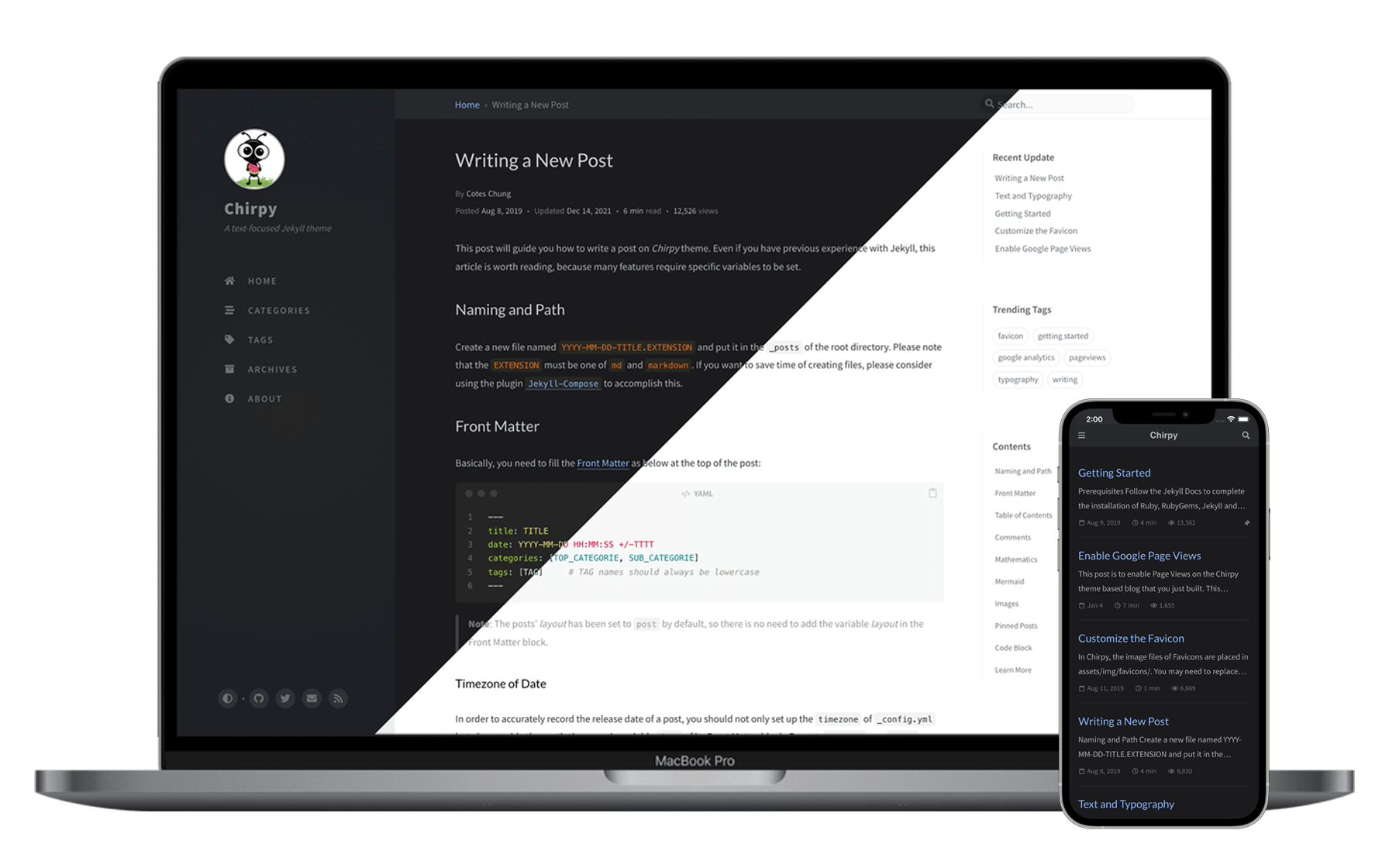](https://cotes2020.github.io/chirpy-demo)
|
||||
|
||||
<div align="right">
|
||||
<a href="https://github.com/cotes2020/jekyll-theme-chirpy#readme">EN</a> |
|
||||
<a href="https://github.com/cotes2020/jekyll-theme-chirpy/blob/master/docs/README.zh-CN.md">中文 (简体)</a>
|
||||
</div>
|
||||
|
||||
<div align="center">
|
||||
<h1>Chirpy Jekyll Theme</h1>
|
||||
<p>
|
||||
<a href="https://rubygems.org/gems/jekyll-theme-chirpy">
|
||||
<img alt="Gem Version" src="https://img.shields.io/gem/v/jekyll-theme-chirpy?color=brightgreen"></img>
|
||||
</a>
|
||||
<a href="https://github.com/cotes2020/jekyll-theme-chirpy/actions?query=branch%3Amaster+event%3Apush">
|
||||
<img alt="Build Status" src="https://github.com/cotes2020/jekyll-theme-chirpy/workflows/build/badge.svg?branch=master&event=push"></img>
|
||||
</a>
|
||||
<a href="https://app.codacy.com/manual/cotes2020/jekyll-theme-chirpy?utm_source=github.com&utm_medium=referral&utm_content=cotes2020/jekyll-theme-chirpy&utm_campaign=Badge_Grade_Dashboard">
|
||||
<img alt="Codacy Badge" src="https://api.codacy.com/project/badge/Grade/8220b926db514f13afc3f02b7f884f4b"></img>
|
||||
</a>
|
||||
<a href="https://github.com/cotes2020/jekyll-theme-chirpy/blob/master/LICENSE">
|
||||
<img alt="GitHub license" src="https://img.shields.io/github/license/cotes2020/jekyll-theme-chirpy.svg"></img>
|
||||
</a>
|
||||
<a href="https://996.icu">
|
||||
<img alt="996.icu" src="https://img.shields.io/badge/link-996.icu-%23FF4D5B.svg"></img>
|
||||
</a>
|
||||
</p>
|
||||
</div>
|
||||
|
||||
A minimal, sidebar, responsive web design Jekyll theme that focuses on text presentation. Designed to help you easily record and share your knowledge.
|
||||
|
||||
[Live Demo »](https://chirpy.cotes.info)
|
||||
|
||||
<p align="center">
|
||||
<a href="https://chirpy.cotes.info">
|
||||
<img alt="Devices Mockup" src="https://cdn.jsdelivr.net/gh/cotes2020/chirpy-images/commons/devices-mockup.png"></img>
|
||||
</a>
|
||||
</p>
|
||||
|
||||
## Features
|
||||
|
||||
- Localized Layout
|
||||
- Dark/Light Theme Mode
|
||||
- Configurable Theme Mode
|
||||
- Pinned Posts
|
||||
- Hierarchical Categories
|
||||
- Last Modified Date for Posts
|
||||
- Table of Contents
|
||||
- Auto-generated Related Posts
|
||||
- Automatically Recommend Related Posts
|
||||
- Syntax Highlighting
|
||||
- Mathematical Expressions
|
||||
- Mermaid Diagram & Flowchart
|
||||
- Disqus/Utterances Comments
|
||||
- Search
|
||||
- Atom Feeds
|
||||
- Disqus Comments
|
||||
- Google Analytics
|
||||
- GA Pageviews Reporting
|
||||
- GA Pageviews Reporting (Advanced)
|
||||
- SEO & Performance Optimization
|
||||
|
||||
## Prerequisites
|
||||
|
||||
## Quick Start
|
||||
Follow the [Jekyll Docs](https://jekyllrb.com/docs/installation/) to complete the installation of `Ruby`, `RubyGems`, `Jekyll` and `Bundler`. Please note that the version of `Ruby` must meet the requirements of the theme on [RubyGems.org](https://rubygems.org/gems/jekyll-theme-chirpy).
|
||||
|
||||
Before starting, please follow the instructions in the [Jekyll Docs](https://jekyllrb.com/docs/installation/) to complete the installation of `Ruby`, `RubyGems`, `Jekyll`, and `Bundler`.
|
||||
## Installation
|
||||
|
||||
### Step 1. Creating a New Site
|
||||
There are two ways to get the theme:
|
||||
|
||||
Create a new repository from the [**Chirpy Starter**](https://github.com/cotes2020/chirpy-starter/generate) and name it `<GH_USERNAME>.github.io`, where `GH_USERNAME` represents your GitHub username.
|
||||
- **[Install from RubyGems](#install-from-rubygems)** - Easy to update, isolate irrelevant project files so you can focus on writing.
|
||||
- **[Fork on GitHub](#fork-on-github)** - Convenient for custom development, but difficult to update, only suitable for web developers.
|
||||
|
||||
### Step 2. Installing Dependencies
|
||||
### Install from RubyGems
|
||||
|
||||
Before running for the first time, go to the root directory of your site, and install dependencies as follows:
|
||||
Add this line to your Jekyll site's `Gemfile`:
|
||||
|
||||
```ruby
|
||||
gem "jekyll-theme-chirpy"
|
||||
```
|
||||
|
||||
And add this line to your Jekyll site's `_config.yml`:
|
||||
|
||||
```yaml
|
||||
theme: jekyll-theme-chirpy
|
||||
```
|
||||
|
||||
And then execute:
|
||||
|
||||
```console
|
||||
$ bundle
|
||||
```
|
||||
|
||||
### Step 3. Running Local Server
|
||||
Next, go to the installed local theme path:
|
||||
|
||||
Run the following command in the root directory of the site:
|
||||
```console
|
||||
$ cd "$(bundle info --path jekyll-theme-chirpy)"
|
||||
```
|
||||
|
||||
And then copy the critical files (for details, see [starter project][starter]) from the theme's gem to your Jekyll site.
|
||||
|
||||
> ⚠️ **Watch out for duplicate files!**
|
||||
>
|
||||
> If your Jekyll site is created by the `jekyll new` command, there will be `index.markdown` and `about.markdown` in the root directory of your site. Please be sure to remove them, otherwise they will overwrite the `index.html` and `_tabs/about.html` from this project, resulting in blank or messy pages.
|
||||
|
||||
As an alternative, which we recommend, you can create a Jekyll site [**using the starter template**][use-starter] to save time copying files from the theme's gem. We've prepared everything you need there!
|
||||
|
||||
### Fork on GitHub
|
||||
|
||||
[Fork **Chirpy**](https://github.com/cotes2020/jekyll-theme-chirpy/fork) on GitHub and then clone your fork to local. (Please note that the default branch code is in development. If you want the blog to be stable, please switch to the [latest tag](https://github.com/cotes2020/jekyll-theme-chirpy/tags) and start writing.)
|
||||
|
||||
Install gem dependencies by:
|
||||
|
||||
```console
|
||||
$ bundle
|
||||
```
|
||||
|
||||
And then execute:
|
||||
|
||||
```console
|
||||
$ bash tools/init.sh
|
||||
```
|
||||
|
||||
> **Note**: If you don't plan to deploy your site on GitHub Pages, append parameter option `--no-gh` at the end of the above command.
|
||||
|
||||
What it does is:
|
||||
|
||||
1. Remove some files or directories from your repository:
|
||||
- `.travis.yml`
|
||||
- files under `_posts`
|
||||
- folder `docs`
|
||||
|
||||
2. If you use the `--no-gh` option, the directory `.github` will be deleted. Otherwise, setup the GitHub Action workflow by removing the extension `.hook` of `.github/workflows/pages-deploy.yml.hook`, and then remove the other files and directories in the folder `.github`.
|
||||
|
||||
3. Automatically create a commit to save the changes.
|
||||
|
||||
## Usage
|
||||
|
||||
### Configuration
|
||||
|
||||
Update the variables of `_config.yml` as needed. Some of them are typical options:
|
||||
|
||||
- `url`
|
||||
- `avatar`
|
||||
- `timezone`
|
||||
- `lang`
|
||||
|
||||
### Customing Stylesheet
|
||||
|
||||
If you need to customize stylesheet, copy the theme's `assets/css/style.scss` to the same path on your Jekyll site, and then add the custom style at the end of the style file.
|
||||
|
||||
Starting from `v4.1.0`, if you want to overwrite the SASS variables defined in `_sass/addon/variables.scss`, create a new file `_sass/variables-hook.scss` and assign new values to the target variable in it.
|
||||
|
||||
### Running Local Server
|
||||
|
||||
You may want to preview the site contents before publishing, so just run it by:
|
||||
|
||||
```console
|
||||
$ bundle exec jekyll s
|
||||
```
|
||||
|
||||
Or run with Docker:
|
||||
Or run the site on Docker with the following command:
|
||||
|
||||
```console
|
||||
```terminal
|
||||
$ docker run -it --rm \
|
||||
--volume="$PWD:/srv/jekyll" \
|
||||
-p 4000:4000 jekyll/jekyll \
|
||||
jekyll serve
|
||||
```
|
||||
|
||||
After a while, the local service will be published at _<http://127.0.0.1:4000>_.
|
||||
Open a browser and visit to _<http://localhost:4000>_.
|
||||
|
||||
### Deployment
|
||||
|
||||
Before the deployment begins, checkout the file `_config.yml` and make sure the `url` is configured correctly. Furthermore, if you prefer the [**project site**](https://help.github.com/en/github/working-with-github-pages/about-github-pages#types-of-github-pages-sites) and don't use a custom domain, or you want to visit your website with a base URL on a web server other than **GitHub Pages**, remember to change the `baseurl` to your project name that starting with a slash, e.g, `/project-name`.
|
||||
|
||||
Now you can choose ONE of the following methods to deploy your Jekyll site.
|
||||
|
||||
#### Deploy on GitHub Pages
|
||||
|
||||
For security reasons, GitHub Pages build runs on `safe` mode, which restricts us from using plugins to generate additional page files. Therefore, we can use **GitHub Actions** to build the site, store the built site files on a new branch, and use that branch as the source of the GH Pages service.
|
||||
|
||||
Quickly check the files needed for GitHub Actions build:
|
||||
|
||||
- Ensure your Jekyll site has the file `.github/workflows/pages-deploy.yml`. Otherwise, create a new one and fill in the contents of the [workflow file][workflow], and the value of the `on.push.branches` should be the same as your repo's default branch name.
|
||||
- Ensure your Jekyll site has file `tools/test.sh` and `tools/deploy.sh`. Otherwise, copy them from this repo to your Jekyll site.
|
||||
|
||||
And then rename your repository to `<GH-USERNAME>.github.io` on GitHub.
|
||||
|
||||
Now publish your Jekyll site by:
|
||||
|
||||
1. Push any commit to remote to trigger the GitHub Actions workflow. Once the build is complete and successful, a new remote branch named `gh-pages` will appear to store the built site files.
|
||||
|
||||
2. Browse to your repo's landing page on GitHub and select the branch `gh-pages` as the [publishing source](https://docs.github.com/en/github/working-with-github-pages/configuring-a-publishing-source-for-your-github-pages-site) through _Settings_ → _Options_ → _GitHub Pages_:
|
||||
|
||||

|
||||
|
||||
3. Visit your website at the address indicated by GitHub.
|
||||
|
||||
#### Deploy on Other Platforms
|
||||
|
||||
On platforms other than GitHub, we cannot enjoy the convenience of **GitHub Actions**. Therefore, we should build the site locally (or on some other 3rd-party CI platform) and then put the site files on the server.
|
||||
|
||||
Go to the root of the source project, build your site by:
|
||||
|
||||
```console
|
||||
$ JEKYLL_ENV=production bundle exec jekyll b
|
||||
```
|
||||
|
||||
Or build the site with Docker by:
|
||||
|
||||
```terminal
|
||||
$ docker run -it --rm \
|
||||
--env JEKYLL_ENV=production \
|
||||
--volume="$PWD:/srv/jekyll" \
|
||||
jekyll/jekyll \
|
||||
jekyll build
|
||||
```
|
||||
|
||||
Unless you specified the output path, the generated site files will be placed in folder `_site` of the project's root directory. Now you should upload those files to your web server.
|
||||
|
||||
## Documentation
|
||||
|
||||
For more details on usage, please refer to the tutorial on the [demo website](https://cotes2020.github.io/chirpy-demo/). At the same time, a copy of the tutorial is also available on the [Wiki](https://github.com/cotes2020/jekyll-theme-chirpy/wiki). Please note that the tutorial is based on the [latest release](https://github.com/cotes2020/jekyll-theme-chirpy/releases), and the features of the default branch are usually ahead of the documentation.
|
||||
For more details and a better reading experience, please check out the [tutorials on the demo site](https://chirpy.cotes.info/categories/tutorial/). In the meanwhile, a copy of the tutorial is also available on the [Wiki](https://github.com/cotes2020/jekyll-theme-chirpy/wiki). Please note that the tutorials on the demo website or Wiki are based on the latest release, and the features of `master` branch usually ahead of the documentation.
|
||||
|
||||
## Contributing
|
||||
|
||||
Welcome to report bugs, improve code quality or submit a new feature. For more information, see [contributing guidelines](.github/CONTRIBUTING.md).
|
||||
The old saying, "Two heads are better than one." Consequently, welcome to report bugs, improve code quality or submit a new feature. For more information, see [contributing guidelines](.github/CONTRIBUTING.md).
|
||||
|
||||
## Credits
|
||||
|
||||
This theme is mainly built with [Jekyll](https://jekyllrb.com/) ecosystem, [Bootstrap](https://getbootstrap.com/), [Font Awesome](https://fontawesome.com/) and some other wonderful tools (their copyright information can be found in the relevant files). The avatar and favicon design come from [Clipart Max](https://www.clipartmax.com/middle/m2i8b1m2K9Z5m2K9_ant-clipart-childrens-ant-cute/).
|
||||
This theme is mainly built with [Jekyll](https://jekyllrb.com/) ecosystem, [Bootstrap](https://getbootstrap.com/), [Font Awesome](https://fontawesome.com/) and some other wonderful tools (their copyright information can be found in the relevant files). The avatar and favicon design comes from [Clipart Max](https://www.clipartmax.com/middle/m2i8b1m2K9Z5m2K9_ant-clipart-childrens-ant-cute/).
|
||||
|
||||
:tada: Thanks to all the volunteers who contributed to this project, their GitHub IDs are on [this list](https://github.com/cotes2020/jekyll-theme-chirpy/graphs/contributors). Also, I won't forget those guys who submitted the issues or unmerged PR because they reported bugs, shared ideas or inspired me to write more readable documentation.
|
||||
:tada: Thanks to all the volunteers who contributed to this project, their GitHub IDs are on [this list](https://github.com/cotes2020/jekyll-theme-chirpy/graphs/contributors). Also, I won't forget those guys who submitted the issues or unmerged PR because they reported bugs, shared ideas, or inspired me to write more readable documentation.
|
||||
|
||||
Last but not least, thank [JetBrains][jb] for providing the open source license.
|
||||
|
||||
@@ -91,7 +232,7 @@ Last but not least, thank [JetBrains][jb] for providing the open source license.
|
||||
|
||||
If you like this theme or find it helpful, please consider sponsoring me, because it will encourage and help me better maintain the project, I will be very grateful!
|
||||
|
||||
[](https://ko-fi.com/coteschung)
|
||||
[](https://www.buymeacoffee.com/coteschung)
|
||||
[][cn-donation]
|
||||
[][cn-donation]
|
||||
|
||||
@@ -99,6 +240,10 @@ If you like this theme or find it helpful, please consider sponsoring me, becaus
|
||||
|
||||
This work is published under [MIT](https://github.com/cotes2020/jekyll-theme-chirpy/blob/master/LICENSE) License.
|
||||
|
||||
[starter]: https://github.com/cotes2020/chirpy-starter
|
||||
[use-starter]: https://github.com/cotes2020/chirpy-starter/generate
|
||||
[workflow]: https://github.com/cotes2020/jekyll-theme-chirpy/blob/master/.github/workflows/pages-deploy.yml.hook
|
||||
|
||||
<!-- ReadMe links -->
|
||||
|
||||
[jb]: https://www.jetbrains.com/?from=jekyll-theme-chirpy
|
||||
|
||||
24
_config.yml
24
_config.yml
@@ -3,8 +3,8 @@
|
||||
# Import the theme
|
||||
theme: jekyll-theme-chirpy
|
||||
|
||||
# Change the following value to '/PROJECT_NAME' ONLY IF your site type is GitHub Pages Project sites
|
||||
# and doesn't have a custom domain.
|
||||
# Only if your site type is GitHub Project sites and doesn't have a custom domain,
|
||||
# change below value to '/projectname'.
|
||||
baseurl: ''
|
||||
|
||||
# The language of the webpage › http://www.lingoes.net/en/translator/langcode.htm
|
||||
@@ -79,23 +79,17 @@ theme_mode: # [light|dark]
|
||||
# will be added to all image (site avatar & posts' images) paths starting with '/'
|
||||
#
|
||||
# e.g. 'https://cdn.com'
|
||||
img_cdn: 'https://cdn.jsdelivr.net/gh/cotes2020/chirpy-images@f4e0354b674f65a53b8917f0f786ed2956898cc1'
|
||||
img_cdn: ''
|
||||
|
||||
# the avatar on sidebar, support local or CORS resources
|
||||
avatar: '/commons/avatar.jpg'
|
||||
avatar: https://cdn.jsdelivr.net/gh/cotes2020/chirpy-images/commons/avatar.jpg
|
||||
|
||||
# boolean type, the global switch for ToC in posts.
|
||||
toc: true
|
||||
|
||||
comments:
|
||||
active: # The global switch for posts comments, e.g., 'disqus'. Keep it empty means disable
|
||||
# The active options are as follows:
|
||||
disqus:
|
||||
shortname: # fill with the Disqus shortname. › https://help.disqus.com/en/articles/1717111-what-s-a-shortname
|
||||
# utterances settings › https://utteranc.es/
|
||||
utterances:
|
||||
repo: # <gh-username>/<repo>
|
||||
issue_term: # < url | pathname | title | ...>
|
||||
disqus:
|
||||
comments: false # boolean type, the global switch for posts comments.
|
||||
shortname: '' # Fill with your Disqus shortname. › https://help.disqus.com/en/articles/1717111-what-s-a-shortname
|
||||
|
||||
paginate: 10
|
||||
|
||||
@@ -117,6 +111,7 @@ collections:
|
||||
output: true
|
||||
sort_by: order
|
||||
|
||||
|
||||
defaults:
|
||||
-
|
||||
scope:
|
||||
@@ -141,6 +136,7 @@ defaults:
|
||||
values:
|
||||
layout: page
|
||||
permalink: /:title/
|
||||
dynamic_title: true # Hide title in mobile screens.
|
||||
|
||||
sass:
|
||||
style: compressed
|
||||
@@ -163,7 +159,7 @@ exclude:
|
||||
- LICENSE
|
||||
- gulpfile.js
|
||||
- node_modules
|
||||
- package*.json
|
||||
- '*.json'
|
||||
|
||||
jekyll-archives:
|
||||
enabled: [categories, tags]
|
||||
|
||||
@@ -2,7 +2,7 @@
|
||||
|
||||
-
|
||||
type: github
|
||||
icon: 'fab fa-github'
|
||||
icon: 'fab fa-github-alt'
|
||||
-
|
||||
type: twitter
|
||||
icon: 'fab fa-twitter'
|
||||
|
||||
@@ -59,8 +59,7 @@ not_found:
|
||||
# ----- Posts related labels -----
|
||||
|
||||
post:
|
||||
written_by: By
|
||||
posted: Posted
|
||||
published: 'on'
|
||||
updated: Updated
|
||||
timeago:
|
||||
day: days ago
|
||||
|
||||
@@ -59,8 +59,7 @@ not_found:
|
||||
# ----- Posts related labels -----
|
||||
|
||||
post:
|
||||
written_by: Oleh
|
||||
posted: Diterbitkan
|
||||
published: "pada"
|
||||
updated: Diperbarui
|
||||
timeago:
|
||||
day: hari yang lalu
|
||||
|
||||
@@ -1,91 +0,0 @@
|
||||
# The layout text of site
|
||||
|
||||
# ----- Commons label -----
|
||||
|
||||
layout:
|
||||
post: 포스트
|
||||
category: 카테고리
|
||||
tag: 태그
|
||||
|
||||
# The tabs of sidebar
|
||||
tabs:
|
||||
# format: <filename_without_extension>: <value>
|
||||
home: 홈
|
||||
categories: 카테고리
|
||||
tags: 태그
|
||||
archives: 아카이브
|
||||
about: 정보
|
||||
|
||||
# the text displayed in the search bar & search results
|
||||
search:
|
||||
hint: 검색
|
||||
cancel: 취소
|
||||
no_results: 검색 결과가 없습니다.
|
||||
|
||||
panel:
|
||||
lastmod: 최근 업데이트
|
||||
trending_tags: 인기 태그
|
||||
toc: 바로가기
|
||||
|
||||
# The liquid date format › http://strftime.net/
|
||||
date_format:
|
||||
tooltip: '%F, %R %z'
|
||||
post:
|
||||
long: '%Y년 %m월 %d일'
|
||||
short: '%m월 %d일'
|
||||
archive_month: '%b월'
|
||||
|
||||
copyright:
|
||||
# Shown at the bottom of the post
|
||||
license:
|
||||
template: 이 기사는 저작권자의 :LICENSE_NAME 라이센스를 따릅니다.
|
||||
name: CC BY 4.0
|
||||
link: https://creativecommons.org/licenses/by/4.0/
|
||||
|
||||
# Displayed in the footer
|
||||
brief: 일부 권리 보유
|
||||
verbose: >-
|
||||
명시되지 않는 한 이 사이트의 블로그 게시물은 작성자의
|
||||
Creative Commons Attribution 4.0 International(CC BY 4.0) 라이선스에 따라 사용이 허가되었습니다.
|
||||
|
||||
meta: Powered by :PLATFORM with :THEME theme.
|
||||
|
||||
not_found:
|
||||
statment: 해당 URL은 존재하지 않습니다.
|
||||
hint_template: :HEAD_BAK을 눌러 다시 찾거나 :ARCHIVES_PAGE에서 검색해 주세요.
|
||||
head_back: 홈으로 돌아가기
|
||||
archives_page: 아카이브 페이지
|
||||
|
||||
# ----- Posts related labels -----
|
||||
|
||||
post:
|
||||
written_by: By
|
||||
posted: 게시
|
||||
updated: 업데이트
|
||||
timeago:
|
||||
day: 일 전
|
||||
hour: 시간 전
|
||||
minute: 분 전
|
||||
just_now: 방금
|
||||
words: 단어
|
||||
pageview_measure: 조회
|
||||
read_time:
|
||||
unit: 분
|
||||
prompt: 읽는 시간
|
||||
relate_posts: 관련된 글
|
||||
share: 공유하기
|
||||
button:
|
||||
next: 다음 글
|
||||
previous: 이전 글
|
||||
copy_code:
|
||||
succeed: 복사되었습니다!
|
||||
share_link:
|
||||
title: 링크 복사하기
|
||||
succeed: 링크가 복사되었습니다!
|
||||
# pinned prompt of posts list on homepage
|
||||
pin_prompt: 핀
|
||||
|
||||
# categories page
|
||||
categories:
|
||||
category_measure: 카테고리
|
||||
post_measure: 포스트
|
||||
@@ -58,8 +58,7 @@ not_found:
|
||||
# ----- Posts related labels -----
|
||||
|
||||
post:
|
||||
written_by: 作者
|
||||
posted: 发表于
|
||||
published: 发表于
|
||||
updated: 更新于
|
||||
timeago:
|
||||
day: 天前
|
||||
|
||||
@@ -1,5 +0,0 @@
|
||||
<!-- The comments switcher -->
|
||||
{% if page.comments and site.comments.active %}
|
||||
{% capture path %}comments/{{ site.comments.active }}.html{% endcapture %}
|
||||
{% include {{ path }} %}
|
||||
{% endif %}
|
||||
@@ -1,51 +0,0 @@
|
||||
<!-- https://utteranc.es/ -->
|
||||
<script src="https://utteranc.es/client.js"
|
||||
repo="{{ site.comments.utterances.repo }}"
|
||||
issue-term="{{ site.comments.utterances.issue_term }}"
|
||||
crossorigin="anonymous"
|
||||
async>
|
||||
</script>
|
||||
|
||||
<script type="text/javascript">
|
||||
$(function() {
|
||||
const origin = "https://utteranc.es";
|
||||
const iframe = "iframe.utterances-frame";
|
||||
const lightTheme = "github-light";
|
||||
const darkTheme = "github-dark";
|
||||
let initTheme = lightTheme;
|
||||
|
||||
if ($("html[mode=dark]").length > 0
|
||||
|| ($("html[mode]").length == 0
|
||||
&& window.matchMedia("(prefers-color-scheme: dark)").matches)) {
|
||||
initTheme = darkTheme;
|
||||
}
|
||||
|
||||
addEventListener("message", (event) => {
|
||||
let theme;
|
||||
|
||||
/* credit to <https://github.com/utterance/utterances/issues/170#issuecomment-594036347> */
|
||||
if (event.origin === origin) {
|
||||
/* page initial */
|
||||
theme = initTheme;
|
||||
|
||||
} else if (event.source === window && event.data &&
|
||||
event.data.direction === ModeToggle.ID) {
|
||||
/* global theme mode changed */
|
||||
const mode = event.data.message;
|
||||
theme = (mode === ModeToggle.DARK_MODE ? darkTheme : lightTheme);
|
||||
|
||||
} else {
|
||||
return;
|
||||
}
|
||||
|
||||
const message = {
|
||||
type: "set-theme",
|
||||
theme: theme
|
||||
};
|
||||
|
||||
const utterances = document.querySelector(iframe).contentWindow;
|
||||
utterances.postMessage(message, origin);
|
||||
});
|
||||
|
||||
});
|
||||
</script>
|
||||
@@ -1,14 +1,14 @@
|
||||
<!--
|
||||
The Disqus lazy loading.
|
||||
-->
|
||||
|
||||
<div id="disqus_thread" class="pt-2 pb-2">
|
||||
<p class="text-center text-muted small">
|
||||
<p class="text-center text-muted small mb-5">
|
||||
Comments powered by <a href="https://disqus.com/">Disqus</a>.
|
||||
</p>
|
||||
</div>
|
||||
|
||||
<script type="text/javascript">
|
||||
|
||||
var disqus_config = function () {
|
||||
this.page.url = '{{ page.url | absolute_url }}';
|
||||
this.page.identifier = '{{ page.url }}';
|
||||
@@ -20,7 +20,7 @@
|
||||
if(entries[0].isIntersecting) {
|
||||
(function () {
|
||||
var d = document, s = d.createElement('script');
|
||||
s.src = 'https://{{ site.comments.disqus.shortname }}.disqus.com/embed.js';
|
||||
s.src = 'https://{{ site.disqus.shortname }}.disqus.com/embed.js';
|
||||
s.setAttribute('data-timestamp', +new Date());
|
||||
(d.head || d.body).appendChild(s);
|
||||
})();
|
||||
@@ -46,8 +46,8 @@
|
||||
|
||||
const modeToggle = document.querySelector(".mode-toggle");
|
||||
|
||||
if (typeof modeToggle !== "undefined") {
|
||||
/* modeToggle.addEventListener('click', reloadDisqus); // not pretty for 'color-scheme' */
|
||||
if (modeToggle !== null) {
|
||||
modeToggle.addEventListener('click', reloadDisqus);
|
||||
window.matchMedia('(prefers-color-scheme: dark)').addEventListener('change', reloadDisqus);
|
||||
}
|
||||
|
||||
@@ -3,7 +3,7 @@
|
||||
-->
|
||||
|
||||
<footer class="d-flex w-100 justify-content-center">
|
||||
<div class="d-flex justify-content-between align-items-center text-muted">
|
||||
<div class="d-flex justify-content-between align-items-center">
|
||||
<div class="footer-left">
|
||||
<p class="mb-0">
|
||||
© {{ 'now' | date: "%Y" }}
|
||||
|
||||
@@ -4,7 +4,7 @@
|
||||
|
||||
<!-- layout specified -->
|
||||
|
||||
{% if page.layout == 'post' %}
|
||||
{% if page.layout == 'home' or page.layout == 'post' %}
|
||||
{% if site.google_analytics.pv.proxy_endpoint or site.google_analytics.pv.cache_path %}
|
||||
<!-- pv-report needs countup.js -->
|
||||
<script async src="https://cdn.jsdelivr.net/npm/countup.js@1.9.3/dist/countUp.min.js"></script>
|
||||
|
||||
@@ -1,70 +0,0 @@
|
||||
{% comment %}
|
||||
|
||||
Convert the alias of the syntax language to the official name
|
||||
|
||||
See: <https://github.com/rouge-ruby/rouge/wiki/List-of-supported-languages-and-lexers>
|
||||
|
||||
{% endcomment %}
|
||||
|
||||
{% assign _lang = include.language | default: '' %}
|
||||
|
||||
{% case _lang %}
|
||||
{% when 'actionscript', 'as', 'as3' %}
|
||||
{{ 'ActionScript' }}
|
||||
{% when 'applescript' %}
|
||||
{{ 'AppleScript' }}
|
||||
{% when 'brightscript', 'bs', 'brs' %}
|
||||
{{ 'BrightScript' }}
|
||||
{% when 'cfscript', 'cfc' %}
|
||||
{{ 'CFScript' }}
|
||||
{% when 'coffeescript', 'coffee', 'coffee-script' %}
|
||||
{{ 'CoffeeScript' }}
|
||||
{% when 'cs', 'csharp' %}
|
||||
{{ 'C#' }}
|
||||
{% when 'erl' %}
|
||||
{{ 'Erlang' }}
|
||||
{% when 'graphql' %}
|
||||
{{ 'GraphQL' }}
|
||||
{% when 'haskell', 'hs' %}
|
||||
{{ 'Haskell' }}
|
||||
{% when 'javascript', 'js' %}
|
||||
{{ 'JavaScript' }}
|
||||
{% when 'make', 'mf', 'gnumake', 'bsdmake' %}
|
||||
{{ 'Makefile' }}
|
||||
{% when 'md', 'mkd' %}
|
||||
{{ 'Markdown' }}
|
||||
{% when 'm' %}
|
||||
{{ 'Matlab' }}
|
||||
{% when 'objective_c', 'objc', 'obj-c', 'obj_c', 'objectivec' %}
|
||||
{{ 'Objective-C' }}
|
||||
{% when 'perl', 'pl' %}
|
||||
{{ 'Perl' }}
|
||||
{% when 'php','php3','php4','php5' %}
|
||||
{{ 'PHP' }}
|
||||
{% when 'py' %}
|
||||
{{ 'Python' }}
|
||||
{% when 'rb' %}
|
||||
{{ 'Ruby' }}
|
||||
{% when 'rs','no_run','ignore','should_panic' %}
|
||||
{{ 'Rust' }}
|
||||
{% when 'bash', 'zsh', 'ksh', 'sh' %}
|
||||
{{ 'Shell' }}
|
||||
{% when 'st', 'squeak' %}
|
||||
{{ 'Smalltalk' }}
|
||||
{% when 'tex'%}
|
||||
{{ 'TeX' }}
|
||||
{% when 'latex' %}
|
||||
{{ 'LaTex' }}
|
||||
{% when 'ts', 'typescript' %}
|
||||
{{ 'TypeScript' }}
|
||||
{% when 'vb', 'visualbasic' %}
|
||||
{{ 'Visual Basic' }}
|
||||
{% when 'vue', 'vuejs' %}
|
||||
{{ 'Vue.js' }}
|
||||
{% when 'yml' %}
|
||||
{{ 'YAML' }}
|
||||
{% when 'css', 'html', 'scss', 'ssh', 'toml', 'xml', 'yaml', 'json' %}
|
||||
{{ _lang | upcase }}
|
||||
{% else %}
|
||||
{{ _lang | capitalize }}
|
||||
{% endcase %}
|
||||
@@ -3,34 +3,8 @@
|
||||
-->
|
||||
|
||||
<script src="https://cdn.jsdelivr.net/npm/mermaid@8/dist/mermaid.min.js"></script>
|
||||
|
||||
<script>
|
||||
$(function() {
|
||||
function updateMermaid(event) {
|
||||
if (event.source === window && event.data &&
|
||||
event.data.direction === ModeToggle.ID) {
|
||||
|
||||
const mode = event.data.message;
|
||||
|
||||
if (typeof mermaid === "undefined") {
|
||||
return;
|
||||
}
|
||||
|
||||
let expectedTheme = (mode === ModeToggle.DARK_MODE? "dark" : "default");
|
||||
let config = { theme: expectedTheme };
|
||||
|
||||
/* Re-render the SVG › <https://github.com/mermaid-js/mermaid/issues/311#issuecomment-332557344> */
|
||||
$(".mermaid").each(function() {
|
||||
let svgCode = $(this).prev().children().html();
|
||||
$(this).removeAttr("data-processed");
|
||||
$(this).html(svgCode);
|
||||
});
|
||||
|
||||
mermaid.initialize(config);
|
||||
mermaid.init(undefined, ".mermaid");
|
||||
}
|
||||
}
|
||||
|
||||
let initTheme = "default";
|
||||
|
||||
if ($("html[mode=dark]").length > 0
|
||||
@@ -51,7 +25,5 @@
|
||||
});
|
||||
|
||||
mermaid.initialize(mermaidConf);
|
||||
|
||||
window.addEventListener("message", updateMermaid);
|
||||
});
|
||||
</script>
|
||||
|
||||
@@ -2,12 +2,14 @@
|
||||
Switch the mode between dark and light.
|
||||
-->
|
||||
|
||||
<i class="mode-toggle fas fa-adjust"></i>
|
||||
|
||||
<script type="text/javascript">
|
||||
|
||||
class ModeToggle {
|
||||
static get MODE_KEY() { return "mode"; }
|
||||
static get DARK_MODE() { return "dark"; }
|
||||
static get LIGHT_MODE() { return "light"; }
|
||||
static get ID() { return "mode-toggle"; }
|
||||
|
||||
constructor() {
|
||||
if (this.hasMode) {
|
||||
@@ -22,10 +24,10 @@
|
||||
}
|
||||
}
|
||||
|
||||
let self = this;
|
||||
var self = this;
|
||||
|
||||
/* always follow the system prefers */
|
||||
this.sysDarkPrefers.addEventListener("change", () => {
|
||||
this.sysDarkPrefers.addListener(function() {
|
||||
if (self.hasMode) {
|
||||
if (self.isDarkMode) {
|
||||
if (!self.isSysDarkPrefer) {
|
||||
@@ -41,33 +43,11 @@
|
||||
self.clearMode();
|
||||
}
|
||||
|
||||
self.notify();
|
||||
|
||||
self.updateMermaid();
|
||||
});
|
||||
|
||||
} /* constructor() */
|
||||
|
||||
get sysDarkPrefers() { return window.matchMedia("(prefers-color-scheme: dark)"); }
|
||||
|
||||
get isSysDarkPrefer() { return this.sysDarkPrefers.matches; }
|
||||
|
||||
get isDarkMode() { return this.mode === ModeToggle.DARK_MODE; }
|
||||
|
||||
get isLightMode() { return this.mode === ModeToggle.LIGHT_MODE; }
|
||||
|
||||
get hasMode() { return this.mode != null; }
|
||||
|
||||
get mode() { return sessionStorage.getItem(ModeToggle.MODE_KEY); }
|
||||
|
||||
/* get the current mode on screen */
|
||||
get modeStatus() {
|
||||
if (this.isDarkMode
|
||||
|| (!this.hasMode && this.isSysDarkPrefer)) {
|
||||
return ModeToggle.DARK_MODE;
|
||||
} else {
|
||||
return ModeToggle.LIGHT_MODE;
|
||||
}
|
||||
}
|
||||
|
||||
setDark() {
|
||||
$('html').attr(ModeToggle.MODE_KEY, ModeToggle.DARK_MODE);
|
||||
@@ -84,45 +64,82 @@
|
||||
sessionStorage.removeItem(ModeToggle.MODE_KEY);
|
||||
}
|
||||
|
||||
/* Notify another plugins that the theme mode has changed */
|
||||
notify() {
|
||||
window.postMessage({
|
||||
direction: ModeToggle.ID,
|
||||
message: this.modeStatus
|
||||
}, "*");
|
||||
get sysDarkPrefers() { return window.matchMedia("(prefers-color-scheme: dark)"); }
|
||||
|
||||
get isSysDarkPrefer() { return this.sysDarkPrefers.matches; }
|
||||
|
||||
get isDarkMode() { return this.mode == ModeToggle.DARK_MODE; }
|
||||
|
||||
get isLightMode() { return this.mode == ModeToggle.LIGHT_MODE; }
|
||||
|
||||
get hasMode() { return this.mode != null; }
|
||||
|
||||
get mode() { return sessionStorage.getItem(ModeToggle.MODE_KEY); }
|
||||
|
||||
/* get the current mode on screen */
|
||||
get modeStatus() {
|
||||
if (this.isDarkMode
|
||||
|| (!this.hasMode && this.isSysDarkPrefer) ) {
|
||||
return ModeToggle.DARK_MODE;
|
||||
} else {
|
||||
return ModeToggle.LIGHT_MODE;
|
||||
}
|
||||
}
|
||||
|
||||
updateMermaid() {
|
||||
if (typeof mermaid !== "undefined") {
|
||||
let expectedTheme = (this.modeStatus === ModeToggle.DARK_MODE? "dark" : "default");
|
||||
let config = { theme: expectedTheme };
|
||||
|
||||
/* re-render the SVG › <https://github.com/mermaid-js/mermaid/issues/311#issuecomment-332557344> */
|
||||
$(".mermaid").each(function() {
|
||||
let svgCode = $(this).prev().children().html();
|
||||
$(this).removeAttr("data-processed");
|
||||
$(this).html(svgCode);
|
||||
});
|
||||
|
||||
mermaid.initialize(config);
|
||||
mermaid.init(undefined, ".mermaid");
|
||||
}
|
||||
}
|
||||
|
||||
flipMode() {
|
||||
if (this.hasMode) {
|
||||
if (this.isSysDarkPrefer) {
|
||||
if (this.isLightMode) {
|
||||
this.clearMode();
|
||||
} else {
|
||||
this.setLight();
|
||||
}
|
||||
|
||||
} else {
|
||||
if (this.isDarkMode) {
|
||||
this.clearMode();
|
||||
} else {
|
||||
this.setDark();
|
||||
}
|
||||
}
|
||||
|
||||
} else {
|
||||
if (this.isSysDarkPrefer) {
|
||||
this.setLight();
|
||||
} else {
|
||||
this.setDark();
|
||||
}
|
||||
}
|
||||
|
||||
this.updateMermaid();
|
||||
|
||||
} /* flipMode() */
|
||||
|
||||
} /* ModeToggle */
|
||||
|
||||
const toggle = new ModeToggle();
|
||||
let toggle = new ModeToggle();
|
||||
|
||||
function flipMode() {
|
||||
if (toggle.hasMode) {
|
||||
if (toggle.isSysDarkPrefer) {
|
||||
if (toggle.isLightMode) {
|
||||
toggle.clearMode();
|
||||
} else {
|
||||
toggle.setLight();
|
||||
}
|
||||
$(".mode-toggle").click(function() {
|
||||
|
||||
} else {
|
||||
if (toggle.isDarkMode) {
|
||||
toggle.clearMode();
|
||||
} else {
|
||||
toggle.setDark();
|
||||
}
|
||||
}
|
||||
toggle.flipMode();
|
||||
|
||||
} else {
|
||||
if (toggle.isSysDarkPrefer) {
|
||||
toggle.setLight();
|
||||
} else {
|
||||
toggle.setDark();
|
||||
}
|
||||
}
|
||||
|
||||
toggle.notify();
|
||||
|
||||
} /* flipMode() */
|
||||
});
|
||||
|
||||
</script>
|
||||
|
||||
59
_includes/panel.html
Normal file
59
_includes/panel.html
Normal file
@@ -0,0 +1,59 @@
|
||||
<!--
|
||||
The Pannel on right side (Desktop views)
|
||||
-->
|
||||
|
||||
{% include lang.html %}
|
||||
|
||||
<div id="panel-wrapper" class="col-xl-3 pl-2 text-muted topbar-down">
|
||||
|
||||
<div class="access">
|
||||
|
||||
{% include update-list.html %}
|
||||
|
||||
{% if update_list.size > 0 %}
|
||||
|
||||
<div id="access-lastmod" class="post">
|
||||
<span>{{- site.data.locales[lang].panel.lastmod -}}</span>
|
||||
<ul class="post-content pl-0 pb-1 ml-1 mt-2">
|
||||
|
||||
{% for item in update_list %}
|
||||
{% assign index = item | split: "::" | last | plus: 0 %}
|
||||
{% assign post = site.posts[index] %}
|
||||
{% assign url = post.url | relative_url %}
|
||||
<li><a href="{{ url }}">{{ post.title }}</a></li>
|
||||
{% endfor %}
|
||||
|
||||
</ul>
|
||||
</div> <!-- #access-lastmod -->
|
||||
|
||||
{% endif %}
|
||||
|
||||
{% include trending-tags.html %}
|
||||
|
||||
{% if trending_tags.size > 0 %}
|
||||
<div id="access-tags">
|
||||
<span>{{- site.data.locales[lang].panel.trending_tags -}}</span>
|
||||
<div class="d-flex flex-wrap mt-3 mb-1 mr-3">
|
||||
|
||||
{% for tag_name in trending_tags %}
|
||||
{% assign url = tag_name | slugify | url_encode | prepend: "/tags/" | append: "/" %}
|
||||
<a class="post-tag" href="{{ url | relative_url }}">{{ tag_name }}</a>
|
||||
{% endfor %}
|
||||
|
||||
</div>
|
||||
</div>
|
||||
{% endif %}
|
||||
</div> <!-- .access -->
|
||||
|
||||
{% if include.toc %}
|
||||
<!-- BS-toc.js will be loaded at medium priority -->
|
||||
<script src="https://cdn.jsdelivr.net/gh/afeld/bootstrap-toc@1.0.1/dist/bootstrap-toc.min.js"></script>
|
||||
<div id="toc-wrapper" class="pl-0 pr-4 mb-5">
|
||||
<span class="pl-3 pt-2 mb-2">
|
||||
{{- site.data.locales[lang].panel.toc -}}
|
||||
</span>
|
||||
<nav id="toc" data-toggle="toc"></nav>
|
||||
</div>
|
||||
{% endif %}
|
||||
|
||||
</div> <!-- #panel-wrapper -->
|
||||
@@ -22,9 +22,9 @@
|
||||
<!-- return element -->
|
||||
<span class="readtime" data-toggle="tooltip" data-placement="bottom"
|
||||
title="{{ words }} {{ site.data.locales[lang].post.words }}">
|
||||
<em>{{- read_time -}}{{" "}}{{- site.data.locales[lang].post.read_time.unit -}}</em>
|
||||
{{- read_time -}}{{" "}}{{- site.data.locales[lang].post.read_time.unit -}}
|
||||
{%- if include.prompt -%}
|
||||
{%- assign _prompt_words = read_prompt | number_of_words: 'auto' -%}
|
||||
{%- unless _prompt_words > 1 -%}{{ " " }}{%- endunless -%}{{ read_prompt }}
|
||||
{% assign _prompt_words = read_prompt | number_of_words: 'auto' %}
|
||||
{% unless _prompt_words > 1 %}{{" "}}{% endunless %}{{ read_prompt }}
|
||||
{%- endif -%}
|
||||
</span>
|
||||
|
||||
@@ -38,101 +38,63 @@
|
||||
%}
|
||||
{% endif %}
|
||||
|
||||
|
||||
<!-- images -->
|
||||
|
||||
{% assign IMG_TAG = '<img ' %}
|
||||
{% if _content contains '<img src="' %}
|
||||
|
||||
<!-- add CDN prefix if it exists -->
|
||||
|
||||
{% if site.img_cdn != '' %}
|
||||
{% assign img_path_replacement = '<img src="' | append: site.img_cdn | append: '/' %}
|
||||
{% else %}
|
||||
{% assign img_path_replacement = '<img src="' | append: site.baseurl | append: '/' %}
|
||||
{% endif %}
|
||||
|
||||
{% assign _content = _content | replace: '<img src="/', img_path_replacement %}
|
||||
|
||||
<!-- lazy-load images <https://github.com/ApoorvSaxena/lozad.js#usage> -->
|
||||
|
||||
{% assign _content = _content | replace: '<img src="', '<img data-proofer-ignore data-src="' %}
|
||||
|
||||
<!-- add image placehoder to prevent layout reflow -->
|
||||
|
||||
{% if _content contains IMG_TAG %}
|
||||
{% assign _img_content = nil %}
|
||||
{% assign _img_snippets = _content | split: IMG_TAG %}
|
||||
|
||||
{% for _img_snippet in _img_snippets %}
|
||||
{% assign _images = _content | split: '<img ' %}
|
||||
|
||||
{% for _img in _images %}
|
||||
{% if forloop.first %}
|
||||
{% assign _img_content = _img_snippet %}
|
||||
{% assign _img_content = _img %}
|
||||
{% continue %}
|
||||
{% endif %}
|
||||
|
||||
{% assign _width = nil %}
|
||||
{% assign _height = nil %}
|
||||
{% assign _src = nil %}
|
||||
|
||||
{% assign _left = _img_snippet | split: '>' | first %}
|
||||
{% assign _right = _img_snippet | remove: _left %}
|
||||
|
||||
{% assign _left = _left | remove: ' /' %}
|
||||
{% assign _left = _left | replace: ' w=', ' width=' | replace: ' h=', ' height=' %}
|
||||
{% assign _attrs = _left | split: ' ' %}
|
||||
{% assign _attrs = _img | split: '>' | first | split: ' ' %}
|
||||
|
||||
{% for _attr in _attrs %}
|
||||
{% assign _pair = _attr | split: '=' %}
|
||||
{% if _pair.size < 2 %}
|
||||
{% continue %}
|
||||
{% endif %}
|
||||
|
||||
{% capture _key %}{{ _pair | first }}{% endcapture %}
|
||||
{% capture _value %}{{ _pair | last | replace: '"', '' }}{% endcapture %}
|
||||
{% capture _key %}{{ _attr | split: '=' | first }}{% endcapture %}
|
||||
{% capture _value %}{{ _attr | split: '=' | last | replace: '"', '' }}{% endcapture %}
|
||||
|
||||
{% case _key %}
|
||||
{% when 'width' %}
|
||||
{% assign _width = _value %}
|
||||
{% when 'height' %}
|
||||
{% assign _height = _value %}
|
||||
{% when 'src' %}
|
||||
{% assign _src = _value %}
|
||||
{% endcase %}
|
||||
|
||||
{% if _width and _height and _src %}
|
||||
{% if _width and _height %}
|
||||
{% capture _svg %}data:image/svg+xml,%3Csvg xmlns='http://www.w3.org/2000/svg' viewBox='0 0 {{_width}} {{_height}}'%3E%3C/svg%3E{% endcapture %}
|
||||
{% assign _img_content = _img_content | append: '<img src="' | append: _svg | append: '" ' | append: _img %}
|
||||
{% break %}
|
||||
{% endif %}
|
||||
|
||||
{% endfor %}
|
||||
|
||||
{% if _src %}
|
||||
{% unless _src contains '://' %}
|
||||
|
||||
<!-- Add CDN URL -->
|
||||
{% if site.img_cdn %}
|
||||
{% assign _src_prefix = site.img_cdn %}
|
||||
{% else %}
|
||||
{% assign _src_prefix = site.baseurl %}
|
||||
{% endif %}
|
||||
|
||||
<!-- Add image path -->
|
||||
{% if page.img_path %}
|
||||
{% assign _path = page.img_path %}
|
||||
{% assign last_char = _path | slice: -1 %}
|
||||
|
||||
{% unless last_char == '/' %}
|
||||
{% assign _path = _path | append: '/' %}
|
||||
{% endunless %}
|
||||
|
||||
{% assign _src_prefix = _src_prefix | append: _path %}
|
||||
{% endif %}
|
||||
|
||||
{% assign _final_src = _src_prefix | append: _src %}
|
||||
{% assign _left = _left | replace: _src, _final_src %}
|
||||
|
||||
{% endunless %}
|
||||
|
||||
<!-- lazy-load images <https://github.com/ApoorvSaxena/lozad.js#usage> -->
|
||||
|
||||
{% assign _left = _left | replace: 'src=', 'data-src=' %}
|
||||
|
||||
{% endif %}
|
||||
|
||||
<!-- Add SVG placehoder to prevent layout reflow -->
|
||||
|
||||
{% if _width and _height %}
|
||||
{%- capture _svg -%}
|
||||
src="data:image/svg+xml,%3Csvg xmlns='http://www.w3.org/2000/svg' viewBox='0 0 {{ _width }} {{ _height }}'%3E%3C/svg%3E"
|
||||
{%- endcapture -%}
|
||||
|
||||
{% assign _left = _svg | append: ' ' | append: _left %}
|
||||
{% endif %}
|
||||
|
||||
<!-- Bypass the HTML-proofer test -->
|
||||
{% assign _left = _left | append: ' data-proofer-ignore' %}
|
||||
|
||||
{% assign _img_content = _img_content | append: IMG_TAG | append: _left | append: _right %}
|
||||
{% unless _width and _height %}
|
||||
{% assign _img_content = _img_content | append: '<img ' | append: _img %}
|
||||
{% endunless %}
|
||||
|
||||
{% endfor %}
|
||||
|
||||
@@ -156,24 +118,17 @@
|
||||
{% assign _left = _snippet | split: '><' | last%}
|
||||
|
||||
{% if _left contains 'file="' %}
|
||||
{% assign _label_text = _left | split: 'file="' | last | split: '"' | first %}
|
||||
{% assign _label_icon = 'far fa-file-code' %}
|
||||
{% assign _text = _left | split: 'file="' | last | split: '"' | first %}
|
||||
{% else %}
|
||||
{% assign _lang = _left | split: 'language-' | last | split: ' ' | first %}
|
||||
{% capture _label_text %}{% include language-alias.html language=_lang %}{% endcapture %}
|
||||
{% assign _label_icon = 'fas fa-code small' %}
|
||||
{% assign _text = _left | split: 'language-' | last | split: ' ' | first %}
|
||||
{% endif %}
|
||||
|
||||
{% capture _label %}
|
||||
<span label-text="{{ _label_text | strip }}"><i class="{{ _label_icon }}"></i></span>
|
||||
{% endcapture %}
|
||||
|
||||
{% assign _new_content = _new_content | append: _snippet
|
||||
| append: '<div class="code-header">'
|
||||
| append: _label
|
||||
| append: '<button aria-label="copy" title-succeed="'
|
||||
| append: '<div class="code-header" text-data="'
|
||||
| append: _text
|
||||
| append: '"><button data-original-title="'
|
||||
| append: site.data.locales[lang].post.button.copy_code.succeed
|
||||
| append: '"><i class="far fa-clipboard"></i></button></div>'
|
||||
| append: '"><i class="far fa-clone"></i></button></div>'
|
||||
| append: '<div class="highlight"><code>'
|
||||
%}
|
||||
|
||||
@@ -185,45 +140,6 @@
|
||||
|
||||
{% endif %}
|
||||
|
||||
<!-- Create heading anchors -->
|
||||
|
||||
{% assign heading_levels = '2,3,4,5' | split: ',' %}
|
||||
{% assign _heading_content = _content %}
|
||||
|
||||
{% for level in heading_levels %}
|
||||
{% capture mark_start %}<h{{ level }} id="{% endcapture %}
|
||||
{% capture mark_end %}</h{{ level }}>{% endcapture %}
|
||||
|
||||
{% if _heading_content contains mark_start %}
|
||||
{% assign _new_content = nil %}
|
||||
{% assign heading_snippets = _heading_content | split: mark_start %}
|
||||
|
||||
{% for snippet in heading_snippets %}
|
||||
{% if forloop.first %}
|
||||
{% assign _new_content = snippet %}
|
||||
{% continue %}
|
||||
{% endif %}
|
||||
|
||||
{% assign id = snippet | split: '"' | first %}
|
||||
{% capture anchor %}<a href="#{{ id }}" class="anchor"><i class="fas fa-hashtag"></i></a>{% endcapture %}
|
||||
|
||||
{% assign left = snippet | split: mark_end | first %}
|
||||
{% assign _start_index = left | size %}
|
||||
{% assign _end_index = snippet | size | minus: 1 %}
|
||||
{% assign right = snippet | slice: _start_index, _end_index %}
|
||||
|
||||
{% assign _new_content = _new_content | append: mark_start
|
||||
| append: left | append: anchor | append: mark_end | append: right
|
||||
%}
|
||||
|
||||
{% endfor %}
|
||||
|
||||
{% assign _heading_content = _new_content %}
|
||||
|
||||
{% endif %}
|
||||
{% endfor %}
|
||||
|
||||
{% assign _content = _heading_content %}
|
||||
|
||||
<!-- return -->
|
||||
|
||||
|
||||
@@ -94,7 +94,7 @@
|
||||
<div class="text-muted small">
|
||||
<p>
|
||||
{% include no-linenos.html content=post.content %}
|
||||
{{ content | markdownify | strip_html | truncate: 200 | escape }}
|
||||
{{ content | markdownify | strip_html | truncate: 200 }}
|
||||
</p>
|
||||
</div>
|
||||
</div>
|
||||
|
||||
@@ -5,7 +5,7 @@
|
||||
|
||||
{% capture result_elem %}
|
||||
<div class="pl-1 pr-1 pl-sm-2 pr-sm-2 pl-lg-4 pr-lg-4 pl-xl-0 pr-xl-0">
|
||||
<a href="{url}">{title}</a>
|
||||
<a href="{{ site.url }}{url}">{title}</a>
|
||||
<div class="post-meta d-flex flex-column flex-sm-row text-muted mt-1 mb-1">
|
||||
{categories}
|
||||
{tags}
|
||||
|
||||
@@ -4,7 +4,15 @@
|
||||
<div id="search-result-wrapper" class="d-flex justify-content-center unloaded">
|
||||
<div class="col-12 col-sm-11 post-content">
|
||||
<div id="search-hints">
|
||||
<h4 class="text-muted mb-4">{{ site.data.locales[lang].panel.trending_tags }}</h4>
|
||||
|
||||
{% include trending-tags.html %}
|
||||
|
||||
{% for tag in trending_tags %}
|
||||
{% capture url %}/tags/{{ tag | slugify | url_encode }}/{% endcapture %}
|
||||
<a class="post-tag" href="{{ url | relative_url }}">{{ tag | replace: '-', ' ' }}</a>
|
||||
{% endfor %}
|
||||
|
||||
</div>
|
||||
<div id="search-results" class="d-flex flex-wrap justify-content-center text-muted mt-3"></div>
|
||||
</div>
|
||||
|
||||
@@ -6,18 +6,16 @@
|
||||
<div class="profile-wrapper text-center">
|
||||
<div id="avatar">
|
||||
<a href="{{ '/' | relative_url }}" alt="avatar" class="mx-auto">
|
||||
{% if site.avatar != '' and site.avatar %}
|
||||
{% capture avatar_url %}
|
||||
{%- if site.avatar contains '://' -%}
|
||||
{{ site.avatar }}
|
||||
{%- elsif site.img_cdn != '' and site.img_cdn -%}
|
||||
{{ site.avatar | prepend: site.img_cdn }}
|
||||
{%- else -%}
|
||||
{{ site.avatar | relative_url }}
|
||||
{%- endif -%}
|
||||
{% endcapture %}
|
||||
<img src="{{ avatar_url }}" alt="avatar" onerror="this.style.display='none'">
|
||||
{% endif %}
|
||||
{% capture avatar_url %}
|
||||
{%- if site.avatar contains '://' -%}
|
||||
{{ site.avatar }}
|
||||
{%- elsif site.img_cdn != '' and site.img_cdn -%}
|
||||
{{ site.avatar | prepend: site.img_cdn }}
|
||||
{%- else -%}
|
||||
{{ site.avatar | relative_url }}
|
||||
{%- endif -%}
|
||||
{% endcapture %}
|
||||
<img src="{{ avatar_url }}" alt="avatar" onerror="this.style.display='none'">
|
||||
</a>
|
||||
</div>
|
||||
|
||||
@@ -51,17 +49,7 @@
|
||||
|
||||
</ul> <!-- ul.nav.flex-column -->
|
||||
|
||||
<div class="sidebar-bottom mt-auto d-flex flex-wrap justify-content-center align-items-center">
|
||||
|
||||
{% unless site.theme_mode %}
|
||||
<button class="mode-toggle btn" aria-label="Switch Mode">
|
||||
<i class="fas fa-adjust"></i>
|
||||
</button>
|
||||
|
||||
{% if site.data.contact.size > 0 %}
|
||||
<span class="icon-border"></span>
|
||||
{% endif %}
|
||||
{% endunless %}
|
||||
<div class="sidebar-bottom mt-auto d-flex flex-wrap justify-content-center">
|
||||
|
||||
{% for entry in site.data.contact %}
|
||||
{% capture url %}
|
||||
@@ -81,6 +69,7 @@
|
||||
|
||||
{% if url %}
|
||||
<a href="{{ url }}" aria-label="{{ entry.type }}"
|
||||
{% unless site.theme_mode %}class="order-{{ forloop.index | plus: 2 }}"{% endunless %}
|
||||
{% unless entry.noblank %}target="_blank" rel="noopener"{% endunless %}>
|
||||
<i class="{{ entry.icon }}"></i>
|
||||
</a>
|
||||
@@ -88,6 +77,16 @@
|
||||
|
||||
{% endfor %}
|
||||
|
||||
{% unless site.theme_mode %}
|
||||
{% if site.data.contact.size > 0 %}
|
||||
<span class="icon-border order-2"></span>
|
||||
{% endif %}
|
||||
|
||||
<span id="mode-toggle-wrapper" class="order-1">
|
||||
{% include mode-toggle.html %}
|
||||
</span>
|
||||
{% endunless %}
|
||||
|
||||
</div> <!-- .sidebar-bottom -->
|
||||
|
||||
</div><!-- #sidebar -->
|
||||
|
||||
@@ -1,26 +1,27 @@
|
||||
<!--
|
||||
Date format snippet
|
||||
See: ${JS_ROOT}/utils/timeago.js
|
||||
See: /assets/js/_utils/timeage.js
|
||||
-->
|
||||
|
||||
{% assign tooltip_df = site.data.locales[lang].date_format.tooltip %}
|
||||
{% assign post_long_df = site.data.locales[lang].date_format.post.long %}
|
||||
{% assign post_short_df = site.data.locales[lang].date_format.post.short %}
|
||||
|
||||
<em class="timeago{% if include.class %} {{ include.class }}{% endif %}"
|
||||
date="{{ include.date }}"
|
||||
{% if include.tooltip %}
|
||||
data-toggle="tooltip"
|
||||
data-placement="bottom"
|
||||
title="{{ include.date | date: tooltip_df }}"
|
||||
{% endif %}>
|
||||
|
||||
{% if include.preposition %}
|
||||
{{ include.preposition }}
|
||||
{% endif %}
|
||||
<span class="timeago {% if include.class %}{{ include.class }}{% endif %}"
|
||||
{% if include.tooltip %}
|
||||
data-toggle="tooltip"
|
||||
data-placement="bottom"
|
||||
title="{{ include.date | date: tooltip_df }}"
|
||||
{% endif %}>
|
||||
{%- assign this_year = site.time | date: "%Y" -%}
|
||||
{%- assign post_year = include.date | date: "%Y" -%}
|
||||
|
||||
{%- if post_year == this_year -%}
|
||||
{{ include.date | date: post_short_df }}
|
||||
{%- else -%}
|
||||
{{ include.date | date: post_long_df }}
|
||||
{%- endif -%}
|
||||
</em>
|
||||
<i class="unloaded">{{ include.date | date_to_xmlschema }}</i>
|
||||
</span>
|
||||
|
||||
@@ -1,16 +0,0 @@
|
||||
{% assign enable_toc = false %}
|
||||
{% if site.toc and page.toc %}
|
||||
{% if page.content contains '<h2' or page.content contains '<h3' %}
|
||||
{% assign enable_toc = true %}
|
||||
{% endif %}
|
||||
{% endif %}
|
||||
|
||||
{% if enable_toc %}
|
||||
<!-- BS-toc.js will be loaded at medium priority -->
|
||||
<script src="https://cdn.jsdelivr.net/gh/afeld/bootstrap-toc@1.0.1/dist/bootstrap-toc.min.js"></script>
|
||||
|
||||
<div id="toc-wrapper" class="pl-0 pr-4 mb-5">
|
||||
<div class="panel-heading pl-3 pt-2 mb-2">{{- site.data.locales[lang].panel.toc -}}</div>
|
||||
<nav id="toc" data-toggle="toc"></nav>
|
||||
</div>
|
||||
{% endif %}
|
||||
@@ -50,7 +50,7 @@
|
||||
<div id="topbar-title">
|
||||
{% if page.layout == 'home' %}
|
||||
{{- site.data.locales[lang].title | default: site.title -}}
|
||||
{% elsif page.collection == 'tabs' or page.dynamic_title %}
|
||||
{% elsif page.collection == 'tabs' %}
|
||||
{%- capture tab_key -%}{{ page.url | split: '/' }}{%- endcapture -%}
|
||||
{{- site.data.locales[lang].tabs[tab_key] | default: page.title -}}
|
||||
{% else %}
|
||||
|
||||
@@ -34,17 +34,3 @@
|
||||
{% endif %}
|
||||
{% endfor %}
|
||||
{% endfor %}
|
||||
|
||||
{% if trending_tags.size > 0 %}
|
||||
<div id="access-tags">
|
||||
<div class="panel-heading">{{- site.data.locales[lang].panel.trending_tags -}}</div>
|
||||
<div class="d-flex flex-wrap mt-3 mb-1 mr-3">
|
||||
|
||||
{% for tag_name in trending_tags %}
|
||||
{% assign url = tag_name | slugify | url_encode | prepend: "/tags/" | append: "/" %}
|
||||
<a class="post-tag" href="{{ url | relative_url }}">{{ tag_name }}</a>
|
||||
{% endfor %}
|
||||
|
||||
</div>
|
||||
</div>
|
||||
{% endif %}
|
||||
|
||||
@@ -22,19 +22,3 @@
|
||||
{% for entry in all_list limit:MAX_SIZE %}
|
||||
{% assign update_list = update_list | push: entry %}
|
||||
{% endfor %}
|
||||
|
||||
{% if update_list.size > 0 %}
|
||||
|
||||
<div id="access-lastmod" class="post">
|
||||
<div class="panel-heading">{{- site.data.locales[lang].panel.lastmod -}}</div>
|
||||
<ul class="post-content pl-0 pb-1 ml-1 mt-2">
|
||||
{% for item in update_list %}
|
||||
{% assign index = item | split: "::" | last | plus: 0 %}
|
||||
{% assign post = site.posts[index] %}
|
||||
{% assign url = post.url | relative_url %}
|
||||
<li><a href="{{ url }}">{{ post.title }}</a></li>
|
||||
{% endfor %}
|
||||
</ul>
|
||||
</div> <!-- #access-lastmod -->
|
||||
|
||||
{% endif %}
|
||||
|
||||
@@ -1,13 +0,0 @@
|
||||
/*
|
||||
* Listener for theme mode toggle
|
||||
*/
|
||||
$(function() {
|
||||
$(".mode-toggle").click((e) => {
|
||||
const $target = $(e.target);
|
||||
let $btn = ($target.prop("tagName") === "button".toUpperCase() ?
|
||||
$target : $target.parent());
|
||||
|
||||
$btn.blur(); // remove the clicking outline
|
||||
flipMode();
|
||||
});
|
||||
});
|
||||
@@ -3,50 +3,50 @@
|
||||
*/
|
||||
|
||||
$(function() {
|
||||
const $topbarWrapper = $("#topbar-wrapper");
|
||||
const $panel = $("#panel-wrapper");
|
||||
const $searchInput = $("#search-input");
|
||||
|
||||
const CLASS_TOPBAR_UP = "topbar-up";
|
||||
const CLASS_TOPBAR_DOWN = "topbar-down";
|
||||
const ATTR_TOC_SCROLLING_UP = "toc-scrolling-up"; // topbar locked
|
||||
const topbarWrapper = $("#topbar-wrapper");
|
||||
const toc = $("#toc-wrapper");
|
||||
const access = $(".access");
|
||||
const searchInput = $("#search-input");
|
||||
|
||||
let didScroll;
|
||||
let lastScrollTop = 0;
|
||||
|
||||
const delta = $topbarWrapper.outerHeight();
|
||||
const topbarHeight = $topbarWrapper.outerHeight();
|
||||
const delta = 5;
|
||||
const topbarHeight = topbarWrapper.outerHeight();
|
||||
|
||||
function hasScrolled() {
|
||||
let st = $(this).scrollTop();
|
||||
var st = $(this).scrollTop();
|
||||
|
||||
/* Make sure they scroll more than delta */
|
||||
if (Math.abs(lastScrollTop - st) <= delta) {
|
||||
return;
|
||||
}
|
||||
|
||||
if (st > lastScrollTop ) { // Scroll Down
|
||||
if (st > topbarHeight) {
|
||||
$topbarWrapper.removeClass(CLASS_TOPBAR_DOWN).addClass(CLASS_TOPBAR_UP);
|
||||
$panel.removeClass(CLASS_TOPBAR_DOWN);
|
||||
if (st > lastScrollTop && st > topbarHeight) {
|
||||
/* Scroll Down */
|
||||
topbarWrapper.removeClass("topbar-down").addClass("topbar-up");
|
||||
|
||||
if ($searchInput.is(":focus")) {
|
||||
$searchInput.blur(); /* remove focus */
|
||||
}
|
||||
if (toc.length > 0) {
|
||||
toc.removeClass("topbar-down");
|
||||
}
|
||||
} else {// Scroll up
|
||||
// did not reach the bottom of the document, i.e., still have space to scroll up
|
||||
if (st + $(window).height() < $(document).height()) {
|
||||
let tocScrollingUp = $topbarWrapper.attr(ATTR_TOC_SCROLLING_UP);
|
||||
if (typeof tocScrollingUp !== "undefined") {
|
||||
if (tocScrollingUp === "false") {
|
||||
$topbarWrapper.removeAttr(ATTR_TOC_SCROLLING_UP);
|
||||
}
|
||||
|
||||
} else {
|
||||
$topbarWrapper.removeClass(CLASS_TOPBAR_UP).addClass(CLASS_TOPBAR_DOWN);
|
||||
$panel.addClass(CLASS_TOPBAR_DOWN);
|
||||
}
|
||||
if (access.length > 0) {
|
||||
access.removeClass("topbar-down");
|
||||
}
|
||||
|
||||
if (searchInput.is(":focus")) {
|
||||
searchInput.blur(); /* remove focus */
|
||||
}
|
||||
|
||||
} else if (st + $(window).height() < $(document).height()) {
|
||||
/* Scroll Up */
|
||||
topbarWrapper.removeClass("topbar-up").addClass("topbar-down");
|
||||
if (toc.length > 0) {
|
||||
toc.addClass("topbar-down");
|
||||
}
|
||||
if (access.length > 0) {
|
||||
access.addClass("topbar-down");
|
||||
}
|
||||
}
|
||||
|
||||
@@ -54,7 +54,7 @@ $(function() {
|
||||
}
|
||||
|
||||
$(window).scroll(function(event) {
|
||||
if ($("#topbar-title").is(":hidden")) {
|
||||
if ($("#topbar-title").is(":hidden")) { /* Not in small screens */
|
||||
didScroll = true;
|
||||
}
|
||||
});
|
||||
|
||||
@@ -1,5 +1,5 @@
|
||||
/*!
|
||||
* Chirpy v5.0.1 (https://github.com/cotes2020/jekyll-theme-chirpy/)
|
||||
* Chirpy v4.2.1 (https://github.com/cotes2020/jekyll-theme-chirpy/)
|
||||
* © 2019 Cotes Chung
|
||||
* MIT Licensed
|
||||
*/
|
||||
|
||||
@@ -41,7 +41,7 @@ $(function() {
|
||||
});
|
||||
|
||||
$(btnSelector).tooltip({
|
||||
trigger: 'hover',
|
||||
trigger: 'click',
|
||||
placement: 'left'
|
||||
});
|
||||
|
||||
@@ -53,24 +53,26 @@ $(function() {
|
||||
const ICON_DEFAULT = getIcon(btnSelector);
|
||||
|
||||
function showTooltip(btn) {
|
||||
const succeedTitle = $(btn).attr('title-succeed');
|
||||
$(btn).attr('data-original-title', succeedTitle).tooltip('show');
|
||||
$(btn).tooltip('show');
|
||||
}
|
||||
|
||||
function hideTooltip(btn) {
|
||||
$(btn).tooltip('hide').removeAttr('data-original-title');
|
||||
$(btn).tooltip('hide');
|
||||
unlock(btn);
|
||||
}
|
||||
|
||||
function setSuccessIcon(btn) {
|
||||
let btnNode = $(btn);
|
||||
let iconNode = btnNode.children();
|
||||
iconNode.attr('class', ICON_SUCCESS);
|
||||
lock(btn);
|
||||
}
|
||||
|
||||
function resumeIcon(btn) {
|
||||
let btnNode = $(btn);
|
||||
let iconNode = btnNode.children();
|
||||
iconNode.attr('class', ICON_DEFAULT);
|
||||
unlock(btn);
|
||||
}
|
||||
|
||||
clipboard.on('success', (e) => {
|
||||
@@ -83,12 +85,10 @@ $(function() {
|
||||
|
||||
setSuccessIcon(trigger);
|
||||
showTooltip(trigger);
|
||||
lock(trigger);
|
||||
|
||||
setTimeout(() => {
|
||||
hideTooltip(trigger);
|
||||
resumeIcon(trigger);
|
||||
unlock(trigger);
|
||||
}, TIMEOUT);
|
||||
|
||||
});
|
||||
|
||||
@@ -8,61 +8,49 @@
|
||||
*/
|
||||
|
||||
$(function() {
|
||||
const $topbarWrapper = $("#topbar-wrapper");
|
||||
const topbarHeight = $topbarWrapper.outerHeight();
|
||||
const $topbarTitle = $("#topbar-title");
|
||||
|
||||
const ATTR_TOC_SCROLLING = "toc-scrolling-up";
|
||||
const SCROLL_MARK = "scroll-focus";
|
||||
const REM = 16; // in pixels
|
||||
let tocScrollUpCount = 0;
|
||||
|
||||
$("a[href*='#']")
|
||||
.not("[href='#']")
|
||||
.not("[href='#0']")
|
||||
.click(function(event) {
|
||||
|
||||
if (this.pathname.replace(/^\//, "") === location.pathname.replace(/^\//, "")) {
|
||||
if (location.hostname === this.hostname) {
|
||||
|
||||
const REM = 16; /* 16px */
|
||||
|
||||
const hash = decodeURI(this.hash);
|
||||
let toFootnoteRef = RegExp(/^#fnref:/).test(hash);
|
||||
let toFootnote = toFootnoteRef? false : RegExp(/^#fn:/).test(hash);
|
||||
let selector = hash.includes(":") ? hash.replace(/\:/g, "\\:") : hash;
|
||||
let $target = $(selector);
|
||||
let isFnRef = RegExp(/^#fnref:/).test(hash);
|
||||
let isFn = RegExp(/^#fn:/).test(hash);
|
||||
let selector = hash.includes(":") ? hash.replace(/\:/, "\\:") : hash;
|
||||
let target = $(selector);
|
||||
|
||||
let parent = $(this).parent().prop("tagName");
|
||||
let isAnchor = RegExp(/^H\d/).test(parent);
|
||||
let isMobileViews = !$topbarTitle.is(":hidden");
|
||||
|
||||
if (typeof $target !== "undefined") {
|
||||
if (target.length) {
|
||||
event.preventDefault();
|
||||
|
||||
if (history.pushState) { /* add hash to URL */
|
||||
history.pushState(null, null, hash);
|
||||
}
|
||||
|
||||
let curOffset = isAnchor? $(this).offset().top : $(window).scrollTop();
|
||||
let destOffset = $target.offset().top -= REM / 2;
|
||||
let curOffset = $(this).offset().top;
|
||||
let destOffset = target.offset().top;
|
||||
const scrollUp = (destOffset < curOffset);
|
||||
const topbarHeight = $("#topbar-wrapper").outerHeight();
|
||||
|
||||
if (destOffset < curOffset) { // scroll up
|
||||
if (!isAnchor && !toFootnote) { // trigger by ToC item
|
||||
if (!isMobileViews) { // on desktop/tablet screens
|
||||
$topbarWrapper.removeClass("topbar-down").addClass("topbar-up");
|
||||
// Send message to `${JS_ROOT}/commons/topbar-switch.js`
|
||||
$topbarWrapper.attr(ATTR_TOC_SCROLLING, true);
|
||||
tocScrollUpCount += 1;
|
||||
}
|
||||
}
|
||||
|
||||
if ((isAnchor || toFootnoteRef) && isMobileViews) {
|
||||
destOffset -= topbarHeight;
|
||||
}
|
||||
if (scrollUp && isFnRef) {
|
||||
/* Avoid the top-bar covering `fnref` when scrolling up
|
||||
because `fnref` has no `%anchor`(see: module.scss) style. */
|
||||
destOffset -= (topbarHeight + REM / 2);
|
||||
}
|
||||
|
||||
$("html").animate({
|
||||
$("html,body").animate({
|
||||
scrollTop: destOffset
|
||||
}, 500, () => {
|
||||
}, 800, () => {
|
||||
|
||||
const $target = $(target);
|
||||
$target.focus();
|
||||
|
||||
const SCROLL_MARK = "scroll-focus";
|
||||
|
||||
/* clean up old scroll mark */
|
||||
if ($(`[${SCROLL_MARK}=true]`).length) {
|
||||
$(`[${SCROLL_MARK}=true]`).attr(SCROLL_MARK, false);
|
||||
@@ -74,7 +62,7 @@ $(function() {
|
||||
}
|
||||
|
||||
/* set scroll mark to footnotes */
|
||||
if (toFootnote || toFootnoteRef) {
|
||||
if (isFn || isFnRef) {
|
||||
$target.attr(SCROLL_MARK, true);
|
||||
}
|
||||
|
||||
@@ -84,14 +72,6 @@ $(function() {
|
||||
$target.attr("tabindex", "-1"); /* Adding tabindex for elements not focusable */
|
||||
$target.focus(); /* Set focus again */
|
||||
}
|
||||
|
||||
if (typeof $topbarWrapper.attr(ATTR_TOC_SCROLLING) !== "undefined") {
|
||||
tocScrollUpCount -= 1;
|
||||
|
||||
if (tocScrollUpCount <= 0) {
|
||||
$topbarWrapper.attr(ATTR_TOC_SCROLLING, "false");
|
||||
}
|
||||
}
|
||||
});
|
||||
}
|
||||
}
|
||||
|
||||
@@ -3,8 +3,11 @@
|
||||
*/
|
||||
|
||||
$(function() {
|
||||
|
||||
const timeagoElem = $(".timeago");
|
||||
let tasks = timeagoElem.length;
|
||||
|
||||
let toRefresh = timeagoElem.length;
|
||||
|
||||
let intervalId = void 0;
|
||||
|
||||
const dPrompt = $("meta[name=day-prompt]").attr("content");
|
||||
@@ -12,19 +15,20 @@ $(function() {
|
||||
const minPrompt = $("meta[name=minute-prompt]").attr("content");
|
||||
const justnowPrompt = $("meta[name=justnow-prompt]").attr("content");
|
||||
|
||||
function timeago(date, initDate) {
|
||||
function timeago(isoDate, dateStr) {
|
||||
let now = new Date();
|
||||
let past = new Date(date);
|
||||
let past = new Date(isoDate);
|
||||
|
||||
if (past.getFullYear() !== now.getFullYear()
|
||||
|| past.getMonth() !== now.getMonth()) {
|
||||
return initDate;
|
||||
return dateStr;
|
||||
}
|
||||
|
||||
let seconds = Math.floor((now - past) / 1000);
|
||||
|
||||
let day = Math.floor(seconds / 86400);
|
||||
if (day >= 1) {
|
||||
toRefresh -= 1;
|
||||
return ` ${day} ${dPrompt}`;
|
||||
}
|
||||
|
||||
@@ -43,30 +47,22 @@ $(function() {
|
||||
|
||||
function updateTimeago() {
|
||||
$(".timeago").each(function() {
|
||||
if ($(this)[0].hasAttribute("date") === false) {
|
||||
tasks -= 1;
|
||||
return;
|
||||
if ($(this).children("i").length > 0) {
|
||||
let dateStr = $(this).clone().children().remove().end().text();
|
||||
let node = $(this).children("i");
|
||||
let iosDate = node.text(); /* ISO Date: "YYYY-MM-DDTHH:MM:SSZ" */
|
||||
$(this).text(timeago(iosDate, dateStr));
|
||||
$(this).append(node);
|
||||
}
|
||||
|
||||
let date = $(this).attr("date");
|
||||
let initDate = $(this).text();
|
||||
let relativeDate = timeago(date, initDate);
|
||||
|
||||
if (relativeDate === initDate) {
|
||||
$(this).removeAttr("date");
|
||||
} else {
|
||||
$(this).text(relativeDate);
|
||||
}
|
||||
|
||||
});
|
||||
|
||||
if (tasks === 0 && typeof intervalId !== "undefined") {
|
||||
if (toRefresh === 0 && typeof intervalId !== "undefined") {
|
||||
clearInterval(intervalId); /* stop interval */
|
||||
}
|
||||
return tasks;
|
||||
return toRefresh;
|
||||
}
|
||||
|
||||
if (tasks === 0) {
|
||||
if (toRefresh === 0) {
|
||||
return;
|
||||
}
|
||||
|
||||
|
||||
@@ -13,14 +13,10 @@ layout: compress
|
||||
{% endif %}
|
||||
{% endcapture %}
|
||||
|
||||
<html lang="{{ site.lang }}"{{ prefer_mode }}>
|
||||
<html lang="{{ site.lang }}" {{ prefer_mode }}>
|
||||
|
||||
{% include head.html %}
|
||||
|
||||
{% unless site.theme_mode %}
|
||||
{% include mode-toggle.html %}
|
||||
{% endunless %}
|
||||
|
||||
<body data-spy="scroll" data-target="#toc">
|
||||
|
||||
{% include sidebar.html %}
|
||||
@@ -30,7 +26,7 @@ layout: compress
|
||||
<div id="main-wrapper">
|
||||
<div id="main">
|
||||
|
||||
{{ content }}
|
||||
{% include refactor-content.html content=content %}
|
||||
|
||||
{% include footer.html %}
|
||||
|
||||
|
||||
@@ -53,13 +53,13 @@ layout: page
|
||||
<div class="post-content">
|
||||
<p>
|
||||
{% include no-linenos.html content=post.content %}
|
||||
{{ content | markdownify | strip_html | truncate: 200 | escape }}
|
||||
{{ content | markdownify | strip_html | truncate: 200 }}
|
||||
</p>
|
||||
</div>
|
||||
|
||||
<div class="post-meta text-muted d-flex">
|
||||
<div class="post-meta text-muted d-flex justify-content-between">
|
||||
|
||||
<div class="mr-auto">
|
||||
<div>
|
||||
<!-- posted date -->
|
||||
<i class="far fa-calendar fa-fw"></i>
|
||||
{% include timeago.html date=post.date tooltip=true %}
|
||||
@@ -68,15 +68,12 @@ layout: page
|
||||
<i class="far fa-clock fa-fw"></i>
|
||||
{% include read-time.html content=post.content %}
|
||||
|
||||
<!-- categories -->
|
||||
{% if post.categories.size > 0 %}
|
||||
<i class="far fa-folder-open fa-fw"></i>
|
||||
<span>
|
||||
{% for category in post.categories %}
|
||||
{{ category }}
|
||||
{%- unless forloop.last -%},{%- endunless -%}
|
||||
{% endfor %}
|
||||
</span>
|
||||
<!-- page views -->
|
||||
{% if site.google_analytics.pv.proxy_endpoint or site.google_analytics.pv.cache_path %}
|
||||
<i class="far fa-eye fa-fw"></i>
|
||||
<span id="pv_{{-post.title-}}" class="pageviews">
|
||||
<i class="fas fa-spinner fa-spin fa-fw"></i>
|
||||
</span>
|
||||
{% endif %}
|
||||
</div>
|
||||
|
||||
|
||||
@@ -1,64 +1,41 @@
|
||||
---
|
||||
layout: default
|
||||
# The page layout
|
||||
---
|
||||
|
||||
{% include lang.html %}
|
||||
|
||||
<div class="row">
|
||||
|
||||
<!-- core -->
|
||||
<div id="core-wrapper" class="col-12 col-lg-11 col-xl-8">
|
||||
<div class="post pl-1 pr-1 pl-sm-2 pr-sm-2 pl-md-4 pr-md-4">
|
||||
|
||||
{% capture _content %}
|
||||
{% if layout.refactor or page.layout == 'page' %}
|
||||
{% include refactor-content.html content=content %}
|
||||
{% else %}
|
||||
{{ content }}
|
||||
{% endif %}
|
||||
{% endcapture %}
|
||||
|
||||
{% if page.layout == 'page' or page.collection == 'tabs'%}
|
||||
{% assign title = site.data.locales[lang].tabs[tab_key] | default: page.title %}
|
||||
<div class="col-12 col-lg-11 col-xl-8">
|
||||
<div id="page" class="post pb-5 pl-1 pr-1 pl-sm-2 pr-sm-2 pl-md-4 pr-md-4 mb-md-4">
|
||||
{% if page.dynamic_title %}
|
||||
<h1 class="dynamic-title">
|
||||
{{ title }}
|
||||
{% if page.collection == 'tabs' %}
|
||||
{%- capture tab_key -%}{{ page.url | split: '/' }}{%- endcapture -%}
|
||||
{{- site.data.locales[lang].tabs[tab_key] | default: page.title -}}
|
||||
{% else %}
|
||||
{{- page.title -}}
|
||||
{% endif %}
|
||||
</h1>
|
||||
<div class="post-content">
|
||||
{{ _content }}
|
||||
{{ content }}
|
||||
</div>
|
||||
{% else %}
|
||||
{{ _content }}
|
||||
{{ content }}
|
||||
{% endif %}
|
||||
</div> <!-- #page -->
|
||||
</div><!-- .col-12 -->
|
||||
|
||||
</div>
|
||||
</div> <!-- #core-wrapper -->
|
||||
|
||||
<!-- pannel -->
|
||||
<div id="panel-wrapper" class="col-xl-3 pl-2 text-muted topbar-down">
|
||||
|
||||
<div class="access">
|
||||
{% include update-list.html %}
|
||||
{% include trending-tags.html %}
|
||||
</div>
|
||||
|
||||
{% for _include in layout.pannel_includes %}
|
||||
{% assign _include_path = _include | append: '.html' %}
|
||||
{% include {{ _include_path }} %}
|
||||
{% endfor %}
|
||||
</div>
|
||||
{% include panel.html %}
|
||||
|
||||
</div>
|
||||
|
||||
<!-- tail -->
|
||||
{% if layout.tail_includes %}
|
||||
{% if site.disqus.comments and page.comments %}
|
||||
<div class="row">
|
||||
<div class="col-12 col-lg-11 col-xl-8">
|
||||
<div id="tail-wrapper" class="pl-1 pr-1 pl-sm-2 pr-sm-2 pl-md-4 pr-md-4">
|
||||
{% for _include in layout.tail_includes %}
|
||||
{% assign _include_path = _include | append: '.html' %}
|
||||
{% include {{ _include_path }} %}
|
||||
{% endfor %}
|
||||
</div>
|
||||
</div>
|
||||
<div class="pl-1 pr-1 pl-sm-2 pr-sm-2 pl-md-4 pr-md-4">
|
||||
|
||||
{% include disqus.html %}
|
||||
|
||||
</div> <!-- .pl-1 pr-1 -->
|
||||
</div> <!-- .col-12 -->
|
||||
</div> <!-- .row -->
|
||||
{% endif %}
|
||||
|
||||
@@ -1,144 +1,143 @@
|
||||
---
|
||||
layout: page
|
||||
refactor: true
|
||||
pannel_includes:
|
||||
- toc
|
||||
tail_includes:
|
||||
- related-posts
|
||||
- post-nav
|
||||
- comments
|
||||
layout: default
|
||||
# The posts' layout
|
||||
---
|
||||
|
||||
{% include lang.html %}
|
||||
|
||||
{% if page.image.src %}
|
||||
{% capture bg %}
|
||||
{% unless page.image.no_bg %}{{ 'bg' }}{% endunless %}
|
||||
{% endcapture %}
|
||||
<img src="{{ page.image.src }}" class="preview-img {{ bg | strip }}"
|
||||
alt="{{ page.image.alt | default: "Preview Image" }}"
|
||||
<div class="row">
|
||||
|
||||
{% if page.image.width %}
|
||||
width="{{ page.image.width }}"
|
||||
{% elsif page.image.w %}
|
||||
width="{{ page.image.w }}"
|
||||
{% endif %}
|
||||
<div id="post-wrapper" class="col-12 col-lg-11 col-xl-8">
|
||||
|
||||
{% if page.image.height %}
|
||||
height="{{ page.image.height }}"
|
||||
{% elsif page.image.h %}
|
||||
height="{{ page.image.h }}"
|
||||
{% endif %}>
|
||||
{% endif %}
|
||||
<div class="post pl-1 pr-1 pl-sm-2 pr-sm-2 pl-md-4 pr-md-4">
|
||||
|
||||
<h1 data-toc-skip>{{ page.title }}</h1>
|
||||
<h1 data-toc-skip>{{ page.title }}</h1>
|
||||
|
||||
<div class="post-meta text-muted">
|
||||
<div class="post-meta text-muted d-flex flex-column">
|
||||
<!-- Published date and author -->
|
||||
<div>
|
||||
<span class="semi-bold">
|
||||
{{ page.author | default: site.social.name }}
|
||||
</span>
|
||||
{% capture _preposition %}{{ site.data.locales[lang].post.published }}{% endcapture %}
|
||||
{% include timeago.html date=page.date tooltip=true preposition=_preposition %}
|
||||
</div>
|
||||
|
||||
<!-- author -->
|
||||
<div>
|
||||
{% capture author_name %}{{ page.author.name | default: site.social.name }}{% endcapture %}
|
||||
{% assign author_link = nil %}
|
||||
<div>
|
||||
<!-- lastmod -->
|
||||
{% if page.last_modified_at %}
|
||||
<span>
|
||||
{{ site.data.locales[lang].post.updated }}
|
||||
{% include timeago.html date=page.last_modified_at class="lastmod" tooltip=true %}
|
||||
</span>
|
||||
{% endif %}
|
||||
|
||||
{% if page.author.link %}
|
||||
{% assign author_link = page.author.link %}
|
||||
{% elsif author_name == site.social.name %}
|
||||
{% assign author_link = site.social.links[0] %}
|
||||
<!-- read time -->
|
||||
{% include read-time.html content=content prompt=true %}
|
||||
|
||||
<!-- page views -->
|
||||
{% if site.google_analytics.pv.proxy_endpoint or site.google_analytics.pv.cache_path %}
|
||||
<span id="pv" class="pageviews">
|
||||
<i class="fas fa-spinner fa-spin fa-fw"></i>
|
||||
</span>
|
||||
{{ site.data.locales[lang].post.pageview_measure }}
|
||||
{% endif %}
|
||||
|
||||
</div>
|
||||
|
||||
</div> <!-- .post-meta -->
|
||||
|
||||
<div class="post-content">
|
||||
|
||||
{% if page.image.src %}
|
||||
<img src="{{ page.image.src }}"
|
||||
class="preview-img"
|
||||
alt="{{ page.image.alt | default: "Preview Image" }}"
|
||||
{% if page.image.width %}width="{{ page.image.width }}"{% endif %}
|
||||
{% if page.image.height %}height="{{ page.image.height }}"{% endif %}>
|
||||
{% endif %}
|
||||
|
||||
{{ content }}
|
||||
|
||||
</div>
|
||||
|
||||
<div class="post-tail-wrapper text-muted">
|
||||
|
||||
<!-- categories -->
|
||||
{% if page.categories.size > 0 %}
|
||||
|
||||
<div class="post-meta mb-3">
|
||||
<i class="far fa-folder-open fa-fw mr-1"></i>
|
||||
{% for category in page.categories %}
|
||||
<a href='{{ site.baseurl }}/categories/{{ category | slugify | url_encode }}/'>{{ category }}</a>
|
||||
{%- unless forloop.last -%}, {%- endunless -%}
|
||||
{% endfor %}
|
||||
</div>
|
||||
{% endif %}
|
||||
|
||||
<!-- tags -->
|
||||
{% if page.tags.size > 0 %}
|
||||
<div class="post-tags">
|
||||
<i class="fa fa-tags fa-fw mr-1"></i>
|
||||
{% for tag in page.tags %}
|
||||
<a href="{{ site.baseurl }}/tags/{{ tag | slugify | url_encode }}/"
|
||||
class="post-tag no-text-decoration" >
|
||||
{{- tag -}}
|
||||
</a>
|
||||
{% endfor %}
|
||||
</div>
|
||||
{% endif %}
|
||||
|
||||
<div class="post-tail-bottom
|
||||
d-flex justify-content-between align-items-center mt-3 pt-5 pb-2">
|
||||
<div class="license-wrapper">
|
||||
{% if site.data.locales[lang].copyright.license.template %}
|
||||
{% capture _replacement %}
|
||||
<a href="{{ site.data.locales[lang].copyright.license.link }}">
|
||||
{{ site.data.locales[lang].copyright.license.name }}
|
||||
</a>
|
||||
{% endcapture %}
|
||||
{{ site.data.locales[lang].copyright.license.template | replace: ':LICENSE_NAME', _replacement }}
|
||||
{% endif %}
|
||||
</div>
|
||||
|
||||
{% include post-sharing.html %}
|
||||
|
||||
</div><!-- .post-tail-bottom -->
|
||||
|
||||
</div><!-- div.post-tail -->
|
||||
|
||||
</div> <!-- .post -->
|
||||
|
||||
|
||||
</div> <!-- #post-wrapper -->
|
||||
|
||||
{% assign enable_toc = false %}
|
||||
|
||||
{% if site.toc and page.toc %}
|
||||
{% if content contains '<h2' or content contains '<h3' %}
|
||||
{% assign enable_toc = true %}
|
||||
{% endif %}
|
||||
{% endif %}
|
||||
|
||||
{% include panel.html toc=enable_toc %}
|
||||
|
||||
</div> <!-- .row -->
|
||||
|
||||
<div class="row">
|
||||
<div class="col-12 col-lg-11 col-xl-8">
|
||||
<div id="post-extend-wrapper" class="pl-1 pr-1 pl-sm-2 pr-sm-2 pl-md-4 pr-md-4">
|
||||
|
||||
{% include related-posts.html %}
|
||||
|
||||
{% include post-nav.html %}
|
||||
|
||||
{% if site.disqus.comments and page.comments %}
|
||||
{% include disqus.html %}
|
||||
{% endif %}
|
||||
|
||||
{{ site.data.locales[lang].post.written_by }}
|
||||
<em>
|
||||
{% if author_link %}
|
||||
<a href="{{ author_link }}">{{ author_name }}</a>
|
||||
{% else %}
|
||||
{{ author_name }}
|
||||
{% endif %}
|
||||
</em>
|
||||
</div>
|
||||
</div> <!-- #post-extend-wrapper -->
|
||||
|
||||
<div class="d-flex">
|
||||
<div>
|
||||
<!-- published date -->
|
||||
<span>
|
||||
{{ site.data.locales[lang].post.posted }}
|
||||
{% include timeago.html date=page.date tooltip=true %}
|
||||
</span>
|
||||
</div> <!-- .col-* -->
|
||||
|
||||
<!-- lastmod date -->
|
||||
{% if page.last_modified_at %}
|
||||
<span>
|
||||
{{ site.data.locales[lang].post.updated }}
|
||||
{% include timeago.html date=page.last_modified_at tooltip=true %}
|
||||
</span>
|
||||
{% endif %}
|
||||
|
||||
<!-- read time -->
|
||||
{% include read-time.html content=content prompt=true %}
|
||||
|
||||
<!-- page views -->
|
||||
{% if site.google_analytics.pv.proxy_endpoint or site.google_analytics.pv.cache_path %}
|
||||
<span>
|
||||
<em id="pv" class="pageviews">
|
||||
<i class="fas fa-spinner fa-spin fa-fw"></i>
|
||||
</em>
|
||||
{{ site.data.locales[lang].post.pageview_measure }}
|
||||
</span>
|
||||
{% endif %}
|
||||
</div>
|
||||
|
||||
</div> <!-- .d-flex -->
|
||||
|
||||
</div> <!-- .post-meta -->
|
||||
|
||||
<div class="post-content">
|
||||
{{ content }}
|
||||
</div>
|
||||
|
||||
<div class="post-tail-wrapper text-muted">
|
||||
|
||||
<!-- categories -->
|
||||
{% if page.categories.size > 0 %}
|
||||
<div class="post-meta mb-3">
|
||||
<i class="far fa-folder-open fa-fw mr-1"></i>
|
||||
{% for category in page.categories %}
|
||||
<a href='{{ site.baseurl }}/categories/{{ category | slugify | url_encode }}/'>{{ category }}</a>
|
||||
{%- unless forloop.last -%}, {%- endunless -%}
|
||||
{% endfor %}
|
||||
</div>
|
||||
{% endif %}
|
||||
|
||||
<!-- tags -->
|
||||
{% if page.tags.size > 0 %}
|
||||
<div class="post-tags">
|
||||
<i class="fa fa-tags fa-fw mr-1"></i>
|
||||
{% for tag in page.tags %}
|
||||
<a href="{{ site.baseurl }}/tags/{{ tag | slugify | url_encode }}/"
|
||||
class="post-tag no-text-decoration" >
|
||||
{{- tag -}}
|
||||
</a>
|
||||
{% endfor %}
|
||||
</div>
|
||||
{% endif %}
|
||||
|
||||
<div class="post-tail-bottom
|
||||
d-flex justify-content-between align-items-center mt-3 pt-5 pb-2">
|
||||
<div class="license-wrapper">
|
||||
|
||||
{% if site.data.locales[lang].copyright.license.template %}
|
||||
|
||||
{% capture _replacement %}
|
||||
<a href="{{ site.data.locales[lang].copyright.license.link }}">
|
||||
{{ site.data.locales[lang].copyright.license.name }}
|
||||
</a>
|
||||
{% endcapture %}
|
||||
|
||||
{{ site.data.locales[lang].copyright.license.template | replace: ':LICENSE_NAME', _replacement }}
|
||||
|
||||
{% endif %}
|
||||
</div>
|
||||
|
||||
{% include post-sharing.html %}
|
||||
|
||||
</div><!-- .post-tail-bottom -->
|
||||
|
||||
</div><!-- div.post-tail-wrapper -->
|
||||
</div> <!-- .row -->
|
||||
|
||||
@@ -1,17 +1,15 @@
|
||||
---
|
||||
title: Text and Typography
|
||||
author:
|
||||
name: Cotes Chung
|
||||
link: https://github.com/cotes2020
|
||||
author: Cotes Chung
|
||||
date: 2019-08-08 11:33:00 +0800
|
||||
categories: [Blogging, Demo]
|
||||
tags: [typography]
|
||||
math: true
|
||||
mermaid: true
|
||||
image:
|
||||
src: /commons/devices-mockup.png
|
||||
width: 800
|
||||
height: 500
|
||||
src: https://cdn.jsdelivr.net/gh/cotes2020/chirpy-images/commons/devices-mockup.png
|
||||
width: 850
|
||||
height: 585
|
||||
---
|
||||
|
||||
This post is to show Markdown syntax rendering on [**Chirpy**](https://github.com/cotes2020/jekyll-theme-chirpy/fork), you can also use it as an example of writing. Now, let's start looking at text and typography.
|
||||
@@ -54,8 +52,8 @@ Fluttering and dancing in the breeze.
|
||||
### Unordered list
|
||||
|
||||
- Chapter
|
||||
- Section
|
||||
- Paragraph
|
||||
- Section
|
||||
- Paragraph
|
||||
|
||||
### Task list
|
||||
|
||||
@@ -74,6 +72,7 @@ Sun
|
||||
Moon
|
||||
: the natural satellite of the earth, visible by reflected light from the sun
|
||||
|
||||
|
||||
## Block Quote
|
||||
|
||||
> This line to shows the Block Quote.
|
||||
@@ -90,42 +89,44 @@ Moon
|
||||
|
||||
<http://127.0.0.1:4000>
|
||||
|
||||
|
||||
## Footnote
|
||||
|
||||
Click the hook will locate the footnote[^footnote], and here is another footnote[^fn-nth-2].
|
||||
|
||||
|
||||
## Images
|
||||
|
||||
- Default (with caption)
|
||||
|
||||
{: width="972" height="589" }
|
||||
{: width="972" height="589" }
|
||||
_Full screen width and center alignment_
|
||||
|
||||
<br>
|
||||
|
||||
- Shadow
|
||||
|
||||
{: .shadow width="1548" height="864" style="max-width: 90%" }
|
||||
{: .shadow width="1548" height="864" style="max-width: 90%" }
|
||||
_shadow effect (visible in light mode)_
|
||||
|
||||
<br>
|
||||
|
||||
- Left aligned
|
||||
|
||||
{: width="972" height="589" style="max-width: 70%" .normal}
|
||||
{: width="972" height="589" style="max-width: 70%" .normal}
|
||||
|
||||
<br>
|
||||
|
||||
- Float to left
|
||||
|
||||
{: width="972" height="589" style="max-width: 200px" .left}
|
||||
{: width="972" height="589" style="max-width: 200px" .left}
|
||||
"A repetitive and meaningless text is used to fill the space. A repetitive and meaningless text is used to fill the space. A repetitive and meaningless text is used to fill the space. A repetitive and meaningless text is used to fill the space. A repetitive and meaningless text is used to fill the space. A repetitive and meaningless text is used to fill the space. A repetitive and meaningless text is used to fill the space. A repetitive and meaningless text is used to fill the space. A repetitive and meaningless text is used to fill the space. A repetitive and meaningless text is used to fill the space. A repetitive and meaningless text is used to fill the space. A repetitive and meaningless text is used to fill the space."
|
||||
|
||||
<br>
|
||||
|
||||
- Float to right
|
||||
|
||||
{: width="972" height="589" style="max-width: 200px" .right}
|
||||
{: width="972" height="589" style="max-width: 200px" .right}
|
||||
"A repetitive and meaningless text is used to fill the space. A repetitive and meaningless text is used to fill the space. A repetitive and meaningless text is used to fill the space. A repetitive and meaningless text is used to fill the space. A repetitive and meaningless text is used to fill the space. A repetitive and meaningless text is used to fill the space. A repetitive and meaningless text is used to fill the space. A repetitive and meaningless text is used to fill the space. A repetitive and meaningless text is used to fill the space. A repetitive and meaningless text is used to fill the space. A repetitive and meaningless text is used to fill the space. A repetitive and meaningless text is used to fill the space."
|
||||
|
||||
<br>
|
||||
@@ -140,6 +141,7 @@ _shadow effect (visible in light mode)_
|
||||
cherry :active, c, after b a, 1d
|
||||
```
|
||||
|
||||
|
||||
## Mathematics
|
||||
|
||||
The mathematics powered by [**MathJax**](https://www.mathjax.org/):
|
||||
@@ -150,10 +152,12 @@ When $a \ne 0$, there are two solutions to $ax^2 + bx + c = 0$ and they are
|
||||
|
||||
$$ x = {-b \pm \sqrt{b^2-4ac} \over 2a} $$
|
||||
|
||||
|
||||
## Inline code
|
||||
|
||||
This is an example of `Inline Code`.
|
||||
|
||||
|
||||
## Code block
|
||||
|
||||
### Common
|
||||
|
||||
@@ -1,19 +1,15 @@
|
||||
---
|
||||
title: Writing a New Post
|
||||
author:
|
||||
name: Cotes Chung
|
||||
link: https://github.com/cotes2020
|
||||
author: Cotes Chung
|
||||
date: 2019-08-08 14:10:00 +0800
|
||||
categories: [Blogging, Tutorial]
|
||||
tags: [writing]
|
||||
render_with_liquid: false
|
||||
---
|
||||
|
||||
This post will guide you how to write a post on _Chirpy_ theme. Even if you have previous experience with Jekyll, this article is worth reading, because many features require specific variables to be set.
|
||||
|
||||
## Naming and Path
|
||||
|
||||
Create a new file named `YYYY-MM-DD-TITLE.EXTENSION` and put it in the `_posts` of the root directory. Please note that the `EXTENSION` must be one of `md` and `markdown`. If you want to save time of creating files, please consider using the plugin [`Jekyll-Compose`](https://github.com/jekyll/jekyll-compose) to accomplish this.
|
||||
Create a new file named `YYYY-MM-DD-TITLE.EXTENSION` and put it in the `_posts/` of the root directory. Please note that the `EXTENSION` must be one of `md` and `markdown`.
|
||||
|
||||
## Front Matter
|
||||
|
||||
@@ -28,38 +24,24 @@ tags: [TAG] # TAG names should always be lowercase
|
||||
---
|
||||
```
|
||||
|
||||
> **Note**: The posts' _layout_ has been set to `post` by default, so there is no need to add the variable _layout_ in the Front Matter block.
|
||||
> **Note**: The posts' ***layout*** has been set to `post` by default, so there is no need to add the variable ***layout*** in Front Matter block.
|
||||
|
||||
### Timezone of Date
|
||||
### Timezone of date
|
||||
|
||||
In order to accurately record the release date of a post, you should not only set up the `timezone` of _\_config.yml_ but also provide the post's timezone in variable `date` of its Front Matter block. Format: `+/-TTTT`, e.g. `+0800`.
|
||||
In order to accurately record the release date of a post, you should not only setup the `timezone` of `_config.yml` but also provide the the post's timezone in field `date` of its Front Matter block. Format: `+/-TTTT`, e.g. `+0800`.
|
||||
|
||||
### Categories and Tags
|
||||
|
||||
The `categories` of each post are designed to contain up to two elements, and the number of elements in `tags` can be zero to infinity. For instance:
|
||||
The `categories` of each post is designed to contain up to two elements, and the number of elements in `tags` can be zero to infinity. For instance:
|
||||
|
||||
```yaml
|
||||
---
|
||||
categories: [Animal, Insect]
|
||||
tags: [bee]
|
||||
---
|
||||
```
|
||||
|
||||
### Author Information
|
||||
|
||||
The author information of the post usually does not need to be filled in the _Front Matter_ , they will be obtained from variables `social.name` and the first entry of `social.links` of the configuration file by default. But you can also override it as follows:
|
||||
|
||||
```yaml
|
||||
---
|
||||
author:
|
||||
name: Full Name
|
||||
link: https://example.com
|
||||
---
|
||||
```
|
||||
|
||||
## Table of Contents
|
||||
|
||||
By default, the **T**able **o**f **C**ontents (TOC) is displayed on the right panel of the post. If you want to turn it off globally, go to _\_config.yml_ and set the value of variable `toc` to `false`. If you want to turn off TOC for a specific post, add the following to the post's [Front Matter](https://jekyllrb.com/docs/front-matter/):
|
||||
By default, the **T**able **o**f **C**ontents (TOC) is displayed on the right panel of the post. If you want to turn it off globally, go to `_config.yml` and set the value of variable `toc` to `false`. If you want to turn off TOC for specific post, add the following to post's [Front Matter](https://jekyllrb.com/docs/front-matter/):
|
||||
|
||||
```yaml
|
||||
---
|
||||
@@ -69,9 +51,7 @@ toc: false
|
||||
|
||||
## Comments
|
||||
|
||||
The global switch of comments is defined by variable `comments.active` in the file _\_config.yml_. After selecting a comment system for this variable, comments will be turned on for all posts.
|
||||
|
||||
If you want to close the comment for a specific post, add the following to the **Front Matter** of the post:
|
||||
Similar to TOC, the [Disqus](https://disqus.com/) comments is loaded by default in each post, and the global switch is defined by variable `comments` in file `_config.yml` . If you want to close the comment for specific post, add the following to the **Front Matter** of the post:
|
||||
|
||||
```yaml
|
||||
---
|
||||
@@ -99,11 +79,28 @@ mermaid: true
|
||||
---
|
||||
```
|
||||
|
||||
Then you can use it like other markdown languages: surround the graph code with ```` ```mermaid ```` and ```` ``` ````.
|
||||
Then you can use it like other markdown language: surround the graph code with ```` ```mermaid ```` and ```` ``` ````.
|
||||
|
||||
## Images
|
||||
|
||||
### Caption
|
||||
### Preview image
|
||||
|
||||
If you want to add an image to the top of the post contents, specify the attribute `src`, `width`, `height` and `alt` for the image:
|
||||
|
||||
```yaml
|
||||
---
|
||||
image:
|
||||
src: /path/to/image/file
|
||||
width: 1000 # in pixels
|
||||
height: 400 # in pixels
|
||||
alt: image alternative text
|
||||
---
|
||||
```
|
||||
|
||||
Except for `alt`, all other options are necessary, especially the `width` and `height`, which are related to user experience and web page loading performance. Later section ["Image size"](#image-size) will also mention this.
|
||||
|
||||
|
||||
### Image caption
|
||||
|
||||
Add italics to the next line of an image,then it will become the caption and appear at the bottom of the image:
|
||||
|
||||
@@ -113,7 +110,7 @@ _Image Caption_
|
||||
```
|
||||
{: .nolineno}
|
||||
|
||||
### Size
|
||||
### Image size
|
||||
|
||||
In order to prevent the page content layout from shifting when the image is loaded, we should set the width and height for each image:
|
||||
|
||||
@@ -122,16 +119,9 @@ In order to prevent the page content layout from shifting when the image is load
|
||||
```
|
||||
{: .nolineno}
|
||||
|
||||
Starting from _Chirpy v5.0.0_, `height` and `width` support abbreviations (`height` → `h`, `width` → `w`). The following example has the same effect as the above:
|
||||
### Image position
|
||||
|
||||
```markdown
|
||||
{: w="700" h="400" }
|
||||
```
|
||||
{: .nolineno}
|
||||
|
||||
### Position
|
||||
|
||||
By default, the image is centered, but you can specify the position by using one of the classes `normal`, `left`, and `right`. For example:
|
||||
By default, the image is centered, but you can specify the position by using one of class `normal` , `left` and `right`. For example:
|
||||
|
||||
- **Normal position**
|
||||
|
||||
@@ -156,9 +146,9 @@ By default, the image is centered, but you can specify the position by using one
|
||||
```
|
||||
{: .nolineno}
|
||||
|
||||
> **Limitation**: Once the position of the image is specified, the image caption should not be added.
|
||||
> **Limitation**: Once you specify the position of an image, it is forbidden to add the image caption.
|
||||
|
||||
### Shadow
|
||||
### Image shadow
|
||||
|
||||
The screenshots of the program window can be considered to show the shadow effect, and the shadow will be visible in the `light` mode:
|
||||
|
||||
@@ -169,14 +159,14 @@ The screenshots of the program window can be considered to show the shadow effec
|
||||
|
||||
### CDN URL
|
||||
|
||||
If you host the images on the CDN, you can save the time of repeatedly writing the CDN URL by assigning the variable `img_cdn` of _\_config.yml_ file:
|
||||
If you host the images on the CDN, you can save the time of repeatedly writing the CDN url by assigning the variable `img_cdn` of `_config.yml` file:
|
||||
|
||||
```yaml
|
||||
img_cdn: https://cdn.com
|
||||
```
|
||||
{: file='_config.yml' .nolineno}
|
||||
|
||||
Once `img_cdn` is assigned, the CDN URL will be added to the path of all images (images of site avatar and posts) starting with `/`.
|
||||
Once `img_cdn` is assigned, the CDN url will be added to the path of all images (images of site avatar and posts) starting with `/`.
|
||||
|
||||
For instance, when using images:
|
||||
|
||||
@@ -192,50 +182,6 @@ The parsing result will automatically add the CDN prefix `https://cdn.com` befor
|
||||
```
|
||||
{: .nolineno}
|
||||
|
||||
### Image Path
|
||||
|
||||
When a post contains many images, it will be a time-consuming task to repeatedly define the path of the images. To solve this, we can define this path in the YAML block of the post:
|
||||
|
||||
```yml
|
||||
---
|
||||
img_path: /img/path/
|
||||
---
|
||||
```
|
||||
{: .nolineno }
|
||||
|
||||
And then, the image source of Markdown can write the file name directly:
|
||||
|
||||
```md
|
||||

|
||||
```
|
||||
{: .nolineno }
|
||||
|
||||
The output will be:
|
||||
|
||||
```html
|
||||
<img src="/img/path/flower.png" alt="The flower">
|
||||
```
|
||||
{: .nolineno }
|
||||
|
||||
|
||||
### Preview Image
|
||||
|
||||
If you want to add an image to the top of the post contents, specify the attribute `src`, `width`, `height`, and `alt` for the image:
|
||||
|
||||
```yaml
|
||||
---
|
||||
image:
|
||||
src: /path/to/image/file
|
||||
width: 1000 # in pixels
|
||||
height: 400 # in pixels
|
||||
alt: image alternative text
|
||||
---
|
||||
```
|
||||
|
||||
Except for `alt`, all other options are necessary, especially the `width` and `height`, which are related to user experience and web page loading performance. The above section "[Size](#size)" also mentions this.
|
||||
|
||||
Starting from _Chirpy v5.0.0_, the attributes `height` and `width` can be abbreviated: `height` → `h`, `width` → `w`. In addition, the [`img_path`](#image-path) can also be passed to the preview image, that is, when it has been set, the attribute `src` only needs the image file name.
|
||||
|
||||
## Pinned Posts
|
||||
|
||||
You can pin one or more posts to the top of the home page, and the fixed posts are sorted in reverse order according to their release date. Enable by:
|
||||
@@ -264,11 +210,11 @@ key: value
|
||||
```
|
||||
````
|
||||
|
||||
> **Limitation**: The Jekyll style `highlight` tag is not compatible with this theme.
|
||||
> **Limination**: The Jekyll style `highlight` tag ais not compatible with this theme.
|
||||
|
||||
### Line Number
|
||||
|
||||
By default, all languages except `plaintext`, `console`, and `terminal` will display line numbers. When you want to hide the line number of the code block, you can append `{: .nolineno}` at the next line:
|
||||
By default, all languages except `plaintext`, `console` and `terminal` will display line numbers. When you want to hide the line number of the code block, you can append `{: .nolineno}` at the next line:
|
||||
|
||||
````markdown
|
||||
```shell
|
||||
@@ -307,3 +253,4 @@ Or adding `render_with_liquid: false` (Requires Jekyll 4.0 or higher) to the pos
|
||||
## Learn More
|
||||
|
||||
For more knowledge about Jekyll posts, visit the [Jekyll Docs: Posts](https://jekyllrb.com/docs/posts/).
|
||||
|
||||
|
||||
@@ -1,8 +1,6 @@
|
||||
---
|
||||
title: Getting Started
|
||||
author:
|
||||
name: Cotes Chung
|
||||
link: https://github.com/cotes2020
|
||||
author: Cotes Chung
|
||||
date: 2019-08-09 20:55:00 +0800
|
||||
categories: [Blogging, Tutorial]
|
||||
tags: [getting started]
|
||||
@@ -11,24 +9,60 @@ pin: true
|
||||
|
||||
## Prerequisites
|
||||
|
||||
Follow the instructions in the [Jekyll Docs](https://jekyllrb.com/docs/installation/) to complete the installation of `Ruby`, `RubyGems`, `Jekyll`, and `Bundler`.
|
||||
Follow the [Jekyll Docs](https://jekyllrb.com/docs/installation/) to complete the installation of `Ruby`, `RubyGems`, `Jekyll` and `Bundler`. Please note that the version of `Ruby` must meet the requirements of the theme on [RubyGems.org](https://rubygems.org/gems/jekyll-theme-chirpy).
|
||||
|
||||
## Installation
|
||||
|
||||
### Creating a New Site
|
||||
There are two ways to get the theme:
|
||||
|
||||
There are two ways to create a new repository for this theme:
|
||||
- **[Install from RubyGems](#install-from-rubygems)** - Easy to update, isolate irrelevant project files so you can focus on writing.
|
||||
- **[Fork on GitHub](#fork-on-github)** - Convenient for custom development, but difficult to update, only suitable for web developers.
|
||||
|
||||
- [**Using the Chirpy Starter**](#option-1-using-the-chirpy-starter) - Easy to upgrade, isolates irrelevant project files so you can focus on writing.
|
||||
- [**Forking on GitHub**](#option-2-forking-on-github) - Convenient for custom development, but difficult to upgrade. Unless you are familiar with Jekyll and are determined to tweak or contribute to this project, this approach is not recommended.
|
||||
### Install from RubyGems
|
||||
|
||||
#### Option 1. Using the Chirpy Starter
|
||||
Add this line to your Jekyll site's `Gemfile`:
|
||||
|
||||
Create a new repository from the [**Chirpy Starter**][use-starter] and name it `<GH_USERNAME>.github.io`, where `GH_USERNAME` represents your GitHub username.
|
||||
```ruby
|
||||
gem "jekyll-theme-chirpy"
|
||||
```
|
||||
{: .nolineno file='Gemfile' }
|
||||
|
||||
#### Option 2. Forking on GitHub
|
||||
And add this line to your Jekyll site's `_config.yml`:
|
||||
|
||||
[Fork **Chirpy**](https://github.com/cotes2020/jekyll-theme-chirpy/fork) on GitHub and rename it to `<GH_USERNAME>.github.io`. Please note that the default branch code is in development. If you want the site to be stable, please switch to the [latest tag][latest-tag] and start writing.
|
||||
```yaml
|
||||
theme: jekyll-theme-chirpy
|
||||
```
|
||||
{: .nolineno file='_config.yml' }
|
||||
|
||||
And then execute:
|
||||
|
||||
```console
|
||||
$ bundle
|
||||
```
|
||||
|
||||
Next, go to the installed local theme path:
|
||||
|
||||
```console
|
||||
$ cd "$(bundle info --path jekyll-theme-chirpy)"
|
||||
```
|
||||
|
||||
And then copy the critical files (for details, see [starter project][starter]) from the theme's gem to your Jekyll site.
|
||||
|
||||
> ⚠️ **Watch out for duplicate files!**
|
||||
>
|
||||
> If your Jekyll site is created by the `jekyll new` command, there will be `index.markdown` and `about.markdown` in the root directory of your site. Please be sure to remove them, otherwise they will overwrite the `index.html` and `_tabs/about.html` from this project, resulting in blank or messy pages.
|
||||
|
||||
As an alternative, which we recommend, you can create a Jekyll site [**using the starter template**][use-starter] to save time copying files from the theme's gem. We've prepared everything you need there!
|
||||
|
||||
### Fork on GitHub
|
||||
|
||||
[Fork **Chirpy**](https://github.com/cotes2020/jekyll-theme-chirpy/fork) on GitHub and then clone your fork to local. (Please note that the default branch code is in development. If you want the blog to be stable, please switch to the [latest tag](https://github.com/cotes2020/jekyll-theme-chirpy/tags) and start writing.)
|
||||
|
||||
Install gem dependencies by:
|
||||
|
||||
```console
|
||||
$ bundle
|
||||
```
|
||||
|
||||
And then execute:
|
||||
|
||||
@@ -36,28 +70,18 @@ And then execute:
|
||||
$ bash tools/init.sh
|
||||
```
|
||||
|
||||
> **Note**: If you don't want to deploy your site on GitHub Pages, append option `--no-gh` at the end of the above command.
|
||||
> **Note**: If you don't plan to deploy your site on GitHub Pages, append parameter option `--no-gh` at the end of the above command.
|
||||
|
||||
The above command will:
|
||||
What it does is:
|
||||
|
||||
1. Removes some files or directories from your repository:
|
||||
1. Remove some files or directories from your repository:
|
||||
- `.travis.yml`
|
||||
- files under `_posts`
|
||||
- folder `docs`
|
||||
|
||||
2. If the option `--no-gh` is provided, the directory `.github` will be deleted. Otherwise, set up the GitHub Action workflow by removing the extension `.hook` of `.github/workflows/pages-deploy.yml.hook`, and then remove the other files and directories in the folder `.github`.
|
||||
2. If you use the `--no-gh` option, the directory `.github` will be deleted. Otherwise, setup the GitHub Action workflow by removing the extension `.hook` of `.github/workflows/pages-deploy.yml.hook`, and then remove the other files and directories in the folder `.github`.
|
||||
|
||||
3. Removes item `Gemfile.lock` from `.gitignore`.
|
||||
|
||||
4. Creates a new commit to save the changes automatically.
|
||||
|
||||
### Installing Dependencies
|
||||
|
||||
Before running for the first time, go to the root directory of your site, and install dependencies as follows:
|
||||
|
||||
```console
|
||||
$ bundle
|
||||
```
|
||||
3. Automatically create a commit to save the changes.
|
||||
|
||||
## Usage
|
||||
|
||||
@@ -72,9 +96,9 @@ Update the variables of `_config.yml` as needed. Some of them are typical option
|
||||
|
||||
### Customing Stylesheet
|
||||
|
||||
If you need to customize the stylesheet, copy the theme's `assets/css/style.scss` to the same path on your Jekyll site, and then add the custom style at the end of the style file.
|
||||
If you need to customize stylesheet, copy the theme's `assets/css/style.scss` to the same path on your Jekyll site, and then add the custom style at the end of the style file.
|
||||
|
||||
Starting from [`v4.1.0`][chirpy-4.1.0], if you want to overwrite the SASS variables defined in `_sass/addon/variables.scss`, create a new file `_sass/variables-hook.scss` and assign new values to the target variable in it.
|
||||
Starting from `v4.1.0`, if you want to overwrite the SASS variables defined in `_sass/addon/variables.scss`, create a new file `_sass/variables-hook.scss` and assign new values to the target variable in it.
|
||||
|
||||
### Running Local Server
|
||||
|
||||
@@ -86,62 +110,55 @@ $ bundle exec jekyll s
|
||||
|
||||
Or run the site on Docker with the following command:
|
||||
|
||||
```console
|
||||
```terminal
|
||||
$ docker run -it --rm \
|
||||
--volume="$PWD:/srv/jekyll" \
|
||||
-p 4000:4000 jekyll/jekyll \
|
||||
jekyll serve
|
||||
```
|
||||
|
||||
After a while, the local service will be published at _<http://127.0.0.1:4000>_.
|
||||
Open a browser and visit to _<http://localhost:4000>_.
|
||||
|
||||
### Deployment
|
||||
|
||||
Before the deployment begins, check out the file `_config.yml` and make sure the `url` is configured correctly. Furthermore, if you prefer the [**project site**](https://help.github.com/en/github/working-with-github-pages/about-github-pages#types-of-github-pages-sites) and don't use a custom domain, or you want to visit your website with a base URL on a web server other than **GitHub Pages**, remember to change the `baseurl` to your project name that starts with a slash, e.g, `/project-name`.
|
||||
Before the deployment begins, checkout the file `_config.yml` and make sure the `url` is configured correctly. Furthermore, if you prefer the [**project site**](https://help.github.com/en/github/working-with-github-pages/about-github-pages#types-of-github-pages-sites) and don't use a custom domain, or you want to visit your website with a base URL on a web server other than **GitHub Pages**, remember to change the `baseurl` to your project name that starting with a slash, e.g, `/project-name`.
|
||||
|
||||
Now you can choose ONE of the following methods to deploy your Jekyll site.
|
||||
|
||||
#### Deploy by Using Github Actions
|
||||
#### Deploy on GitHub Pages
|
||||
|
||||
For security reasons, GitHub Pages build runs on `safe` mode, which restricts us from using plugins to generate additional page files. Therefore, we can use **GitHub Actions** to build the site, store the built site files on a new branch, and use that branch as the source of the GitHub Pages service.
|
||||
For security reasons, GitHub Pages build runs on `safe` mode, which restricts us from using plugins to generate additional page files. Therefore, we can use **GitHub Actions** to build the site, store the built site files on a new branch, and use that branch as the source of the GH Pages service.
|
||||
|
||||
Quickly check the files needed for GitHub Actions build:
|
||||
|
||||
- Ensure your Jekyll site has the file `.github/workflows/pages-deploy.yml`. Otherwise, create a new one and fill in the contents of the [sample file][workflow], and the value of the `on.push.branches` should be the same as your repo's default branch name.
|
||||
- Ensure your Jekyll site has the file `.github/workflows/pages-deploy.yml`. Otherwise, create a new one and fill in the contents of the [workflow file][workflow], and the value of the `on.push.branches` should be the same as your repo's default branch name.
|
||||
- Ensure your Jekyll site has file `tools/test.sh` and `tools/deploy.sh`. Otherwise, copy them from this repo to your Jekyll site.
|
||||
|
||||
- Ensure your Jekyll site has file `tools/deploy.sh`. Otherwise, copy it from here to your Jekyll site.
|
||||
|
||||
- Furthermore, if you have committed `Gemfile.lock` to the repo, and your runtime system is not Linux, don't forget to update the platform list in the lock file:
|
||||
|
||||
```console
|
||||
$ bundle lock --add-platform x86_64-linux
|
||||
```
|
||||
|
||||
After the above steps, rename your repository to `<GH_USERNAME>.github.io` on GitHub.
|
||||
And then rename your repository to `<GH-USERNAME>.github.io` on GitHub.
|
||||
|
||||
Now publish your Jekyll site by:
|
||||
|
||||
1. Push any commit to remote to trigger the GitHub Actions workflow. Once the build is complete and successful, a new remote branch named `gh-pages` will appear to store the built site files.
|
||||
|
||||
2. Browse to your repository on GitHub. Select the tab _Settings_, then click _Pages_ in the left navigation bar, and then in the section **Source** of _GitHub Pages_, select the `/(root)` directory of branch `gh-pages` as the [publishing source][pages-src]. Remember to click <kbd>Save</kbd> before leaving.
|
||||
2. Browse to your repo's landing page on GitHub and select the branch `gh-pages` as the [publishing source](https://docs.github.com/en/github/working-with-github-pages/configuring-a-publishing-source-for-your-github-pages-site) through _Settings_ → _Options_ → _GitHub Pages_:
|
||||
|
||||
{: width="1580" height="250" }
|
||||
{: width="850" height="153" }
|
||||
|
||||
3. Visit your website at the address indicated by GitHub.
|
||||
|
||||
#### Manually Build and Deploy
|
||||
#### Deploy on Other Platforms
|
||||
|
||||
On self-hosted servers, you cannot enjoy the convenience of **GitHub Actions**. Therefore, you should build the site on your local machine and then upload the site files to the server.
|
||||
On platforms other than GitHub, we cannot enjoy the convenience of **GitHub Actions**. Therefore, we should build the site locally (or on some other 3rd-party CI platform) and then put the site files on the server.
|
||||
|
||||
Go to the root of the source project, and build your site as follows:
|
||||
Go to the root of the source project, build your site by:
|
||||
|
||||
```console
|
||||
$ JEKYLL_ENV=production bundle exec jekyll b
|
||||
```
|
||||
|
||||
Or build the site on Docker:
|
||||
Or build the site with Docker by:
|
||||
|
||||
```console
|
||||
```terminal
|
||||
$ docker run -it --rm \
|
||||
--env JEKYLL_ENV=production \
|
||||
--volume="$PWD:/srv/jekyll" \
|
||||
@@ -149,34 +166,8 @@ $ docker run -it --rm \
|
||||
jekyll build
|
||||
```
|
||||
|
||||
Unless you specified the output path, the generated site files will be placed in folder `_site` of the project's root directory. Now you should upload those files to the target server.
|
||||
|
||||
### Upgrading
|
||||
|
||||
It depends on how you use the theme:
|
||||
|
||||
- If you are using the theme gem (there will be `gem "jekyll-theme-chirpy"` in the `Gemfile`), editing the `Gemfile` and update the version number of the theme gem, for example:
|
||||
|
||||
```diff
|
||||
- gem "jekyll-theme-chirpy", "~> 3.2", ">= 3.2.1"
|
||||
+ gem "jekyll-theme-chirpy", "~> 3.3", ">= 3.3.0"
|
||||
```
|
||||
{: .nolineno file="Gemfile" }
|
||||
|
||||
And then execute the following command:
|
||||
|
||||
```console
|
||||
$ bundle update jekyll-theme-chirpy
|
||||
```
|
||||
|
||||
As the version upgrades, the critical files (for details, see the [Startup Template][starter]) and configuration options will change. Please refer to the [Upgrade Guide](https://github.com/cotes2020/jekyll-theme-chirpy/wiki/Upgrade-Guide) to keep your repo's files in sync with the latest version of the theme.
|
||||
|
||||
- If you forked from the source project (there will be `gemspec` in the `Gemfile` of your site), then merge the [latest upstream tags][latest-tag] into your Jekyll site to complete the upgrade.
|
||||
The merge is likely to conflict with your local modifications. Please be patient and careful to resolve these conflicts.
|
||||
Unless you specified the output path, the generated site files will be placed in folder `_site` of the project's root directory. Now you should upload those files to your web server.
|
||||
|
||||
[starter]: https://github.com/cotes2020/chirpy-starter
|
||||
[use-starter]: https://github.com/cotes2020/chirpy-starter/generate
|
||||
[workflow]: https://github.com/cotes2020/jekyll-theme-chirpy/blob/master/.github/workflows/pages-deploy.yml.hook
|
||||
[chirpy-4.1.0]: https://github.com/cotes2020/jekyll-theme-chirpy/releases/tag/v4.1.0
|
||||
[pages-src]: https://docs.github.com/en/github/working-with-github-pages/configuring-a-publishing-source-for-your-github-pages-site
|
||||
[latest-tag]: https://github.com/cotes2020/jekyll-theme-chirpy/tags
|
||||
|
||||
@@ -1,18 +1,16 @@
|
||||
---
|
||||
title: Customize the Favicon
|
||||
author:
|
||||
name: Cotes Chung
|
||||
link: https://github.com/cotes2020
|
||||
author: Cotes Chung
|
||||
date: 2019-08-11 00:34:00 +0800
|
||||
categories: [Blogging, Tutorial]
|
||||
tags: [favicon]
|
||||
---
|
||||
|
||||
The [favicons](https://www.favicon-generator.org/about/) of [**Chirpy**](https://github.com/cotes2020/jekyll-theme-chirpy/) are placed in the directory `assets/img/favicons/`. You may want to replace them with your own. The following sections will guide you to create and replace the default favicons.
|
||||
The [favicons](https://www.favicon-generator.org/about/) of [**Chirpy**](https://github.com/cotes2020/jekyll-theme-chirpy/) are placed in the directory `assets/img/favicons/`. You may need to replace them with your own. The following sections will guide you how to create and replace the default favicons.
|
||||
|
||||
## Generate the favicon
|
||||
|
||||
Prepare a square image (PNG, JPG, or SVG) with a size of 512x512 or more, and then go to the online tool [**Real Favicon Generator**](https://realfavicongenerator.net/) and click the button <kbd>Select your Favicon image</kbd> to upload your image file.
|
||||
Prepare a square image (PNG, JPG, or SVG) with a size of 512x512 or more, and then go to the online tool [**Real Favicon Generator**](https://realfavicongenerator.net/) and click button <kbd>Select your Favicon image</kbd> to upload your image file.
|
||||
|
||||
In the next step, the webpage will show all usage scenarios. You can keep the default options, scroll to the bottom of the page, and click the button <kbd>Generate your Favicons and HTML code</kbd> to generate the favicon.
|
||||
|
||||
@@ -23,14 +21,16 @@ Download the generated package, unzip and delete the following two from the extr
|
||||
- `browserconfig.xml`
|
||||
- `site.webmanifest`
|
||||
|
||||
And then copy the remaining image files (`PNG` and `ICO`) to cover the original files in the directory `assets/img/favicons/` of your Jekyll site. If your Jekyll site doesn't have this directory yet, just create one.
|
||||
Now, copy the remaining image files (`PNG` and `ICO`) to cover the original files in the folder `assets/img/favicons/` of your Jekyll site.
|
||||
|
||||
The following table will help you understand the changes to the favicon files:
|
||||
The following table will helps you understand the changes to the favicon files:
|
||||
|
||||
| File(s) | From Online Tool | From Chirpy |
|
||||
|---------------------|:---------------------------------:|:-----------:|
|
||||
| `*.PNG` | ✓ | ✗ |
|
||||
| `*.ICO` | ✓ | ✗ |
|
||||
| `browserconfig.xml` | ✗ | ✓ |
|
||||
| `site.webmanifest` | ✗ | ✓ |
|
||||
|
||||
> Note: ✓ means keep, ✗ means delete.
|
||||
|
||||
|
||||
@@ -1,8 +1,6 @@
|
||||
---
|
||||
title: Enable Google Page Views
|
||||
author:
|
||||
name: Dinesh Prasanth Moluguwan Krishnamoorthy
|
||||
link: https://github.com/SilleBille
|
||||
author: Dinesh Prasanth Moluguwan Krishnamoorthy
|
||||
date: 2021-01-03 18:32:00 -0500
|
||||
categories: [Blogging, Tutorial]
|
||||
tags: [google analytics, pageviews]
|
||||
@@ -15,27 +13,27 @@ This post is to enable Page Views on the [**Chirpy**][chirpy-homepage] theme bas
|
||||
|
||||
### Create GA account and property
|
||||
|
||||
First, you need to set up your account on Google analytics. While you create your account, you must create your first **Property** as well.
|
||||
First, you need to setup your account on Google analytics. While your create your account, you must create your first **Property** as well.
|
||||
|
||||
1. Head to <https://analytics.google.com/> and click on **Start Measuring**
|
||||
2. Enter your desired _Account Name_ and choose the desired checkboxes
|
||||
3. Enter your desired _Property Name_. This is the name of the tracker project that appears on your Google Analytics dashboard
|
||||
4. Enter the required information _About your business_
|
||||
5. Hit _Create_ and accept any license popup to set up your Google Analytics account and create your property
|
||||
5. Hit _Create_ and accept any license popup to setup your Google Analytics account and create your property
|
||||
|
||||
### Create Data Stream
|
||||
|
||||
With your property created, you now need to set up Data Stream to track your blog traffic. After you signup, the prompt should automatically take you to create your first **Data Stream**. If not, follow these steps:
|
||||
With your property created, you now need to set up Data Stream to track your blog traffic. After you signup, the prompt should automatically take you to creating your first **Data Stream**. If not, follow these steps:
|
||||
|
||||
1. Go to **Admin** on the left column
|
||||
2. Select the desired property from the drop-down on the second column
|
||||
2. Select the desired property from the drop down on the second column
|
||||
3. Click on **Data Streams**
|
||||
4. Add a stream and click on **Web**
|
||||
5. Enter your blog's URL
|
||||
|
||||
It should look like this:
|
||||
|
||||
{: width="1086" height="542"}
|
||||
{: width="1086" height="542"}
|
||||
|
||||
Now, click on the new data stream and grab the **Measurement ID**. It should look something like `G-V6XXXXXXXX`. Copy this to your `_config.yml` file
|
||||
|
||||
@@ -49,13 +47,13 @@ google_analytics:
|
||||
```
|
||||
{: file="_config.yml"}
|
||||
|
||||
When you push these changes to your blog, you should start seeing the traffic on your Google Analytics. Play around with the Google Analytics dashboard to get familiar with the options available as it takes like 5 mins to pick up your changes. You should now be able to monitor your traffic in real time.
|
||||
When you push these changes to your blog, you should start seeing the traffic on your Google Analytics. Play around with Google Analytics dashboard to get familiar with the options available as it takes like 5 mins to pickup your changes. You should now be able to monitor your traffic in realtime.
|
||||
|
||||
{: width="616" height="557"}
|
||||
{: width="616" height="557"}
|
||||
|
||||
## Setup Page Views
|
||||
|
||||
There is a detailed [tutorial](https://developers.google.com/analytics/solutions/google-analytics-super-proxy) available to set up Google Analytics superProxy. But, if you are interested to just quickly get your Chirpy-based blog display page views, follow along. These steps were tested on a Linux machine. If you are running Windows, you can use the Git bash terminal to run Unix-like commands.
|
||||
There is a detailed [tutorial](https://developers.google.com/analytics/solutions/google-analytics-super-proxy) available to set up Google Analytics superProxy. But, if you are interested to just quickly get your Chirpy-based blog display page views, follow along. These steps were tested on a Linux machine. If you are running Windows, you can use Git bash terminal to run Unix-like commands.
|
||||
|
||||
### Setup Google App Engine
|
||||
|
||||
@@ -69,7 +67,7 @@ There is a detailed [tutorial](https://developers.google.com/analytics/solutions
|
||||
|
||||
5. Select **Python** language and **Standard** environment
|
||||
|
||||
6. Enable billing account. Yeah, you have to link your credit card. But, you won't be billed unless you exceed your free quota. For a simple blog, the free quota is more than sufficient.
|
||||
6. Enable billing account. Yeah, you have to link your credit card. But, you won't be billed unless you exceed your free quota. For a simple blog, free quota is more than sufficient.
|
||||
|
||||
7. Go to your App Engine dashboard on your browser and select **API & Services** from the left navigation menu
|
||||
|
||||
@@ -79,7 +77,7 @@ There is a detailed [tutorial](https://developers.google.com/analytics/solutions
|
||||
|
||||
10. On the left, Click on _OAuth Consent Screen_ and accept **Configure Consent Screen**. Select **External** since your blog is probably hosted for the public. Click on **Publish** under _Publishing Status_
|
||||
|
||||
11. Click on **Credentials** on the left and create a new **OAuth Client IDs** credential. Make sure to add an entry under `Authorized redirect URIs` that matches: `https://<project-id>.<region>.r.appspot.com/admin/auth`
|
||||
11. Click on **Credentials** on the left and create a new **OAuth Client IDs** credential. Make sure to add a entry under `Authorized redirect URIs` that matches: `https://<project-id>.<region>.r.appspot.com/admin/auth`
|
||||
|
||||
12. Note down the **Your Client ID** and **Your Client Secret**. You'll need this in the next section.
|
||||
|
||||
@@ -115,16 +113,15 @@ There is a detailed [tutorial](https://developers.google.com/analytics/solutions
|
||||
|
||||
1. Clone the **Google Analytics superProxy** project on Github: <https://github.com/googleanalytics/google-analytics-super-proxy> to your local.
|
||||
|
||||
2. Remove the first 2 lines in the [`src/app.yaml`](https://github.com/googleanalytics/google-analytics-super-proxy/blob/master/src/app.yaml#L1-L2) file:
|
||||
2. Remove the first 2 lines in the [`src/app.yaml`](https://github.com/googleanalytics/google-analytics-super-proxy/blob/master/src/app.yaml#L1-L2) file:
|
||||
```diff
|
||||
- application: your-project-id
|
||||
- version: 1
|
||||
```
|
||||
|
||||
```diff
|
||||
- application: your-project-id
|
||||
- version: 1
|
||||
```
|
||||
3. In `src/config.py`, add the `OAUTH_CLIENT_ID` and `OAUTH_CLIENT_SECRET` that you gathered from you App Engine Dashboard.
|
||||
|
||||
3. In `src/config.py`, add the `OAUTH_CLIENT_ID` and `OAUTH_CLIENT_SECRET` that you gathered from your App Engine Dashboard.
|
||||
|
||||
4. Enter any random key for `XSRF_KEY`, your `config.py` should look similar to this
|
||||
4. Enter any random key for `XSRF_KEY`, your `config.py` should look similar to this
|
||||
|
||||
```python
|
||||
#!/usr/bin/python2.7
|
||||
@@ -148,7 +145,7 @@ There is a detailed [tutorial](https://developers.google.com/analytics/solutions
|
||||
|
||||
**Tip:** You can configure a custom domain instead of `https://PROJECT_ID.REGION_ID.r.appspot.com`. But, for the sake of keeping it simple, we will be using the Google provided default URL.
|
||||
|
||||
5. From inside the src/ directory, deploy the app
|
||||
5. From inside the src/ directory, deploy the app
|
||||
|
||||
```console
|
||||
[root@bc96abf71ef8 src]# gcloud app deploy
|
||||
@@ -188,7 +185,7 @@ There is a detailed [tutorial](https://developers.google.com/analytics/solutions
|
||||
|
||||
If everything went good, you'll get this screen:
|
||||
|
||||
{: width="1366" height="354"}
|
||||
{: width="1366" height="354"}
|
||||
|
||||
### Create Google Analytics Query
|
||||
|
||||
@@ -205,21 +202,22 @@ In order to reduce the returned results and reduce the network bandwidth, we add
|
||||
|
||||
- **filters**: fill in `ga:pagePath=~^/posts/.*/$;ga:pagePath!@=`.
|
||||
|
||||
Among them, `;` means using _logical AND_ to concatenate two rules.
|
||||
Among them, `;` means using _logical AND_ to concatenate two rules.
|
||||
|
||||
If the `site.baseurl` is specified, change the first filtering rule to `ga:pagePath=~^/BASE_URL/posts/.*/$`, where `BASE_URL` is the value of `site.baseurl`.
|
||||
If the `site.baseurl` is specified, change the first filtering rule to `ga:pagePath=~^/BASE_URL/posts/.*/$`, where `BASE_URL` is the value of `site.baseurl`.
|
||||
|
||||
After <kbd>Run Query</kbd>, copy the generated contents of **API Query URI** at the bottom of the page and fill in the **Encoded URI for the query** of SuperProxy on GAE.
|
||||
After <kbd>Run Query</kbd>, copy the generated contents of **API Query URI** at the bottom of the page, and fill in the **Encoded URI for the query** of SuperProxy on GAE.
|
||||
|
||||
After the query is saved on GAE, a **Public Endpoint** (public access address) will be generated, and we will get the query result in JSON format when accessing it. Finally, click <kbd>Enable Endpoint</kbd> in **Public Request Endpoint** to make the query effective, and click <kbd>Start Scheduling</kbd> in **Scheduling** to start the scheduled task.
|
||||
|
||||
{: width="1100" height="126"}
|
||||
{: width="1100" height="126"}
|
||||
|
||||
|
||||
## Configure Chirpy to Display Page View
|
||||
|
||||
Once all the hard part is done, it is very easy to enable the Page View on Chirpy theme. Your superProxy dashboard should look something like below and you can grab the required values.
|
||||
|
||||
{: width="1210" height="694"}
|
||||
{: width="1210" height="694"}
|
||||
|
||||
Update the `_config.yml` file of [**Chirpy**][chirpy-homepage] project with the values from your dashboard, to look similar to the following:
|
||||
|
||||
|
||||
File diff suppressed because it is too large
Load Diff
@@ -10,46 +10,6 @@
|
||||
font-family: 'Lato', 'Microsoft Yahei', sans-serif;
|
||||
}
|
||||
|
||||
%section {
|
||||
#core-wrapper & {
|
||||
margin-top: 2.5rem;
|
||||
margin-bottom: 2rem;
|
||||
}
|
||||
}
|
||||
|
||||
%anchor {
|
||||
.anchor {
|
||||
font-size: 1rem;
|
||||
margin-left: 0.5rem;
|
||||
}
|
||||
|
||||
@media (hover: hover) {
|
||||
.anchor {
|
||||
border-bottom: none !important;
|
||||
visibility: hidden;
|
||||
opacity: 0;
|
||||
transition: opacity 0.25s ease-in, visibility 0s ease-in 0.25s;
|
||||
}
|
||||
|
||||
&:hover {
|
||||
.anchor {
|
||||
visibility: visible;
|
||||
opacity: 1;
|
||||
transition: opacity 0.25s ease-in, visibility 0s ease-in 0s;
|
||||
}
|
||||
}
|
||||
}
|
||||
}
|
||||
|
||||
%anchor-relative {
|
||||
@extend %anchor;
|
||||
|
||||
.anchor {
|
||||
position: relative;
|
||||
bottom: 1px;
|
||||
}
|
||||
}
|
||||
|
||||
%tag-hover {
|
||||
background: var(--tag-hover);
|
||||
transition: background 0.35s ease-in-out;
|
||||
@@ -75,24 +35,20 @@
|
||||
border-bottom: 1px solid var(--link-underline-color);
|
||||
}
|
||||
|
||||
%clickable-transition {
|
||||
transition: color 0.35s ease-in-out;
|
||||
}
|
||||
|
||||
%no-cursor {
|
||||
user-select: none;
|
||||
}
|
||||
|
||||
%no-bottom-border {
|
||||
border-bottom: none;
|
||||
}
|
||||
|
||||
%cursor-pointer {
|
||||
cursor: pointer;
|
||||
%section {
|
||||
#post-wrapper & {
|
||||
line-height: 1.2;
|
||||
margin-bottom: 1rem;
|
||||
}
|
||||
}
|
||||
|
||||
%normal-font-style {
|
||||
font-style: normal;
|
||||
%anchor {
|
||||
padding-top: 3.5rem;
|
||||
margin-top: -2.5rem;
|
||||
}
|
||||
|
||||
/* ---------- scss mixin --------- */
|
||||
@@ -101,11 +57,19 @@
|
||||
text-decoration: none;
|
||||
}
|
||||
|
||||
%sidebar-links {
|
||||
color: rgba(117, 117, 117, 0.9);
|
||||
@mixin sidebar-links($color: rgba(255, 255, 255, 0.5)) {
|
||||
color: $color;
|
||||
transition: color 0.35s ease-in-out;
|
||||
user-select: none;
|
||||
}
|
||||
|
||||
@mixin icon-round($diameter) {
|
||||
border: 1px solid;
|
||||
border-radius: 50%;
|
||||
width: $diameter;
|
||||
height: $diameter;
|
||||
}
|
||||
|
||||
@mixin ml-mr($value) {
|
||||
margin-left: $value;
|
||||
margin-right: $value;
|
||||
@@ -120,12 +84,28 @@
|
||||
opacity: 0.6;
|
||||
}
|
||||
|
||||
@mixin semi-bold {
|
||||
font-weight: 600;
|
||||
}
|
||||
|
||||
@mixin label($font-size: 1rem, $font-weight: 600, $color: var(--label-color)) {
|
||||
color: $color;
|
||||
font-size: $font-size;
|
||||
font-weight: $font-weight;
|
||||
}
|
||||
|
||||
@mixin panel-label {
|
||||
@include label(inherit);
|
||||
|
||||
display: block;
|
||||
line-height: 1.2;
|
||||
padding-top: 0.5rem;
|
||||
padding-bottom: 0.5rem;
|
||||
margin-top: 0;
|
||||
margin-bottom: 0;
|
||||
letter-spacing: -0.02em;
|
||||
}
|
||||
|
||||
@mixin align-center {
|
||||
position: relative;
|
||||
left: 50%;
|
||||
|
||||
@@ -38,8 +38,13 @@ $code-radius: 6px;
|
||||
}
|
||||
|
||||
%code-snippet-padding {
|
||||
padding-left: 1rem;
|
||||
padding-right: 1.5rem;
|
||||
padding: 1.2rem;
|
||||
}
|
||||
|
||||
div > pre {
|
||||
@extend %code-snippet-bg;
|
||||
@extend %code-snippet-radius;
|
||||
@extend %code-snippet-padding;
|
||||
}
|
||||
|
||||
.highlighter-rouge {
|
||||
@@ -60,8 +65,6 @@ $code-radius: 6px;
|
||||
}
|
||||
|
||||
overflow: auto;
|
||||
padding-top: 0.5rem;
|
||||
padding-bottom: 1rem;
|
||||
|
||||
pre {
|
||||
margin-bottom: 0;
|
||||
@@ -71,12 +74,19 @@ $code-radius: 6px;
|
||||
}
|
||||
|
||||
table {
|
||||
padding: 0;
|
||||
border: 0;
|
||||
td pre {
|
||||
overflow: visible; /* Fixed iOS safari overflow-x */
|
||||
word-break: normal; /* Fixed iOS safari linenos code break */
|
||||
}
|
||||
}
|
||||
|
||||
td {
|
||||
padding: 0;
|
||||
border: 0;
|
||||
}
|
||||
|
||||
.lineno {
|
||||
padding-right: 0.5rem;
|
||||
min-width: 2.2rem;
|
||||
@@ -110,26 +120,22 @@ code {
|
||||
background-color: var(--inline-code-bg);
|
||||
}
|
||||
|
||||
a > &.highlighter-rouge {
|
||||
@at-root a > &.highlighter-rouge {
|
||||
padding-bottom: 0; // show link's underlinke
|
||||
color: inherit;
|
||||
}
|
||||
|
||||
a:hover > &.highlighter-rouge {
|
||||
@at-root a:hover > &.highlighter-rouge {
|
||||
border-bottom: none;
|
||||
}
|
||||
|
||||
blockquote &.highlighter-rouge {
|
||||
color: inherit;
|
||||
}
|
||||
|
||||
.highlight > & {
|
||||
color: transparent;
|
||||
}
|
||||
}
|
||||
|
||||
td.rouge-code {
|
||||
@extend %code-snippet-padding;
|
||||
padding: 1.2rem 1.5rem 1.2rem 1rem;
|
||||
|
||||
// Prevent some browser extends from
|
||||
// changing the URL string of code block.
|
||||
@@ -151,105 +157,66 @@ div {
|
||||
pre.lineno {
|
||||
display: none;
|
||||
}
|
||||
|
||||
td.rouge-code {
|
||||
padding-left: 1.5rem;
|
||||
@extend %code-snippet-padding;
|
||||
}
|
||||
}
|
||||
}
|
||||
|
||||
.code-header {
|
||||
@extend %no-cursor;
|
||||
|
||||
$code-header-height: 2.25rem;
|
||||
|
||||
background: var(--code-header-bg);
|
||||
border-top-left-radius: $code-radius;
|
||||
border-top-right-radius: $code-radius;
|
||||
display: flex;
|
||||
justify-content: space-between;
|
||||
align-items: center;
|
||||
height: $code-header-height;
|
||||
line-height: 1.85rem;
|
||||
|
||||
// text data
|
||||
&::before {
|
||||
$dot-size: 0.75rem;
|
||||
$dot-margin: 0.5rem;
|
||||
content: attr(text-data);
|
||||
color: var(--lang-badge-color);
|
||||
padding-left: 1em;
|
||||
|
||||
content: "";
|
||||
display: inline-block;
|
||||
margin-left: 1rem;
|
||||
width: $dot-size;
|
||||
height: $dot-size;
|
||||
border-radius: 50%;
|
||||
background-color: var(--code-header-muted-color);
|
||||
box-shadow:
|
||||
($dot-size + $dot-margin) 0 0 var(--code-header-muted-color),
|
||||
($dot-size + $dot-margin) * 2 0 0 var(--code-header-muted-color);
|
||||
}
|
||||
// language
|
||||
font-size: 0.75rem;
|
||||
font-weight: 600;
|
||||
text-transform: uppercase;
|
||||
|
||||
// the label block
|
||||
span {
|
||||
// label icon
|
||||
i {
|
||||
font-size: 1rem;
|
||||
margin-right: 0.4rem;
|
||||
color: var(--code-header-icon-color);
|
||||
|
||||
&.small {
|
||||
font-size: 70%;
|
||||
}
|
||||
}
|
||||
|
||||
@at-root [file] #{&} > i {
|
||||
position: relative;
|
||||
top: 1px; // center the file icon
|
||||
}
|
||||
|
||||
// label text
|
||||
&::after {
|
||||
content: attr(label-text);
|
||||
// file name
|
||||
@at-root [file] #{&} {
|
||||
font-size: 0.85rem;
|
||||
font-weight: 600;
|
||||
color: var(--code-header-text-color);
|
||||
text-transform: none;
|
||||
}
|
||||
}
|
||||
|
||||
// clipboard
|
||||
button {
|
||||
@extend %cursor-pointer;
|
||||
|
||||
border: 1px solid transparent;
|
||||
border: 1px solid var(--code-header-bg);
|
||||
border-radius: $code-radius;
|
||||
height: $code-header-height;
|
||||
width: $code-header-height;
|
||||
padding: 0;
|
||||
width: 1.95rem;
|
||||
background-color: inherit;
|
||||
|
||||
i {
|
||||
color: var(--code-header-icon-color);
|
||||
}
|
||||
color: var(--highlight-lineno-color);
|
||||
|
||||
&[timeout] {
|
||||
&:hover {
|
||||
border-color: var(--clipboard-checked-color);
|
||||
}
|
||||
|
||||
i {
|
||||
color: var(--clipboard-checked-color);
|
||||
}
|
||||
color: var(--clipboard-checked-color);
|
||||
border-color: var(--clipboard-checked-color);
|
||||
}
|
||||
|
||||
&:not([timeout]):hover {
|
||||
background-color: rgba(128, 128, 128, 0.37);
|
||||
|
||||
i {
|
||||
color: white;
|
||||
}
|
||||
background-color: gray;
|
||||
color: white;
|
||||
}
|
||||
|
||||
&:focus {
|
||||
outline: none;
|
||||
}
|
||||
|
||||
i {
|
||||
font-size: 0.9rem;
|
||||
}
|
||||
|
||||
}
|
||||
|
||||
}
|
||||
@@ -261,10 +228,6 @@ div {
|
||||
|
||||
border-radius: 0;
|
||||
|
||||
.highlight {
|
||||
padding-left: 0.25rem;
|
||||
}
|
||||
|
||||
.code-header {
|
||||
border-radius: 0;
|
||||
padding-left: 0.4rem;
|
||||
|
||||
@@ -11,10 +11,10 @@ $sidebar-width-large: 350px !default; // screen width: >= 1650px
|
||||
/* tabs of sidebar */
|
||||
|
||||
$tab-count: 5 !default; // backward compatible (version <= 4.0.2)
|
||||
$tab-height: 3rem !default;
|
||||
$tab-height: 3.2rem !default;
|
||||
$tab-cursor-height: 1.6rem !default;
|
||||
|
||||
$cursor-width: 2px !default; // the cursor width of the selected tab
|
||||
$cursor-width: 3px !default; // the cursor width of the selected tab
|
||||
|
||||
/* other framework sizes */
|
||||
|
||||
@@ -27,7 +27,7 @@ $main-content-max-width: 1150px !default;
|
||||
|
||||
$panel-max-width: 300px !default;
|
||||
|
||||
$bottom-min-height: 35rem !default;
|
||||
$post-extend-min-height: 35rem !default;
|
||||
|
||||
/* syntax highlight */
|
||||
|
||||
|
||||
@@ -74,9 +74,8 @@
|
||||
--highlighter-rouge-color: #de6b18;
|
||||
--highlight-lineno-color: #6c6c6d;
|
||||
--inline-code-bg: #272822;
|
||||
--code-header-text-color: #6a6a6a;
|
||||
--code-header-muted-color: rgb(60 60 60);
|
||||
--code-header-icon-color: rgb(86 86 86);
|
||||
--code-header-bg: #353535;
|
||||
--lang-badge-color: #6c6c6d;
|
||||
--clipboard-checked-color: #2bcc2b;
|
||||
|
||||
.highlight {
|
||||
@@ -84,4 +83,5 @@
|
||||
}
|
||||
|
||||
pre { color: #bfbfbf; } /* override Bootstrap */
|
||||
kbd { background-color: black; }
|
||||
}
|
||||
|
||||
@@ -8,6 +8,8 @@
|
||||
--mask-bg: rgb(68, 69, 70);
|
||||
--main-wrapper-bg: rgb(27, 27, 30);
|
||||
--main-border-color: rgb(44, 45, 45);
|
||||
--scrollbar-track-bg: rgba(0, 0, 0, 0.3);
|
||||
--scrollbar-thumb-bg: rgb(173 171 171 / 50%);
|
||||
|
||||
/* Common color */
|
||||
--text-color: rgb(175, 176, 177);
|
||||
@@ -28,17 +30,13 @@
|
||||
--checkbox-checked-color: var(--link-color);
|
||||
|
||||
/* Sidebar */
|
||||
--sidebar-bg: radial-gradient(circle, #242424 0%, #1d1f27 100%);
|
||||
--sidebar-muted-color: #6d6c6b;
|
||||
--sidebar-active-color: rgb(255 255 255 / 80%);
|
||||
--nav-cursor-color: rgb(183, 182, 182);
|
||||
--sidebar-btn-bg: rgb(117 116 116 / 20%);
|
||||
--sidebar-bg: radial-gradient(circle, #242424 0%, #1d1f27 100%);
|
||||
|
||||
/* Topbar */
|
||||
--topbar-text-color: var(--text-color);
|
||||
--topbar-wrapper-bg: rgb(39, 40, 43);
|
||||
--search-wrapper-bg: rgb(34, 34, 39);
|
||||
--search-wrapper-border-color: rgb(34, 34, 39);
|
||||
--search-icon-color: rgb(100, 102, 105);
|
||||
--input-focus-border-color: rgb(112, 114, 115);
|
||||
|
||||
@@ -46,8 +44,11 @@
|
||||
--post-list-text-color: rgb(175, 176, 177);
|
||||
--btn-patinator-text-color: var(--text-color);
|
||||
--btn-paginator-hover-color: rgb(64, 65, 66);
|
||||
--btn-paginator-border-color: var(--btn-border-color);
|
||||
--btn-active-bg: rgba(28, 52, 94, 1);
|
||||
--btn-active-border-color: rgb(66, 94, 138);
|
||||
--btn-text-color: var(--text-color);
|
||||
--btn-paginator-border-color: var(--btn-border-color);
|
||||
--btn-paginator-shadow: var(--main-wrapper-bg);
|
||||
--pin-bg: rgb(34 35 37);
|
||||
--pin-color: inherit;
|
||||
|
||||
@@ -65,10 +66,6 @@
|
||||
--card-bg: rgb(39, 40, 43);
|
||||
--card-border-color: rgb(53, 53, 60);
|
||||
--card-box-shadow: var(--main-wrapper-bg);
|
||||
--preview-img-bg: radial-gradient(circle, rgb(22 22 24) 0%, rgb(32 32 32) 100%);
|
||||
--kbd-wrap-color: #6a6a6a;
|
||||
--kbd-text-color: #d3d3d3;
|
||||
--kbd-bg-color: #242424;
|
||||
|
||||
/* tags */
|
||||
--tag-border: rgb(59, 79, 88);
|
||||
@@ -79,15 +76,18 @@
|
||||
/* categories */
|
||||
--categories-border: rgb(64, 66, 69);
|
||||
--categories-hover-bg: rgb(73, 75, 76);
|
||||
--categories-icon-hover-color: white;
|
||||
|
||||
/* archives */
|
||||
--timeline-node-bg: rgb(150, 152, 156);
|
||||
--timeline-color: rgb(63, 65, 68);
|
||||
--timeline-year-dot-color: var(--timeline-color);
|
||||
|
||||
.post img[data-src] {
|
||||
filter: brightness(95%);
|
||||
/* Footer */
|
||||
--footer-bg-color: var(--main-wrapper-bg);
|
||||
--footer-link: rgb(171, 171, 171);
|
||||
|
||||
.post-content img {
|
||||
filter: brightness(90%);
|
||||
}
|
||||
|
||||
hr {
|
||||
@@ -114,13 +114,11 @@
|
||||
.card-header {
|
||||
background-color: var(--card-header-bg);
|
||||
}
|
||||
|
||||
.list-group-item {
|
||||
border-left: none;
|
||||
border-right: none;
|
||||
padding-left: 2rem;
|
||||
border-color: var(--categories-border);
|
||||
|
||||
&:last-child {
|
||||
border-bottom-color: var(--card-bg);
|
||||
}
|
||||
@@ -128,21 +126,13 @@
|
||||
}
|
||||
|
||||
#archives li:nth-child(odd) {
|
||||
background-image:
|
||||
linear-gradient(
|
||||
to left,
|
||||
rgb(26, 26, 30),
|
||||
rgb(39, 39, 45),
|
||||
rgb(39, 39, 45),
|
||||
rgb(39, 39, 45),
|
||||
rgb(26, 26, 30)
|
||||
);
|
||||
}
|
||||
|
||||
color-scheme: dark;
|
||||
|
||||
#disqus_thread {
|
||||
color-scheme: none;
|
||||
background-image: linear-gradient(
|
||||
to left,
|
||||
rgb(26, 26, 30),
|
||||
rgb(39, 39, 45),
|
||||
rgb(39, 39, 45),
|
||||
rgb(39, 39, 45),
|
||||
rgb(26, 26, 30));
|
||||
}
|
||||
|
||||
} // dark-scheme
|
||||
|
||||
@@ -71,9 +71,8 @@
|
||||
--highlighter-rouge-color: #2f2f2f;
|
||||
--highlight-lineno-color: #c2c6cc;
|
||||
--inline-code-bg: #f3f3f3;
|
||||
--code-header-text-color: #a3a3b1;
|
||||
--code-header-muted-color: #ebebeb;
|
||||
--code-header-icon-color: #d1d1d1;
|
||||
--code-header-bg: #eaeaea;
|
||||
--lang-badge-color: #a4a7ab;
|
||||
--clipboard-checked-color: #43c743;
|
||||
|
||||
} // light-syntax
|
||||
|
||||
@@ -8,6 +8,8 @@
|
||||
--mask-bg: #c1c3c5;
|
||||
--main-wrapper-bg: white;
|
||||
--main-border-color: #f3f3f3;
|
||||
--scrollbar-track-bg: rgba(0, 0, 0, 0.3);
|
||||
--scrollbar-thumb-bg: rgba(0, 0, 0, 0.3);
|
||||
|
||||
/* Common color */
|
||||
--text-color: #34343c;
|
||||
@@ -26,17 +28,13 @@
|
||||
--checkbox-checked-color: #07a8f7;
|
||||
|
||||
/* Sidebar */
|
||||
--sidebar-bg: #eeeeee;
|
||||
--sidebar-muted-color: #a2a19f;
|
||||
--sidebar-active-color: #424242;
|
||||
--nav-cursor-color: #757575;
|
||||
--sidebar-btn-bg: white;
|
||||
--sidebar-bg: radial-gradient(circle, rgba(42, 30, 107, 1) 0%, rgba(35, 37, 46, 1) 100%);
|
||||
--nav-cursor-color: #fcfcfc;
|
||||
|
||||
/* Topbar */
|
||||
--topbar-text-color: rgb(78, 78, 78);
|
||||
--topbar-wrapper-bg: white;
|
||||
--search-wrapper-bg: rgb(245 245 245 / 50%);
|
||||
--search-wrapper-border-color: rgb(245 245 245);
|
||||
--search-wrapper-bg: #f5f5f5;
|
||||
--search-tag-bg: #f8f9fa;
|
||||
--search-icon-color: #c2c6cc;
|
||||
--input-focus-border-color: var(--btn-border-color);
|
||||
@@ -44,9 +42,12 @@
|
||||
/* Home page */
|
||||
--post-list-text-color: dimgray;
|
||||
--btn-patinator-text-color: #555555;
|
||||
--btn-paginator-hover-color: var(--sidebar-bg);
|
||||
--btn-paginator-border-color: var(--sidebar-bg);
|
||||
--btn-text-color: #676666;
|
||||
--btn-paginator-hover-color: #e9ecef;
|
||||
--btn-active-bg: #2a408e;
|
||||
--btn-active-border-color: #007bff;
|
||||
--btn-text-color: #f8f8f8;
|
||||
--btn-paginator-border-color: #f1f1f1;
|
||||
--btn-paginator-shadow: #4b92d2;
|
||||
--pin-bg: #f5f5f5;
|
||||
--pin-color: #999fa4;
|
||||
|
||||
@@ -63,19 +64,15 @@
|
||||
--tag-hover: rgb(222, 226, 230);
|
||||
--tb-odd-bg: #fbfcfd;
|
||||
--tb-border-color: #eaeaea;
|
||||
--dash-color: silver;
|
||||
--preview-img-bg: radial-gradient(circle, rgb(255 255 255) 0%, rgb(249 249 249) 100%);
|
||||
--kbd-wrap-color: #bdbdbd;
|
||||
--kbd-text-color: var(--text-color);
|
||||
--kbd-bg-color: white;
|
||||
|
||||
/* Categories */
|
||||
--categories-hover-bg: var(--btn-border-color);
|
||||
--categories-icon-hover-color: darkslategray;
|
||||
--dash-color: silver;
|
||||
|
||||
/* Archive */
|
||||
--timeline-color: rgba(0, 0, 0, 0.075);
|
||||
--timeline-node-bg: #c2c6cc;
|
||||
--timeline-year-dot-color: #ffffff;
|
||||
|
||||
/* Footer */
|
||||
--footer-bg-color: #ffffff;
|
||||
--footer-link: #424242;
|
||||
} // light-scheme
|
||||
|
||||
@@ -1,7 +1,7 @@
|
||||
/*!
|
||||
* The styles for Jekyll theme Chirpy
|
||||
*
|
||||
* Chirpy v5.0.1 (https://github.com/cotes2020/jekyll-theme-chirpy)
|
||||
* Chirpy v4.2.1 (https://github.com/cotes2020/jekyll-theme-chirpy)
|
||||
* © 2019 Cotes Chung
|
||||
* MIT Licensed
|
||||
*/
|
||||
|
||||
@@ -41,7 +41,6 @@
|
||||
&:not(:first-child) {
|
||||
position: relative;
|
||||
left: 4px;
|
||||
|
||||
&::after {
|
||||
left: 67px;
|
||||
}
|
||||
@@ -99,7 +98,6 @@
|
||||
.date {
|
||||
white-space: nowrap;
|
||||
display: inline-block;
|
||||
|
||||
&.month {
|
||||
width: 1.4rem;
|
||||
text-align: center;
|
||||
@@ -122,7 +120,6 @@
|
||||
z-index: 1;
|
||||
}
|
||||
}
|
||||
|
||||
&.day {
|
||||
font-size: 85%;
|
||||
font-family: 'Lato', sans-serif;
|
||||
@@ -130,7 +127,7 @@
|
||||
margin-right: -2px;
|
||||
width: 1.2rem;
|
||||
position: relative;
|
||||
left: -0.15rem;
|
||||
left: -.15rem;
|
||||
}
|
||||
} // #archives .date
|
||||
|
||||
@@ -139,7 +136,6 @@
|
||||
@media all and (max-width: 576px) {
|
||||
#archives {
|
||||
margin-top: -1rem;
|
||||
|
||||
ul {
|
||||
letter-spacing: 0;
|
||||
}
|
||||
|
||||
@@ -8,22 +8,24 @@
|
||||
|
||||
.categories {
|
||||
margin-bottom: 2rem;
|
||||
|
||||
.card-header {
|
||||
padding-right: 12px;
|
||||
}
|
||||
|
||||
i {
|
||||
@extend %category-icon-color;
|
||||
|
||||
font-size: 86%; // fontawesome icons
|
||||
&.far,
|
||||
&.fas {
|
||||
font-size: 86%; // fontawesome icons
|
||||
}
|
||||
}
|
||||
|
||||
.list-group-item {
|
||||
border-left: none;
|
||||
border-right: none;
|
||||
padding-left: 2rem;
|
||||
|
||||
> i {
|
||||
@extend %category-icon-color;
|
||||
}
|
||||
&:first-child {
|
||||
border-top-left-radius: 0;
|
||||
border-top-right-radius: 0;
|
||||
@@ -31,6 +33,10 @@
|
||||
|
||||
}
|
||||
|
||||
.card-header > span > i:first-child {
|
||||
@extend %category-icon-color;
|
||||
}
|
||||
|
||||
} // .categories
|
||||
|
||||
.category-trigger {
|
||||
@@ -39,18 +45,11 @@
|
||||
border-radius: 50%;
|
||||
text-align: center;
|
||||
color: #6c757d !important;
|
||||
|
||||
&:hover {
|
||||
i {
|
||||
color: var(--categories-icon-hover-color);
|
||||
}
|
||||
}
|
||||
|
||||
i {
|
||||
> i.fas {
|
||||
position: relative;
|
||||
height: 0.7rem;
|
||||
width: 1rem;
|
||||
transition: transform 300ms ease;
|
||||
transition: 300ms ease all;
|
||||
}
|
||||
}
|
||||
|
||||
|
||||
@@ -3,7 +3,7 @@
|
||||
*/
|
||||
|
||||
.dash {
|
||||
margin: 0 0.5rem 0.6rem 0.5rem;
|
||||
margin: 0 .5rem .6rem .5rem;
|
||||
border-bottom: 2px dotted var(--dash-color);
|
||||
}
|
||||
|
||||
@@ -60,9 +60,8 @@
|
||||
#page-tag {
|
||||
ul > li {
|
||||
&::before {
|
||||
margin: 0 0.5rem;
|
||||
margin: 0 .5rem;
|
||||
}
|
||||
|
||||
> a {
|
||||
white-space: nowrap;
|
||||
overflow: hidden;
|
||||
|
||||
@@ -22,29 +22,26 @@
|
||||
border-radius: 50%;
|
||||
border: 1px solid var(--btn-paginator-border-color);
|
||||
background-color: var(--button-bg);
|
||||
|
||||
&:hover {
|
||||
background-color: var(--btn-paginator-hover-color);
|
||||
}
|
||||
}
|
||||
|
||||
&.active {
|
||||
.page-link {
|
||||
background-color: var(--btn-paginator-hover-color);
|
||||
background-color: var(--btn-active-bg);
|
||||
border-color: var(--btn-active-border-color);
|
||||
box-shadow: 0 0 8px 0 var(--btn-paginator-shadow) !important;
|
||||
color: var(--btn-text-color);
|
||||
}
|
||||
}
|
||||
|
||||
&.disabled {
|
||||
cursor: not-allowed;
|
||||
|
||||
.page-link {
|
||||
color: rgba(108, 117, 125, 0.57);
|
||||
border-color: var(--btn-paginator-border-color);
|
||||
background-color: var(--button-bg);
|
||||
}
|
||||
}
|
||||
|
||||
&:first-child .page-link,
|
||||
&:last-child .page-link {
|
||||
border-radius: 50%;
|
||||
@@ -74,14 +71,9 @@
|
||||
.post-meta {
|
||||
i {
|
||||
font-size: 0.73rem;
|
||||
|
||||
&:not(:first-child) {
|
||||
margin-left: 1.2rem;
|
||||
}
|
||||
}
|
||||
|
||||
em {
|
||||
@extend %normal-font-style;
|
||||
span:not(:last-child) {
|
||||
margin-right: 1.2rem;
|
||||
}
|
||||
}
|
||||
|
||||
@@ -89,7 +81,6 @@
|
||||
margin-top: 0.6rem;
|
||||
margin-bottom: 0.6rem;
|
||||
color: var(--post-list-text-color);
|
||||
|
||||
> p {
|
||||
/* Make preview shorter on the homepage */
|
||||
margin: 0;
|
||||
@@ -107,13 +98,13 @@
|
||||
padding-left: 3px;
|
||||
color: var(--pin-color);
|
||||
}
|
||||
|
||||
> span {
|
||||
display: none;
|
||||
}
|
||||
}
|
||||
|
||||
} // .post-preview
|
||||
|
||||
} // #post-list
|
||||
|
||||
/* Hide SideBar and TOC */
|
||||
@@ -133,9 +124,9 @@
|
||||
|
||||
/* Sidebar is visible */
|
||||
@media all and (min-width: 831px) {
|
||||
|
||||
#post-list {
|
||||
margin-top: 1.5rem;
|
||||
|
||||
.post-preview .post-meta {
|
||||
.pin {
|
||||
background: var(--pin-bg);
|
||||
|
||||
@@ -16,37 +16,27 @@
|
||||
border-color: var(--btn-border-color);
|
||||
}
|
||||
|
||||
@mixin dot($pl: 0.25rem, $pr: 0.25rem) {
|
||||
@mixin dot($pl: 0.2rem, $pr: 0.4rem) {
|
||||
content: "\2022";
|
||||
color: rgba(158, 158, 158, 0.8);
|
||||
padding-left: $pl;
|
||||
padding-right: $pr;
|
||||
}
|
||||
|
||||
%text-color {
|
||||
color: var(--text-color);
|
||||
}
|
||||
|
||||
h1 + .post-meta {
|
||||
span + span::before {
|
||||
@include dot;
|
||||
}
|
||||
|
||||
em {
|
||||
@extend %text-color;
|
||||
|
||||
a {
|
||||
@extend %text-color;
|
||||
#post-wrapper .post-meta {
|
||||
> div:nth-child(2) {
|
||||
> span:not(:first-child)::before {
|
||||
@include dot;
|
||||
}
|
||||
}
|
||||
}
|
||||
|
||||
img.preview-img {
|
||||
margin-top: 3.75rem;
|
||||
margin-bottom: 0;
|
||||
border-radius: 6px;
|
||||
.post-content {
|
||||
.preview-img {
|
||||
@include align-center;
|
||||
|
||||
&.bg[data-loaded=true] {
|
||||
background: var(--preview-img-bg);
|
||||
margin-top: 0;
|
||||
margin-bottom: 2.5rem !important;
|
||||
}
|
||||
}
|
||||
|
||||
@@ -54,10 +44,6 @@ img.preview-img {
|
||||
margin-top: 6rem;
|
||||
border-bottom: 1px double var(--main-border-color);
|
||||
font-size: 0.85rem;
|
||||
|
||||
.post-meta a {
|
||||
@extend %link-underline;
|
||||
}
|
||||
}
|
||||
|
||||
.post-tags {
|
||||
@@ -123,7 +109,7 @@ img.preview-img {
|
||||
white-space: normal;
|
||||
}
|
||||
|
||||
} /* .post-navigation */
|
||||
} // .post-navigation
|
||||
|
||||
@keyframes fade-up {
|
||||
from {
|
||||
@@ -145,23 +131,22 @@ img.preview-img {
|
||||
top: 4rem;
|
||||
transition: top 0.2s ease-in-out;
|
||||
animation: fade-up 0.8s;
|
||||
&.topbar-down {
|
||||
top: 6rem;
|
||||
}
|
||||
> span {
|
||||
@include panel-label;
|
||||
}
|
||||
}
|
||||
|
||||
#toc li a {
|
||||
font-size: 0.8rem;
|
||||
#toc li > a {
|
||||
line-height: 1rem;
|
||||
padding-top: 0.5rem;
|
||||
padding-bottom: 0.5rem;
|
||||
|
||||
&.nav-link:not(.active) {
|
||||
color: inherit;
|
||||
}
|
||||
|
||||
}
|
||||
|
||||
nav[data-toggle=toc] {
|
||||
.nav {
|
||||
.nav > li > a.active {
|
||||
font-weight: 600 !important;
|
||||
}
|
||||
}
|
||||
}
|
||||
|
||||
/* --- Related Posts --- */
|
||||
@@ -170,11 +155,6 @@ nav[data-toggle=toc] {
|
||||
> h3 {
|
||||
@include label(1.1rem, 600);
|
||||
}
|
||||
|
||||
em {
|
||||
@extend %normal-font-style;
|
||||
}
|
||||
|
||||
.card {
|
||||
border-color: var(--card-border-color);
|
||||
background-color: var(--card-bg);
|
||||
@@ -182,11 +162,9 @@ nav[data-toggle=toc] {
|
||||
-webkit-transition: all 0.3s ease-in-out;
|
||||
-moz-transition: all 0.3s ease-in-out;
|
||||
transition: all 0.3s ease-in-out;
|
||||
|
||||
h3 {
|
||||
@extend %text-color;
|
||||
color: var(--text-color);
|
||||
}
|
||||
|
||||
&:hover {
|
||||
-webkit-transform: translate3d(0, -3px, 0);
|
||||
transform: translate3d(0, -3px, 0);
|
||||
@@ -215,7 +193,6 @@ nav[data-toggle=toc] {
|
||||
ul {
|
||||
list-style-type: none;
|
||||
padding-inline-start: 1.5rem;
|
||||
|
||||
> li::before {
|
||||
background: #c2c9d4;
|
||||
width: 5px;
|
||||
@@ -230,17 +207,11 @@ nav[data-toggle=toc] {
|
||||
}
|
||||
}
|
||||
|
||||
#tail-wrapper {
|
||||
#post-extend-wrapper {
|
||||
min-height: 2rem;
|
||||
|
||||
> div:last-of-type {
|
||||
#disqus_thread {
|
||||
margin-bottom: 2rem;
|
||||
}
|
||||
|
||||
#disqus_thread {
|
||||
min-height: 8.5rem;
|
||||
}
|
||||
|
||||
}
|
||||
|
||||
.post-tail-bottom a {
|
||||
@@ -257,57 +228,46 @@ nav[data-toggle=toc] {
|
||||
|
||||
.share-icons {
|
||||
font-size: 1.2rem;
|
||||
|
||||
a {
|
||||
&:not(:last-child) {
|
||||
margin-right: 0.25rem;
|
||||
}
|
||||
|
||||
&:hover {
|
||||
text-decoration: none;
|
||||
|
||||
> i {
|
||||
@extend %btn-share-hovor;
|
||||
}
|
||||
}
|
||||
}
|
||||
|
||||
> i {
|
||||
position: relative;
|
||||
bottom: 1px;
|
||||
|
||||
@extend %cursor-pointer;
|
||||
|
||||
&:hover {
|
||||
@extend %btn-share-hovor;
|
||||
}
|
||||
}
|
||||
|
||||
.fab {
|
||||
&.fa-twitter {
|
||||
@include btn-sharing-color(rgba(29, 161, 242, 1));
|
||||
}
|
||||
|
||||
&.fa-facebook-square {
|
||||
@include btn-sharing-color(rgb(66, 95, 156));
|
||||
}
|
||||
|
||||
&.fa-telegram {
|
||||
@include btn-sharing-color(rgb(39, 159, 217));
|
||||
}
|
||||
|
||||
&.fa-weibo {
|
||||
@include btn-sharing-color(rgb(229, 20, 43));
|
||||
}
|
||||
}
|
||||
|
||||
} /* .share-icons */
|
||||
} // .share-icons
|
||||
|
||||
.fas.fa-link {
|
||||
@include btn-sharing-color(rgb(171, 171, 171));
|
||||
}
|
||||
|
||||
} /* .share-wrapper */
|
||||
} // .share-wrapper
|
||||
|
||||
.share-label {
|
||||
@include label(inherit, 400, inherit);
|
||||
@@ -319,10 +279,8 @@ nav[data-toggle=toc] {
|
||||
|
||||
.license-wrapper {
|
||||
line-height: 1.2rem;
|
||||
|
||||
> a {
|
||||
color: var(--text-color);
|
||||
|
||||
font-weight: 600;
|
||||
&:hover {
|
||||
@extend %link-hover;
|
||||
}
|
||||
@@ -331,19 +289,13 @@ nav[data-toggle=toc] {
|
||||
span:last-child {
|
||||
font-size: 0.85rem;
|
||||
}
|
||||
|
||||
} /* .license-wrapper */
|
||||
} // .license-wrapper
|
||||
|
||||
@media all and (max-width: 576px) {
|
||||
.preview-img[data-src] {
|
||||
margin-top: 2.2rem;
|
||||
}
|
||||
|
||||
.post-tail-bottom {
|
||||
-ms-flex-wrap: wrap-reverse !important;
|
||||
flex-wrap: wrap-reverse !important;
|
||||
|
||||
> div:first-child {
|
||||
>div:first-child {
|
||||
width: 100%;
|
||||
margin-top: 1rem;
|
||||
}
|
||||
@@ -356,17 +308,28 @@ nav[data-toggle=toc] {
|
||||
}
|
||||
}
|
||||
|
||||
@media all and (min-width: 768px) {
|
||||
#post-wrapper {
|
||||
.post-meta {
|
||||
>div:not(:first-child)::before {
|
||||
@include dot(0.5rem, 0.2rem);
|
||||
}
|
||||
&.flex-column {
|
||||
-webkit-box-orient: horizontal !important;
|
||||
-webkit-box-direction: normal !important;
|
||||
-ms-flex-direction: row !important;
|
||||
flex-direction: row !important;
|
||||
}
|
||||
}
|
||||
} // .post
|
||||
}
|
||||
|
||||
/* Hide SideBar and TOC */
|
||||
@media all and (max-width: 849px) {
|
||||
@media all and (max-width: 830px) {
|
||||
.post-navigation {
|
||||
padding-left: 0;
|
||||
padding-right: 0;
|
||||
margin-left: -0.5rem;
|
||||
margin-right: -0.5rem;
|
||||
}
|
||||
|
||||
.preview-img[data-src] {
|
||||
max-width: 100vw;
|
||||
border-radius: 0;
|
||||
margin-left: -.5rem;
|
||||
margin-right: -.5rem;
|
||||
}
|
||||
}
|
||||
|
||||
@@ -10,7 +10,6 @@
|
||||
letter-spacing: 0;
|
||||
border: 1px solid var(--tag-border) !important;
|
||||
box-shadow: 0 0 3px 0 var(--tag-shadow);
|
||||
|
||||
span {
|
||||
margin-left: 0.6em;
|
||||
font-size: 0.7em;
|
||||
|
||||
@@ -1,6 +1,6 @@
|
||||
---
|
||||
title: About
|
||||
icon: fas fa-info-circle
|
||||
icon: fas fa-info
|
||||
order: 4
|
||||
---
|
||||
|
||||
|
||||
@@ -1,6 +1,6 @@
|
||||
---
|
||||
layout: tags
|
||||
title: Tags
|
||||
icon: fas fa-tag
|
||||
icon: fas fa-tags
|
||||
order: 2
|
||||
---
|
||||
|
||||
@@ -6,7 +6,7 @@ layout: compress
|
||||
{% for post in site.posts %}
|
||||
{
|
||||
"title": "{{ post.title | escape }}",
|
||||
"url": "{{ post.url | relative_url }}",
|
||||
"url": "{{ site.baseurl }}{{ post.url }}",
|
||||
"categories": "{{ post.categories | join: ', '}}",
|
||||
"tags": "{{ post.tags | join: ', ' }}",
|
||||
"date": "{{ post.date }}",
|
||||
|
||||
4
assets/js/dist/categories.min.js
vendored
4
assets/js/dist/categories.min.js
vendored
@@ -1,6 +1,6 @@
|
||||
/*!
|
||||
* Chirpy v5.0.1 (https://github.com/cotes2020/jekyll-theme-chirpy/)
|
||||
* Chirpy v4.2.1 (https://github.com/cotes2020/jekyll-theme-chirpy/)
|
||||
* © 2019 Cotes Chung
|
||||
* MIT Licensed
|
||||
*/
|
||||
$(function(){$(window).scroll(()=>{50<$(this).scrollTop()&&"none"===$("#sidebar-trigger").css("display")?$("#back-to-top").fadeIn():$("#back-to-top").fadeOut()}),$("#back-to-top").click(()=>($("body,html").animate({scrollTop:0},800),!1))}),$(function(){$(".mode-toggle").click(e=>{const o=$(e.target);let t=o.prop("tagName")==="button".toUpperCase()?o:o.parent();t.blur(),flipMode()})}),$(function(){const e=$("#sidebar-trigger"),o=$("#search-trigger"),t=$("#search-cancel"),s=$("#search-cleaner"),a=$("#main"),l=$("#topbar-title"),r=$("#search-wrapper"),n=$("#search-result-wrapper"),d=$("#search-results"),i=$("#search-input"),c=$("#search-hints"),u=function(){let e=0;return{block(){e=window.scrollY,$("html,body").scrollTop(0)},release(){$("html,body").scrollTop(e)},getOffset(){return e}}}(),f={on(){e.addClass("unloaded"),l.addClass("unloaded"),o.addClass("unloaded"),r.addClass("d-flex"),t.addClass("loaded")},off(){t.removeClass("loaded"),r.removeClass("d-flex"),e.removeClass("unloaded"),l.removeClass("unloaded"),o.removeClass("unloaded")}},p=function(){let e=!1;return{on(){e||(u.block(),n.removeClass("unloaded"),a.addClass("unloaded"),e=!0)},off(){e&&(d.empty(),c.hasClass("unloaded")&&c.removeClass("unloaded"),n.addClass("unloaded"),s.removeClass("visible"),a.removeClass("unloaded"),u.release(),i.val(""),e=!1)},isVisible(){return e}}}();function h(){return t.hasClass("loaded")}o.click(function(){f.on(),p.on(),i.focus()}),t.click(function(){f.off(),p.off()}),i.focus(function(){r.addClass("input-focus")}),i.focusout(function(){r.removeClass("input-focus")}),i.on("keyup",function(e){8===e.keyCode&&""===i.val()?h()?c.removeClass("unloaded"):p.off():""!==i.val()&&(p.on(),s.hasClass("visible")||s.addClass("visible"),h()&&c.addClass("unloaded"))}),s.on("click",function(){i.val(""),h()?(c.removeClass("unloaded"),d.empty()):p.off(),i.focus(),s.removeClass("visible")})}),$(function(){var e=function(){const e="sidebar-display";let o=!1;const t=$("body");return{toggle(){!1===o?t.attr(e,""):t.removeAttr(e),o=!o}}}();$("#sidebar-trigger").click(e.toggle),$("#mask").click(e.toggle)}),$(function(){$('[data-toggle="tooltip"]').tooltip()}),$(function(){const t=$("#topbar-wrapper"),s=$("#panel-wrapper"),a=$("#search-input"),l="topbar-up",r="topbar-down",n="toc-scrolling-up";let o,d=0;const i=t.outerHeight(),c=t.outerHeight();$(window).scroll(function(e){$("#topbar-title").is(":hidden")&&(o=!0)}),setInterval(function(){o&&(function(){var e,o=$(this).scrollTop();Math.abs(d-o)<=i||(o>d?o>c&&(t.removeClass(r).addClass(l),s.removeClass(r),a.is(":focus")&&a.blur()):o+$(window).height()<$(document).height()&&(void 0!==(e=t.attr(n))?"false"===e&&t.removeAttr(n):(t.removeClass(l).addClass(r),s.addClass(r))),d=o)}(),o=!1)},250)}),$(function(){const e=$("#topbar-title"),o=$("div.post>h1"),t=e.text().trim();let s=(0<o.length?o:$("h1")).text().trim();($("#page-category").length||$("#page-tag").length)&&/\s/.test(s)&&(s=s.replace(/[0-9]/g,"").trim()),$(window).scroll(function(){return!($("#post-list").length||o.is(":hidden")||e.is(":hidden")||$("#sidebar.sidebar-expand").length)&&void(95<=$(this).scrollTop()?e.text()!==s&&e.text(s):e.text()!==t&&e.text(t))}),e.click(function(){$("body,html").animate({scrollTop:0},800)})}),$(function(){const e=$(".collapse");e.on("hide.bs.collapse",function(){var e="h_"+$(this).attr("id").substring("l_".length);e&&($(`#${e} .far.fa-folder-open`).attr("class","far fa-folder fa-fw"),$(`#${e} i.fas`).addClass("rotate"),$("#"+e).removeClass("hide-border-bottom"))}),e.on("show.bs.collapse",function(){var e="h_"+$(this).attr("id").substring("l_".length);e&&($(`#${e} .far.fa-folder`).attr("class","far fa-folder-open fa-fw"),$(`#${e} i.fas`).removeClass("rotate"),$("#"+e).addClass("hide-border-bottom"))})});
|
||||
$(function(){$(window).scroll(()=>{$(this).scrollTop()>50&&"none"===$("#sidebar-trigger").css("display")?$("#back-to-top").fadeIn():$("#back-to-top").fadeOut()}),$("#back-to-top").click(()=>($("body,html").animate({scrollTop:0},800),!1))}),$(function(){const o=$("#sidebar-trigger"),e=$("#search-trigger"),s=$("#search-cancel"),t=$("#search-cleaner"),a=$("#main"),l=$("#topbar-title"),n=$("#search-wrapper"),r=$("#search-result-wrapper"),d=$("#search-results"),i=$("#search-input"),c=$("#search-hints"),f=function(){let o=0;return{block(){o=window.scrollY,$("html,body").scrollTop(0)},release(){$("html,body").scrollTop(o)},getOffset:()=>o}}(),u={on(){o.addClass("unloaded"),l.addClass("unloaded"),e.addClass("unloaded"),n.addClass("d-flex"),s.addClass("loaded")},off(){s.removeClass("loaded"),n.removeClass("d-flex"),o.removeClass("unloaded"),l.removeClass("unloaded"),e.removeClass("unloaded")}},p=function(){let o=!1;return{on(){o||(f.block(),r.removeClass("unloaded"),a.addClass("unloaded"),o=!0)},off(){o&&(d.empty(),c.hasClass("unloaded")&&c.removeClass("unloaded"),r.addClass("unloaded"),t.removeClass("visible"),a.removeClass("unloaded"),f.release(),i.val(""),o=!1)},isVisible:()=>o}}();function h(){return s.hasClass("loaded")}e.click(function(){u.on(),p.on(),i.focus()}),s.click(function(){u.off(),p.off()}),i.focus(function(){n.addClass("input-focus")}),i.focusout(function(){n.removeClass("input-focus")}),i.on("keyup",function(o){8===o.keyCode&&""===i.val()?h()?c.removeClass("unloaded"):p.off():""!==i.val()&&(p.on(),t.hasClass("visible")||t.addClass("visible"),h()&&c.addClass("unloaded"))}),t.on("click",function(){i.val(""),h()?(c.removeClass("unloaded"),d.empty()):p.off(),i.focus(),t.removeClass("visible")})}),$(function(){const o=function(){let o=!1;const e=$("body");return{toggle(){!1===o?e.attr("sidebar-display",""):e.removeAttr("sidebar-display"),o=!o}}}();$("#sidebar-trigger").click(o.toggle),$("#mask").click(o.toggle)}),$(function(){$('[data-toggle="tooltip"]').tooltip()}),$(function(){const o=$("#topbar-wrapper"),e=$("#toc-wrapper"),s=$(".access"),t=$("#search-input");let a,l=0;const n=5,r=o.outerHeight();$(window).scroll(function(o){$("#topbar-title").is(":hidden")&&(a=!0)}),setInterval(function(){a&&(!function(){var a=$(this).scrollTop();Math.abs(l-a)<=n||(a>l&&a>r?(o.removeClass("topbar-down").addClass("topbar-up"),e.length>0&&e.removeClass("topbar-down"),s.length>0&&s.removeClass("topbar-down"),t.is(":focus")&&t.blur()):a+$(window).height()<$(document).height()&&(o.removeClass("topbar-up").addClass("topbar-down"),e.length>0&&e.addClass("topbar-down"),s.length>0&&s.addClass("topbar-down")),l=a)}(),a=!1)},250)}),$(function(){const o=$("#topbar-title"),e=$("div.post>h1"),s=o.text().trim();let t=e.length>0?e.text().trim():$("h1").text().trim();($("#page-category").length||$("#page-tag").length)&&/\s/.test(t)&&(t=t.replace(/[0-9]/g,"").trim()),$(window).scroll(function(){if($("#post-list").length||e.is(":hidden")||o.is(":hidden")||$("#sidebar.sidebar-expand").length)return!1;$(this).scrollTop()>=95?o.text()!==t&&o.text(t):o.text()!==s&&o.text(s)}),o.click(function(){$("body,html").animate({scrollTop:0},800)})}),$(function(){const o=$(".collapse");o.on("hide.bs.collapse",function(){const o="h_"+$(this).attr("id").substring("l_".length);o&&($(`#${o} .far.fa-folder-open`).attr("class","far fa-folder fa-fw"),$(`#${o} i.fas`).addClass("rotate"),$(`#${o}`).removeClass("hide-border-bottom"))}),o.on("show.bs.collapse",function(){const o="h_"+$(this).attr("id").substring("l_".length);o&&($(`#${o} .far.fa-folder`).attr("class","far fa-folder-open fa-fw"),$(`#${o} i.fas`).removeClass("rotate"),$(`#${o}`).addClass("hide-border-bottom"))})});
|
||||
4
assets/js/dist/commons.min.js
vendored
4
assets/js/dist/commons.min.js
vendored
@@ -1,6 +1,6 @@
|
||||
/*!
|
||||
* Chirpy v5.0.1 (https://github.com/cotes2020/jekyll-theme-chirpy/)
|
||||
* Chirpy v4.2.1 (https://github.com/cotes2020/jekyll-theme-chirpy/)
|
||||
* © 2019 Cotes Chung
|
||||
* MIT Licensed
|
||||
*/
|
||||
$(function(){$(window).scroll(()=>{50<$(this).scrollTop()&&"none"===$("#sidebar-trigger").css("display")?$("#back-to-top").fadeIn():$("#back-to-top").fadeOut()}),$("#back-to-top").click(()=>($("body,html").animate({scrollTop:0},800),!1))}),$(function(){$(".mode-toggle").click(e=>{const o=$(e.target);let t=o.prop("tagName")==="button".toUpperCase()?o:o.parent();t.blur(),flipMode()})}),$(function(){const e=$("#sidebar-trigger"),o=$("#search-trigger"),t=$("#search-cancel"),s=$("#search-cleaner"),l=$("#main"),a=$("#topbar-title"),n=$("#search-wrapper"),r=$("#search-result-wrapper"),d=$("#search-results"),i=$("#search-input"),c=$("#search-hints"),u=function(){let e=0;return{block(){e=window.scrollY,$("html,body").scrollTop(0)},release(){$("html,body").scrollTop(e)},getOffset(){return e}}}(),p={on(){e.addClass("unloaded"),a.addClass("unloaded"),o.addClass("unloaded"),n.addClass("d-flex"),t.addClass("loaded")},off(){t.removeClass("loaded"),n.removeClass("d-flex"),e.removeClass("unloaded"),a.removeClass("unloaded"),o.removeClass("unloaded")}},f=function(){let e=!1;return{on(){e||(u.block(),r.removeClass("unloaded"),l.addClass("unloaded"),e=!0)},off(){e&&(d.empty(),c.hasClass("unloaded")&&c.removeClass("unloaded"),r.addClass("unloaded"),s.removeClass("visible"),l.removeClass("unloaded"),u.release(),i.val(""),e=!1)},isVisible(){return e}}}();function h(){return t.hasClass("loaded")}o.click(function(){p.on(),f.on(),i.focus()}),t.click(function(){p.off(),f.off()}),i.focus(function(){n.addClass("input-focus")}),i.focusout(function(){n.removeClass("input-focus")}),i.on("keyup",function(e){8===e.keyCode&&""===i.val()?h()?c.removeClass("unloaded"):f.off():""!==i.val()&&(f.on(),s.hasClass("visible")||s.addClass("visible"),h()&&c.addClass("unloaded"))}),s.on("click",function(){i.val(""),h()?(c.removeClass("unloaded"),d.empty()):f.off(),i.focus(),s.removeClass("visible")})}),$(function(){var e=function(){const e="sidebar-display";let o=!1;const t=$("body");return{toggle(){!1===o?t.attr(e,""):t.removeAttr(e),o=!o}}}();$("#sidebar-trigger").click(e.toggle),$("#mask").click(e.toggle)}),$(function(){$('[data-toggle="tooltip"]').tooltip()}),$(function(){const t=$("#topbar-wrapper"),s=$("#panel-wrapper"),l=$("#search-input"),a="topbar-up",n="topbar-down",r="toc-scrolling-up";let o,d=0;const i=t.outerHeight(),c=t.outerHeight();$(window).scroll(function(e){$("#topbar-title").is(":hidden")&&(o=!0)}),setInterval(function(){o&&(function(){var e,o=$(this).scrollTop();Math.abs(d-o)<=i||(o>d?o>c&&(t.removeClass(n).addClass(a),s.removeClass(n),l.is(":focus")&&l.blur()):o+$(window).height()<$(document).height()&&(void 0!==(e=t.attr(r))?"false"===e&&t.removeAttr(r):(t.removeClass(a).addClass(n),s.addClass(n))),d=o)}(),o=!1)},250)}),$(function(){const e=$("#topbar-title"),o=$("div.post>h1"),t=e.text().trim();let s=(0<o.length?o:$("h1")).text().trim();($("#page-category").length||$("#page-tag").length)&&/\s/.test(s)&&(s=s.replace(/[0-9]/g,"").trim()),$(window).scroll(function(){return!($("#post-list").length||o.is(":hidden")||e.is(":hidden")||$("#sidebar.sidebar-expand").length)&&void(95<=$(this).scrollTop()?e.text()!==s&&e.text(s):e.text()!==t&&e.text(t))}),e.click(function(){$("body,html").animate({scrollTop:0},800)})});
|
||||
$(function(){$(window).scroll(()=>{$(this).scrollTop()>50&&"none"===$("#sidebar-trigger").css("display")?$("#back-to-top").fadeIn():$("#back-to-top").fadeOut()}),$("#back-to-top").click(()=>($("body,html").animate({scrollTop:0},800),!1))}),$(function(){const e=$("#sidebar-trigger"),o=$("#search-trigger"),s=$("#search-cancel"),t=$("#search-cleaner"),a=$("#main"),l=$("#topbar-title"),n=$("#search-wrapper"),d=$("#search-result-wrapper"),r=$("#search-results"),i=$("#search-input"),c=$("#search-hints"),u=function(){let e=0;return{block(){e=window.scrollY,$("html,body").scrollTop(0)},release(){$("html,body").scrollTop(e)},getOffset:()=>e}}(),p={on(){e.addClass("unloaded"),l.addClass("unloaded"),o.addClass("unloaded"),n.addClass("d-flex"),s.addClass("loaded")},off(){s.removeClass("loaded"),n.removeClass("d-flex"),e.removeClass("unloaded"),l.removeClass("unloaded"),o.removeClass("unloaded")}},f=function(){let e=!1;return{on(){e||(u.block(),d.removeClass("unloaded"),a.addClass("unloaded"),e=!0)},off(){e&&(r.empty(),c.hasClass("unloaded")&&c.removeClass("unloaded"),d.addClass("unloaded"),t.removeClass("visible"),a.removeClass("unloaded"),u.release(),i.val(""),e=!1)},isVisible:()=>e}}();function h(){return s.hasClass("loaded")}o.click(function(){p.on(),f.on(),i.focus()}),s.click(function(){p.off(),f.off()}),i.focus(function(){n.addClass("input-focus")}),i.focusout(function(){n.removeClass("input-focus")}),i.on("keyup",function(e){8===e.keyCode&&""===i.val()?h()?c.removeClass("unloaded"):f.off():""!==i.val()&&(f.on(),t.hasClass("visible")||t.addClass("visible"),h()&&c.addClass("unloaded"))}),t.on("click",function(){i.val(""),h()?(c.removeClass("unloaded"),r.empty()):f.off(),i.focus(),t.removeClass("visible")})}),$(function(){const e=function(){let e=!1;const o=$("body");return{toggle(){!1===e?o.attr("sidebar-display",""):o.removeAttr("sidebar-display"),e=!e}}}();$("#sidebar-trigger").click(e.toggle),$("#mask").click(e.toggle)}),$(function(){$('[data-toggle="tooltip"]').tooltip()}),$(function(){const e=$("#topbar-wrapper"),o=$("#toc-wrapper"),s=$(".access"),t=$("#search-input");let a,l=0;const n=5,d=e.outerHeight();$(window).scroll(function(e){$("#topbar-title").is(":hidden")&&(a=!0)}),setInterval(function(){a&&(!function(){var a=$(this).scrollTop();Math.abs(l-a)<=n||(a>l&&a>d?(e.removeClass("topbar-down").addClass("topbar-up"),o.length>0&&o.removeClass("topbar-down"),s.length>0&&s.removeClass("topbar-down"),t.is(":focus")&&t.blur()):a+$(window).height()<$(document).height()&&(e.removeClass("topbar-up").addClass("topbar-down"),o.length>0&&o.addClass("topbar-down"),s.length>0&&s.addClass("topbar-down")),l=a)}(),a=!1)},250)}),$(function(){const e=$("#topbar-title"),o=$("div.post>h1"),s=e.text().trim();let t=o.length>0?o.text().trim():$("h1").text().trim();($("#page-category").length||$("#page-tag").length)&&/\s/.test(t)&&(t=t.replace(/[0-9]/g,"").trim()),$(window).scroll(function(){if($("#post-list").length||o.is(":hidden")||e.is(":hidden")||$("#sidebar.sidebar-expand").length)return!1;$(this).scrollTop()>=95?e.text()!==t&&e.text(t):e.text()!==s&&e.text(s)}),e.click(function(){$("body,html").animate({scrollTop:0},800)})});
|
||||
4
assets/js/dist/home.min.js
vendored
4
assets/js/dist/home.min.js
vendored
@@ -1,6 +1,6 @@
|
||||
/*!
|
||||
* Chirpy v5.0.1 (https://github.com/cotes2020/jekyll-theme-chirpy/)
|
||||
* Chirpy v4.2.1 (https://github.com/cotes2020/jekyll-theme-chirpy/)
|
||||
* © 2019 Cotes Chung
|
||||
* MIT Licensed
|
||||
*/
|
||||
$(function(){$(window).scroll(()=>{50<$(this).scrollTop()&&"none"===$("#sidebar-trigger").css("display")?$("#back-to-top").fadeIn():$("#back-to-top").fadeOut()}),$("#back-to-top").click(()=>($("body,html").animate({scrollTop:0},800),!1))}),$(function(){$(".mode-toggle").click(t=>{const e=$(t.target);let o=e.prop("tagName")==="button".toUpperCase()?e:e.parent();o.blur(),flipMode()})}),$(function(){const t=$("#sidebar-trigger"),e=$("#search-trigger"),o=$("#search-cancel"),a=$("#search-cleaner"),s=$("#main"),l=$("#topbar-title"),n=$("#search-wrapper"),r=$("#search-result-wrapper"),i=$("#search-results"),d=$("#search-input"),c=$("#search-hints"),u=function(){let t=0;return{block(){t=window.scrollY,$("html,body").scrollTop(0)},release(){$("html,body").scrollTop(t)},getOffset(){return t}}}(),p={on(){t.addClass("unloaded"),l.addClass("unloaded"),e.addClass("unloaded"),n.addClass("d-flex"),o.addClass("loaded")},off(){o.removeClass("loaded"),n.removeClass("d-flex"),t.removeClass("unloaded"),l.removeClass("unloaded"),e.removeClass("unloaded")}},f=function(){let t=!1;return{on(){t||(u.block(),r.removeClass("unloaded"),s.addClass("unloaded"),t=!0)},off(){t&&(i.empty(),c.hasClass("unloaded")&&c.removeClass("unloaded"),r.addClass("unloaded"),a.removeClass("visible"),s.removeClass("unloaded"),u.release(),d.val(""),t=!1)},isVisible(){return t}}}();function h(){return o.hasClass("loaded")}e.click(function(){p.on(),f.on(),d.focus()}),o.click(function(){p.off(),f.off()}),d.focus(function(){n.addClass("input-focus")}),d.focusout(function(){n.removeClass("input-focus")}),d.on("keyup",function(t){8===t.keyCode&&""===d.val()?h()?c.removeClass("unloaded"):f.off():""!==d.val()&&(f.on(),a.hasClass("visible")||a.addClass("visible"),h()&&c.addClass("unloaded"))}),a.on("click",function(){d.val(""),h()?(c.removeClass("unloaded"),i.empty()):f.off(),d.focus(),a.removeClass("visible")})}),$(function(){var t=function(){const t="sidebar-display";let e=!1;const o=$("body");return{toggle(){!1===e?o.attr(t,""):o.removeAttr(t),e=!e}}}();$("#sidebar-trigger").click(t.toggle),$("#mask").click(t.toggle)}),$(function(){$('[data-toggle="tooltip"]').tooltip()}),$(function(){const o=$("#topbar-wrapper"),a=$("#panel-wrapper"),s=$("#search-input"),l="topbar-up",n="topbar-down",r="toc-scrolling-up";let e,i=0;const d=o.outerHeight(),c=o.outerHeight();$(window).scroll(function(t){$("#topbar-title").is(":hidden")&&(e=!0)}),setInterval(function(){e&&(function(){var t,e=$(this).scrollTop();Math.abs(i-e)<=d||(e>i?e>c&&(o.removeClass(n).addClass(l),a.removeClass(n),s.is(":focus")&&s.blur()):e+$(window).height()<$(document).height()&&(void 0!==(t=o.attr(r))?"false"===t&&o.removeAttr(r):(o.removeClass(l).addClass(n),a.addClass(n))),i=e)}(),e=!1)},250)}),$(function(){const t=$("#topbar-title"),e=$("div.post>h1"),o=t.text().trim();let a=(0<e.length?e:$("h1")).text().trim();($("#page-category").length||$("#page-tag").length)&&/\s/.test(a)&&(a=a.replace(/[0-9]/g,"").trim()),$(window).scroll(function(){return!($("#post-list").length||e.is(":hidden")||t.is(":hidden")||$("#sidebar.sidebar-expand").length)&&void(95<=$(this).scrollTop()?t.text()!==a&&t.text(a):t.text()!==o&&t.text(o))}),t.click(function(){$("body,html").animate({scrollTop:0},800)})}),$(function(){let o=$(".timeago").length,t=void 0;const s=$("meta[name=day-prompt]").attr("content"),l=$("meta[name=hour-prompt]").attr("content"),n=$("meta[name=minute-prompt]").attr("content"),r=$("meta[name=justnow-prompt]").attr("content");function e(){return $(".timeago").each(function(){var t,e;!1!==$(this)[0].hasAttribute("date")?(e=function(t,e){let o=new Date,a=new Date(t);return a.getFullYear()!==o.getFullYear()||a.getMonth()!==o.getMonth()?e:(t=Math.floor((o-a)/1e3),1<=(e=Math.floor(t/86400))?` ${e} `+s:1<=(e=Math.floor(t/3600))?` ${e} `+l:1<=(t=Math.floor(t/60))?` ${t} `+n:r)}($(this).attr("date"),t=$(this).text()))===t?$(this).removeAttr("date"):$(this).text(e):--o}),0===o&&void 0!==t&&clearInterval(t),o}0!==o&&0<e()&&(t=setInterval(e,6e4))});
|
||||
$(function(){$(window).scroll(()=>{$(this).scrollTop()>50&&"none"===$("#sidebar-trigger").css("display")?$("#back-to-top").fadeIn():$("#back-to-top").fadeOut()}),$("#back-to-top").click(()=>($("body,html").animate({scrollTop:0},800),!1))}),$(function(){const e=$("#sidebar-trigger"),t=$("#search-trigger"),o=$("#search-cancel"),a=$("#search-cleaner"),l=$("#main"),n=$("#topbar-title"),s=$("#search-wrapper"),r=$("#search-result-wrapper"),i=$("#search-results"),d=$("#search-input"),c=$("#search-hints"),u=function(){let e=0;return{block(){e=window.scrollY,$("html,body").scrollTop(0)},release(){$("html,body").scrollTop(e)},getOffset:()=>e}}(),p={on(){e.addClass("unloaded"),n.addClass("unloaded"),t.addClass("unloaded"),s.addClass("d-flex"),o.addClass("loaded")},off(){o.removeClass("loaded"),s.removeClass("d-flex"),e.removeClass("unloaded"),n.removeClass("unloaded"),t.removeClass("unloaded")}},f=function(){let e=!1;return{on(){e||(u.block(),r.removeClass("unloaded"),l.addClass("unloaded"),e=!0)},off(){e&&(i.empty(),c.hasClass("unloaded")&&c.removeClass("unloaded"),r.addClass("unloaded"),a.removeClass("visible"),l.removeClass("unloaded"),u.release(),d.val(""),e=!1)},isVisible:()=>e}}();function h(){return o.hasClass("loaded")}t.click(function(){p.on(),f.on(),d.focus()}),o.click(function(){p.off(),f.off()}),d.focus(function(){s.addClass("input-focus")}),d.focusout(function(){s.removeClass("input-focus")}),d.on("keyup",function(e){8===e.keyCode&&""===d.val()?h()?c.removeClass("unloaded"):f.off():""!==d.val()&&(f.on(),a.hasClass("visible")||a.addClass("visible"),h()&&c.addClass("unloaded"))}),a.on("click",function(){d.val(""),h()?(c.removeClass("unloaded"),i.empty()):f.off(),d.focus(),a.removeClass("visible")})}),$(function(){const e=function(){let e=!1;const t=$("body");return{toggle(){!1===e?t.attr("sidebar-display",""):t.removeAttr("sidebar-display"),e=!e}}}();$("#sidebar-trigger").click(e.toggle),$("#mask").click(e.toggle)}),$(function(){$('[data-toggle="tooltip"]').tooltip()}),$(function(){const e=$("#topbar-wrapper"),t=$("#toc-wrapper"),o=$(".access"),a=$("#search-input");let l,n=0;const s=5,r=e.outerHeight();$(window).scroll(function(e){$("#topbar-title").is(":hidden")&&(l=!0)}),setInterval(function(){l&&(!function(){var l=$(this).scrollTop();Math.abs(n-l)<=s||(l>n&&l>r?(e.removeClass("topbar-down").addClass("topbar-up"),t.length>0&&t.removeClass("topbar-down"),o.length>0&&o.removeClass("topbar-down"),a.is(":focus")&&a.blur()):l+$(window).height()<$(document).height()&&(e.removeClass("topbar-up").addClass("topbar-down"),t.length>0&&t.addClass("topbar-down"),o.length>0&&o.addClass("topbar-down")),n=l)}(),l=!1)},250)}),$(function(){const e=$("#topbar-title"),t=$("div.post>h1"),o=e.text().trim();let a=t.length>0?t.text().trim():$("h1").text().trim();($("#page-category").length||$("#page-tag").length)&&/\s/.test(a)&&(a=a.replace(/[0-9]/g,"").trim()),$(window).scroll(function(){if($("#post-list").length||t.is(":hidden")||e.is(":hidden")||$("#sidebar.sidebar-expand").length)return!1;$(this).scrollTop()>=95?e.text()!==a&&e.text(a):e.text()!==o&&e.text(o)}),e.click(function(){$("body,html").animate({scrollTop:0},800)})}),$(function(){let e=$(".timeago").length,t=void 0;const o=$("meta[name=day-prompt]").attr("content"),a=$("meta[name=hour-prompt]").attr("content"),l=$("meta[name=minute-prompt]").attr("content"),n=$("meta[name=justnow-prompt]").attr("content");function s(){return $(".timeago").each(function(){if($(this).children("i").length>0){let t=$(this).clone().children().remove().end().text(),s=$(this).children("i"),r=s.text();$(this).text(function(t,s){let r=new Date,i=new Date(t);if(i.getFullYear()!==r.getFullYear()||i.getMonth()!==r.getMonth())return s;let d=Math.floor((r-i)/1e3),c=Math.floor(d/86400);if(c>=1)return e-=1,` ${c} ${o}`;let u=Math.floor(d/3600);if(u>=1)return` ${u} ${a}`;let $=Math.floor(d/60);return $>=1?` ${$} ${l}`:n}(r,t)),$(this).append(s)}}),0===e&&void 0!==t&&clearInterval(t),e}0!==e&&s()>0&&(t=setInterval(s,6e4))});
|
||||
4
assets/js/dist/page.min.js
vendored
4
assets/js/dist/page.min.js
vendored
File diff suppressed because one or more lines are too long
4
assets/js/dist/post.min.js
vendored
4
assets/js/dist/post.min.js
vendored
File diff suppressed because one or more lines are too long
4
assets/js/dist/pvreport.min.js
vendored
4
assets/js/dist/pvreport.min.js
vendored
@@ -1,6 +1,6 @@
|
||||
/*!
|
||||
* Chirpy v5.0.1 (https://github.com/cotes2020/jekyll-theme-chirpy/)
|
||||
* Chirpy v4.2.1 (https://github.com/cotes2020/jekyll-theme-chirpy/)
|
||||
* © 2019 Cotes Chung
|
||||
* MIT Licensed
|
||||
*/
|
||||
const getInitStatus=function(){let t=!1;return()=>{var e=t;return t=t||!0,e}}(),PvOpts=function(){function t(e){return $(e).attr("content")}function e(e){e=t(e);return void 0!==e&&!1!==e}return{getProxyMeta(){return t("meta[name=pv-proxy-endpoint]")},getLocalMeta(){return t("meta[name=pv-cache-path]")},hasProxyMeta(){return e("meta[name=pv-proxy-endpoint]")},hasLocalMeta(){return e("meta[name=pv-cache-path]")}}}(),PvStorage=function(){const a={KEY_PV:"pv",KEY_PV_SRC:"pv_src",KEY_CREATION:"pv_created_date"},t={LOCAL:"same-origin",PROXY:"cors"};function r(e){return localStorage.getItem(e)}function o(e,t){localStorage.setItem(e,t)}function n(e,t){o(a.KEY_PV,e),o(a.KEY_PV_SRC,t),o(a.KEY_CREATION,(new Date).toJSON())}return{keysCount(){return Object.keys(a).length},hasCache(){return null!==localStorage.getItem(a.KEY_PV)},getCache(){return JSON.parse(localStorage.getItem(a.KEY_PV))},saveLocalCache(e){n(e,t.LOCAL)},saveProxyCache(e){n(e,t.PROXY)},isExpired(){let e=new Date(r(a.KEY_CREATION));return e.setHours(e.getHours()+1),Date.now()>=e.getTime()},isFromLocal(){return r(a.KEY_PV_SRC)===t.LOCAL},isFromProxy(){return r(a.KEY_PV_SRC)===t.PROXY},newerThan(e){return PvStorage.getCache().totalsForAllResults["ga:pageviews"]>e.totalsForAllResults["ga:pageviews"]},inspectKeys(){if(localStorage.length===PvStorage.keysCount())for(let e=0;e<localStorage.length;e++)switch(localStorage.key(e)){case a.KEY_PV:case a.KEY_PV_SRC:case a.KEY_CREATION:break;default:return void localStorage.clear()}else localStorage.clear()}}}();function countUp(t,a,r){if(t<a){let e=new CountUp(r,t,a);e.error?console.error(e.error):e.start()}}function countPV(t,a){let r=0;if(void 0!==a)for(let e=0;e<a.length;++e)if(a[parseInt(e,10)][0]===t){r+=parseInt(a[parseInt(e,10)][1],10);break}return r}function tacklePV(e,t,a,r){let o=countPV(t,e);o=0===o?1:o,r?(r=parseInt(a.text().replace(/,/g,""),10),o>r&&countUp(r,o,a.attr("id"))):a.text((new Intl.NumberFormat).format(o))}function displayPageviews(e){if(void 0!==e){let t=getInitStatus();const a=e.rows;0<$("#post-list").length?$(".post-preview").each(function(){var e=$(this).find("a").attr("href");tacklePV(a,e,$(this).find(".pageviews"),t)}):0<$(".post").length&&(e=window.location.pathname,tacklePV(a,e,$("#pv"),t))}}function fetchProxyPageviews(){PvOpts.hasProxyMeta()&&$.ajax({type:"GET",url:PvOpts.getProxyMeta(),dataType:"jsonp",jsonpCallback:"displayPageviews",success:e=>{PvStorage.saveProxyCache(JSON.stringify(e))},error:(e,t,a)=>{console.log("Failed to load pageviews from proxy server: "+a)}})}function fetchLocalPageviews(t=!1){return fetch(PvOpts.getLocalMeta()).then(e=>e.json()).then(e=>{t&&PvStorage.isFromProxy()&&PvStorage.newerThan(e)||(displayPageviews(e),PvStorage.saveLocalCache(JSON.stringify(e)))})}$(function(){$(".pageviews").length<=0||(PvStorage.inspectKeys(),PvStorage.hasCache()?(displayPageviews(PvStorage.getCache()),PvStorage.isExpired()?PvOpts.hasLocalMeta()?fetchLocalPageviews(!0).then(fetchProxyPageviews):fetchProxyPageviews():PvStorage.isFromLocal()&&fetchProxyPageviews()):PvOpts.hasLocalMeta()?fetchLocalPageviews().then(fetchProxyPageviews):fetchProxyPageviews())});
|
||||
const getInitStatus=function(){let e=!1;return()=>{let t=e;return e||(e=!0),t}}(),PvOpts=function(){function e(e){return $(e).attr("content")}function t(t){let a=e(t);return void 0!==a&&!1!==a}return{getProxyMeta:()=>e("meta[name=pv-proxy-endpoint]"),getLocalMeta:()=>e("meta[name=pv-cache-path]"),hasProxyMeta:()=>t("meta[name=pv-proxy-endpoint]"),hasLocalMeta:()=>t("meta[name=pv-cache-path]")}}(),PvStorage=function(){const e={KEY_PV:"pv",KEY_PV_SRC:"pv_src",KEY_CREATION:"pv_created_date"},t="same-origin",a="cors";function o(e){return localStorage.getItem(e)}function r(e,t){localStorage.setItem(e,t)}function n(t,a){r(e.KEY_PV,t),r(e.KEY_PV_SRC,a),r(e.KEY_CREATION,(new Date).toJSON())}return{keysCount:()=>Object.keys(e).length,hasCache:()=>null!==localStorage.getItem(e.KEY_PV),getCache:()=>JSON.parse(localStorage.getItem(e.KEY_PV)),saveLocalCache(e){n(e,t)},saveProxyCache(e){n(e,a)},isExpired(){let t=new Date(o(e.KEY_CREATION));return t.setHours(t.getHours()+1),Date.now()>=t.getTime()},isFromLocal:()=>o(e.KEY_PV_SRC)===t,isFromProxy:()=>o(e.KEY_PV_SRC)===a,newerThan:e=>PvStorage.getCache().totalsForAllResults["ga:pageviews"]>e.totalsForAllResults["ga:pageviews"],inspectKeys(){if(localStorage.length===PvStorage.keysCount())for(let t=0;t<localStorage.length;t++){switch(localStorage.key(t)){case e.KEY_PV:case e.KEY_PV_SRC:case e.KEY_CREATION:break;default:return void localStorage.clear()}}else localStorage.clear()}}}();function countUp(e,t,a){if(e<t){let o=new CountUp(a,e,t);o.error?console.error(o.error):o.start()}}function countPV(e,t){let a=0;if(void 0!==t)for(let o=0;o<t.length;++o){if(t[parseInt(o,10)][0]===e){a+=parseInt(t[parseInt(o,10)][1],10);break}}return a}function tacklePV(e,t,a,o){let r=countPV(t,e);if(r=0===r?1:r,o){const e=parseInt(a.text().replace(/,/g,""),10);r>e&&countUp(e,r,a.attr("id"))}else a.text((new Intl.NumberFormat).format(r))}function displayPageviews(e){if(void 0===e)return;let t=getInitStatus();const a=e.rows;if($("#post-list").length>0)$(".post-preview").each(function(){const e=$(this).find("a").attr("href");tacklePV(a,e,$(this).find(".pageviews"),t)});else if($(".post").length>0){const e=window.location.pathname;tacklePV(a,e,$("#pv"),t)}}function fetchProxyPageviews(){PvOpts.hasProxyMeta()&&$.ajax({type:"GET",url:PvOpts.getProxyMeta(),dataType:"jsonp",jsonpCallback:"displayPageviews",success:e=>{PvStorage.saveProxyCache(JSON.stringify(e))},error:(e,t,a)=>{console.log("Failed to load pageviews from proxy server: "+a)}})}function fetchLocalPageviews(e=!1){return fetch(PvOpts.getLocalMeta()).then(e=>e.json()).then(t=>{e&&PvStorage.isFromProxy()&&PvStorage.newerThan(t)||(displayPageviews(t),PvStorage.saveLocalCache(JSON.stringify(t)))})}$(function(){$(".pageviews").length<=0||(PvStorage.inspectKeys(),PvStorage.hasCache()?(displayPageviews(PvStorage.getCache()),PvStorage.isExpired()?PvOpts.hasLocalMeta()?fetchLocalPageviews(!0).then(fetchProxyPageviews):fetchProxyPageviews():PvStorage.isFromLocal()&&fetchProxyPageviews()):PvOpts.hasLocalMeta()?fetchLocalPageviews().then(fetchProxyPageviews):fetchProxyPageviews())});
|
||||
251
docs/README.zh-CN.md
Normal file
251
docs/README.zh-CN.md
Normal file
@@ -0,0 +1,251 @@
|
||||
<div align="right">
|
||||
<a href="https://github.com/cotes2020/jekyll-theme-chirpy#readme">EN</a> |
|
||||
<a href="https://github.com/cotes2020/jekyll-theme-chirpy/blob/master/docs/README.zh-CN.md">中文 (简体)</a>
|
||||
</div>
|
||||
|
||||
<div align="center">
|
||||
<h1>Chirpy Jekyll Theme</h1>
|
||||
<p>
|
||||
<a href="https://rubygems.org/gems/jekyll-theme-chirpy">
|
||||
<img alt="Gem Version" src="https://img.shields.io/gem/v/jekyll-theme-chirpy?color=brightgreen"></img>
|
||||
</a>
|
||||
<a href="https://github.com/cotes2020/jekyll-theme-chirpy/actions?query=branch%3Amaster+event%3Apush">
|
||||
<img alt="Build Status" src="https://github.com/cotes2020/jekyll-theme-chirpy/workflows/build/badge.svg?branch=master&event=push"></img>
|
||||
</a>
|
||||
<a href="https://app.codacy.com/manual/cotes2020/jekyll-theme-chirpy?utm_source=github.com&utm_medium=referral&utm_content=cotes2020/jekyll-theme-chirpy&utm_campaign=Badge_Grade_Dashboard">
|
||||
<img alt="Codacy Badge" src="https://api.codacy.com/project/badge/Grade/8220b926db514f13afc3f02b7f884f4b"></img>
|
||||
</a>
|
||||
<a href="https://github.com/cotes2020/jekyll-theme-chirpy/blob/master/LICENSE">
|
||||
<img alt="GitHub license" src="https://img.shields.io/github/license/cotes2020/jekyll-theme-chirpy.svg"></img>
|
||||
</a>
|
||||
<a href="https://996.icu">
|
||||
<img alt="996.icu" src="https://img.shields.io/badge/link-996.icu-%23FF4D5B.svg"></img>
|
||||
</a>
|
||||
</p>
|
||||
</div>
|
||||
|
||||
一个采用了最简化、侧边栏、响应式设计的 Jekyll 主题,专注于文本展示,旨在帮助您轻松地记录和分享知识。
|
||||
|
||||
[在线体验 »](https://chirpy.cotes.info)
|
||||
|
||||
<p align="center">
|
||||
<a href="https://chirpy.cotes.info">
|
||||
<img alt="Devices Mockup" src="https://cdn.jsdelivr.net/gh/cotes2020/chirpy-images/commons/devices-mockup.png"></img>
|
||||
</a>
|
||||
</p>
|
||||
|
||||
## 功能一览
|
||||
|
||||
- 本地化外观语言
|
||||
- 可配置的主题颜色
|
||||
- 文章置顶
|
||||
- 文章最后修改日期
|
||||
- 文章目录
|
||||
- 自动推荐相关文章
|
||||
- 语法高亮
|
||||
- 二级目录
|
||||
- 数学表达式
|
||||
- Mermaid 图表
|
||||
- 搜索
|
||||
- Atom 订阅
|
||||
- Disqus 评论
|
||||
- Google 分析
|
||||
- GA 浏览报告(高级功能)
|
||||
- SEO 优化
|
||||
- 网站性能优化
|
||||
|
||||
|
||||
## 前提要求
|
||||
|
||||
参考 [Jekyll Docs](https://jekyllrb.com/docs/installation/) 安装 `Ruby`,`RubyGems`,`Jekyll` 和 `Bundler`。需要注意的是,`Ruby` 的版本必须与主题在 [RubyGems.org](https://rubygems.org/gems/jekyll-theme-chirpy) 上的要求一致.
|
||||
|
||||
## 安装
|
||||
|
||||
有二法可得此主题:
|
||||
|
||||
- **[从 RubyGems 安装](#从-rubygems-安装)** - 易于版本升级,隔离无关的主题项目文件,让您的仓库舒适清爽。
|
||||
- **[从 GitHub 上 Fork](#从-github-上-fork)** - 对个性化二次开发友好,但是难于升级,只适合专业开发人员使用。
|
||||
|
||||
### 从 RubyGems 安装
|
||||
|
||||
在您的 Jekyll 站点的 `Gemfile` 添加:
|
||||
|
||||
```ruby
|
||||
gem "jekyll-theme-chirpy"
|
||||
```
|
||||
|
||||
然后,添加这行到您的 Jekyll 站点的 `_config.yml`:
|
||||
|
||||
```yaml
|
||||
theme: jekyll-theme-chirpy
|
||||
```
|
||||
|
||||
接着执行:
|
||||
|
||||
```console
|
||||
$ bundle
|
||||
```
|
||||
|
||||
然后,进入主题的 gem 目录:
|
||||
|
||||
```console
|
||||
$ cd "$(bundle info --path jekyll-theme-chirpy)"
|
||||
```
|
||||
|
||||
拷贝运行站点所需主题的 gem 文件(详见 [starter 仓库][starter] 的文件目录)至您的 Jekyll 站点, 然后把主题的 `_config.yml` 全部内容附加到您的 Jekyll 站点的同名文件。
|
||||
|
||||
> ⚠️ **留意重叠的文件!**
|
||||
>
|
||||
> 如果您的网站是通过命令 `jekyll new` 创建的,那么站点的根目录会存在文件 `index.markdown` 和 `about.markdown`。 请务必删除它们, 否则在网站构建后将覆盖主题的 `index.html` 和 `_tabs/about.html`,引起空白或错乱的页面出现。
|
||||
|
||||
作为替代方案,同时也被我们力荐,您可以 [使用 starter template][use-starter] 来快速创建 Jekyll 站点,以省去复制主题 gem 文件的时间。那里早已为您准备好建站需要的一切!
|
||||
|
||||
|
||||
### 从 GitHub 上 Fork
|
||||
|
||||
[Fork **Chirpy**](https://github.com/cotes2020/jekyll-theme-chirpy/fork) 然后克隆到本地。(友情提示:默认分支的代码处于开发状态,如果您想博客更加稳定,请切换到最新的 [Tag](https://github.com/cotes2020/jekyll-theme-chirpy/tags) 开始写作。)
|
||||
|
||||
安装依赖:
|
||||
|
||||
```console
|
||||
$ bundle
|
||||
```
|
||||
|
||||
接着执行文件初始化:
|
||||
|
||||
```console
|
||||
$ bash tools/init.sh
|
||||
```
|
||||
|
||||
> 如果您不打算部署到 GitHub Pages, 在上述命令后附加参数选项 `--no-gh`。
|
||||
|
||||
上述脚本完成了以下工作:
|
||||
|
||||
1. 从您的仓库中删除了:
|
||||
- `.travis.yml`
|
||||
- `_posts` 下的文件
|
||||
- `docs` 目录
|
||||
|
||||
2. 如果使用了参数 `--no-gh`,则会怒删 `.github`。否则,将会配置 GitHub Actions:把 `.github/workflows/pages-deploy.yml.hook` 的后缀 `.hook` 去除,然后删除 `.github` 里的其他目录和文件。
|
||||
|
||||
3. 自动提交一个 Commit 以保存上述文件的更改。
|
||||
|
||||
## 使用
|
||||
|
||||
### 配置文件
|
||||
|
||||
根据个人需要去修改 `_config.yml` 的变量,大部分都有注释介绍用法。典型的几个选项是:
|
||||
|
||||
- `url`
|
||||
- `avatar`
|
||||
- `timezone`
|
||||
- `lang`
|
||||
|
||||
### 自定义样式
|
||||
|
||||
如果您需要自定义样式, 拷贝主题的文件 `assets/css/style.scss` 到您站点的相同路径上,然后在该文件末尾添加样式。
|
||||
|
||||
自 `v4.1.0` 起,如果您想覆盖文件 `_sass/addon/variables.scss` 里定义的 SASS 变量的默认值,新建文件 `_sass/variables-hook.scss`,然后重写您需要的变量即可。
|
||||
|
||||
### 本地运行
|
||||
|
||||
发布之前,在本地预览:
|
||||
|
||||
```terminal
|
||||
$ bundle exec jekyll s
|
||||
```
|
||||
|
||||
或者用 Docker 运行:
|
||||
|
||||
```terminal
|
||||
$ docker run -it --rm \
|
||||
--volume="$PWD:/srv/jekyll" \
|
||||
-p 4000:4000 jekyll/jekyll \
|
||||
jekyll serve
|
||||
```
|
||||
|
||||
访问本地服务:<http://localhost:4000>
|
||||
|
||||
### 部署
|
||||
|
||||
部署开始前,把 `_config.yml` 的 `url` 改为 `https://<username>.github.io`(或者您的私有域名,如:`https://yourdomain.com`)。另外,如果您想使用 [Project 类型网站](https://help.github.com/en/github/working-with-github-pages/about-github-pages#types-of-github-pages-sites),修改配置文件的 `baseurl` 为项目名称,以斜杠开头,如:`/project`。
|
||||
|
||||
现在您可以选择下列其中一个方式去站点部署。
|
||||
|
||||
#### 部署到 GitHub Pages
|
||||
|
||||
由于安全原因,GitHub Pages 的构建强制加了 `safe`参数,这导致了我们不能使用插件去创建所需的附加页面。因此,我们可以使用 GitHub Actions 去构建站点,把站点文件存储在一个新分支上,再指定该分支作为 Pages 服务的源。
|
||||
|
||||
快速检查 GitHub Actions 构建需要的文件:
|
||||
|
||||
- 确保您的 Jekyll 站点存在文件 `.github/workflows/pages-deploy.yml`。没有的话,新建并填入[示例工作流][workflow]的内容, 注意参数 `on.push.branches` 的值必须和您的仓库默认分支名相同。
|
||||
- 检查您的 Jekyll 站点是否有文件 `tools/test.sh` 和 `tools/deploy.sh`. 没有的话, 从本仓库拷贝到您的 Jekyll 项目.
|
||||
|
||||
在 GitHub 把您的仓库命名为 `<GH-USERNAME>.github.io`,然后开始发布:
|
||||
|
||||
1. 推送任意一个 commit 到 `origin/master` 以触发 GitHub Actions workflow。一旦 build 完毕并且成功,远端将会自动出现一个新分支 `gh-pages` 用来存储构建的站点文件。
|
||||
|
||||
2. 回到 GitHub 上的仓库, 通过 _Settings_ → _Options_ → _GitHub Pages_ 选择分支 `gh-pages` 作为[_发布源_](https://docs.github.com/en/github/working-with-github-pages/configuring-a-publishing-source-for-your-github-pages-site):
|
||||
|
||||

|
||||
|
||||
3. 按照 GitHub 指示的地址去访问您的网站。
|
||||
|
||||
#### 部署到其他 Pages 平台
|
||||
|
||||
在 GitHub 之外的平台,例如 GitLab,就没法享受 **GitHub Actions** 的便利了。因此我们需要在本地构建站点(或者在其他第三方 CI 平台),然后推送站点文件到服务器上。
|
||||
|
||||
在项目根目录,运行:
|
||||
|
||||
```console
|
||||
$ JEKYLL_ENV=production bundle exec jekyll b
|
||||
```
|
||||
|
||||
或者通过 Docker 构建:
|
||||
|
||||
```terminal
|
||||
$ docker run -it --rm \
|
||||
--env JEKYLL_ENV=production \
|
||||
--volume="$PWD:/srv/jekyll" \
|
||||
jekyll/jekyll \
|
||||
jekyll build
|
||||
```
|
||||
|
||||
生成的静态文件将会在 `_site`, 把内部的文件上传到服务器即可。
|
||||
|
||||
## 文档
|
||||
|
||||
若想要更多细节以及更佳的阅读体验,请参阅 [线上教程](https://chirpy.cotes.info/categories/tutorial/)。 与此同时,[Wiki](https://github.com/cotes2020/jekyll-theme-chirpy/wiki) 也有一份教程的拷贝。请注意,Demo 网站和 Wiki 上的文档都是基于最新的发行版本,而 `master` 分支的功能往往领先于现有文档。
|
||||
|
||||
## 参与贡献
|
||||
|
||||
三人行必有我师,欢迎提报告 bug, 帮助改进代码质量,或者提交新功能。具体操作规则请参考 [贡献指南](../.github/CONTRIBUTING.md),谢谢 🙏。
|
||||
|
||||
## 鸣谢
|
||||
|
||||
这个主题的开发主要基于 [Jekyll](https://jekyllrb.com/) 生态、[Bootstrap](https://getbootstrap.com/)、[Font Awesome](https://fontawesome.com/) 和其他一些出色的工具 (相关文件中可以找到这些工具的版权信息)。头像和图标的设计来自于 [Clipart Max](https://www.clipartmax.com/middle/m2i8b1m2K9Z5m2K9_ant-clipart-childrens-ant-cute/)。
|
||||
|
||||
:tada: 感谢所有参与代码贡献的小伙伴, 他们的 GayHub ID 在这个[列表](https://github.com/cotes2020/jekyll-theme-chirpy/graphs/contributors)。 另外, 提交过 issues(或者未被合并 PR) 的高富帅和白富美也不会被遗忘,他/她们帮助报告 bug、分享新点子或者启发了我写出更通俗易懂的文档。
|
||||
|
||||
还有,感谢 [JetBrains][jb] 提供开源 License!
|
||||
|
||||
## 赞助
|
||||
|
||||
如果您喜欢这个主题或者它对您有帮助,请考虑打赏作者,您的支持将会极大地鼓励作者,并帮助作者更好地维护项目!
|
||||
|
||||
[](https://www.buymeacoffee.com/coteschung)
|
||||
[][cn-donation]
|
||||
[][cn-donation]
|
||||
|
||||
## 许可证书
|
||||
|
||||
本项目开源,基于 [MIT](https://github.com/cotes2020/jekyll-theme-chirpy/blob/master/LICENSE) 许可。
|
||||
|
||||
[starter]: https://github.com/cotes2020/chirpy-starter
|
||||
[use-starter]: https://github.com/cotes2020/chirpy-starter/generate
|
||||
[workflow]: https://github.com/cotes2020/jekyll-theme-chirpy/blob/master/.github/workflows/pages-deploy.yml.hook
|
||||
|
||||
<!-- ReadMe links -->
|
||||
|
||||
[jb]: https://www.jetbrains.com/?from=jekyll-theme-chirpy
|
||||
[cn-donation]: https://cotes.gitee.io/alipay-wechat-donation/
|
||||
@@ -89,5 +89,6 @@ exports.liveRebuild = () => {
|
||||
`${ JS_SRC }/lib/*.js`
|
||||
],
|
||||
buildJs
|
||||
);
|
||||
};
|
||||
)
|
||||
}
|
||||
|
||||
|
||||
@@ -2,7 +2,7 @@
|
||||
|
||||
Gem::Specification.new do |spec|
|
||||
spec.name = "jekyll-theme-chirpy"
|
||||
spec.version = "5.0.1"
|
||||
spec.version = "4.2.1"
|
||||
spec.authors = ["Cotes Chung"]
|
||||
spec.email = ["cotes.chung@gmail.com"]
|
||||
|
||||
@@ -23,7 +23,7 @@ Gem::Specification.new do |spec|
|
||||
"plugin_type" => "theme"
|
||||
}
|
||||
|
||||
spec.required_ruby_version = ">= 2.4"
|
||||
spec.required_ruby_version = [">= 2.4", "< 3.0"]
|
||||
|
||||
spec.add_runtime_dependency "jekyll", "~> 4.1"
|
||||
spec.add_runtime_dependency "jekyll-paginate", "~> 1.1"
|
||||
|
||||
@@ -1,6 +1,6 @@
|
||||
{
|
||||
"name": "jekyll-theme-chirpy",
|
||||
"version": "5.0.1",
|
||||
"version": "4.2.1",
|
||||
"description": "A minimal, sidebar, responsive web design Jekyll theme that focuses on text presentation.",
|
||||
"main": "index.js",
|
||||
"directories": {
|
||||
@@ -25,6 +25,6 @@
|
||||
"gulp-insert": "^0.5.0",
|
||||
"gulp-rename": "^2.0.0",
|
||||
"gulp-uglify": "^3.0.2",
|
||||
"uglify-js": "^3.14.3"
|
||||
"uglify-js": "git+https://github.com/mishoo/UglifyJS2.git#harmony"
|
||||
}
|
||||
}
|
||||
|
||||
128
tools/bump.sh
128
tools/bump.sh
@@ -1,24 +1,34 @@
|
||||
#!/usr/bin/env bash
|
||||
#
|
||||
# How does it work:
|
||||
#
|
||||
# 1. Bump latest version number to the following files:
|
||||
# 1. Cherry pick the latest commit from default branch
|
||||
# to the target release branch if the target release branch already existed.
|
||||
#
|
||||
# - _sass/jekyll-theme-chirpy.scss
|
||||
# - _javascript/copyright
|
||||
# - assets/js/dist/*.js (will be built by gulp later)
|
||||
# - jekyll-theme-chirpy.gemspec
|
||||
# - package.json
|
||||
# 2. Bump latest version number to the following files:
|
||||
#
|
||||
# - _sass/jekyll-theme-chirpy.scss
|
||||
# - _javascript/copyright
|
||||
# - assets/js/dist/*.js (will be built by gulp later)
|
||||
# - jekyll-theme-chirpy.gemspec
|
||||
# - package.json
|
||||
#
|
||||
# 3. Create a git-tag on release branch
|
||||
#
|
||||
# 4. Build a RubyGems package base on the latest git-tag
|
||||
#
|
||||
# 2. Then create a commit to automatically save the changes.
|
||||
#
|
||||
# Usage:
|
||||
#
|
||||
# Run on the default branch or hotfix branch
|
||||
# Run on default branch, if run on other branch requires parameter '-m' (manual mode).
|
||||
#
|
||||
# Requires: Git, Gulp
|
||||
#
|
||||
# Requires: Git, Gulp, RubyGems
|
||||
|
||||
set -eu
|
||||
|
||||
opt_manual=false
|
||||
|
||||
ASSETS=(
|
||||
"_sass/jekyll-theme-chirpy.scss"
|
||||
"_javascript/copyright"
|
||||
@@ -28,6 +38,10 @@ GEM_SPEC="jekyll-theme-chirpy.gemspec"
|
||||
|
||||
NODE_META="package.json"
|
||||
|
||||
DEFAULT_BRANCH="master"
|
||||
|
||||
_working_branch="$(git branch --show-current)"
|
||||
|
||||
_check_src() {
|
||||
if [[ ! -f $1 && ! -d $1 ]]; then
|
||||
echo -e "Error: Missing file \"$1\"!\n"
|
||||
@@ -41,6 +55,12 @@ check() {
|
||||
exit -1
|
||||
fi
|
||||
|
||||
# ensure working on default branch or running in 'manual' mode
|
||||
if [[ $_working_branch != $DEFAULT_BRANCH && $opt_manual == "false" ]]; then
|
||||
echo "Error: This operation must be performed on the 'master' branch or '--manual' mode!"
|
||||
exit -1
|
||||
fi
|
||||
|
||||
for i in "${!ASSETS[@]}"; do
|
||||
_check_src "${ASSETS[$i]}"
|
||||
done
|
||||
@@ -78,6 +98,75 @@ bump() {
|
||||
fi
|
||||
}
|
||||
|
||||
build_gem() {
|
||||
rm -f ./*.gem
|
||||
gem build "$GEM_SPEC"
|
||||
}
|
||||
|
||||
release() {
|
||||
_version="$1"
|
||||
_major=""
|
||||
_minor=""
|
||||
_new_release_branch=false
|
||||
|
||||
IFS='.' read -r -a array <<< "$_version"
|
||||
|
||||
for elem in "${array[@]}"; do
|
||||
if [[ -z $_major ]]; then
|
||||
_major="$elem"
|
||||
elif [[ -z $_minor ]]; then
|
||||
_minor="$elem"
|
||||
else
|
||||
break
|
||||
fi
|
||||
done
|
||||
|
||||
_release_branch="$_major-$_minor-stable"
|
||||
|
||||
if ! $opt_manual; then
|
||||
if [[ -z $(git branch -v | grep "$_release_branch") ]]; then
|
||||
git checkout -b "$_release_branch"
|
||||
_new_release_branch=true
|
||||
else
|
||||
# cherry-pick the latest commit from default branch to release branch
|
||||
_last_commit="$(git rev-parse $DEFAULT_BRANCH)"
|
||||
git checkout "$_release_branch"
|
||||
git cherry-pick "$_last_commit" -m 1
|
||||
fi
|
||||
|
||||
fi
|
||||
|
||||
echo -e "Bump version to $_version\n"
|
||||
bump "$_version"
|
||||
|
||||
echo -e "Create tag v$_version\n"
|
||||
git tag "v$_version"
|
||||
|
||||
echo -e "Build the gem pakcage for v$_version\n"
|
||||
build_gem
|
||||
|
||||
# head back to working branch
|
||||
git checkout "$_working_branch"
|
||||
|
||||
if [[ $_working_branch == $DEFAULT_BRANCH ]]; then
|
||||
if $_new_release_branch; then
|
||||
git merge "$_release_branch"
|
||||
fi
|
||||
fi
|
||||
|
||||
}
|
||||
|
||||
help() {
|
||||
echo "Bump new version to Chirpy project"
|
||||
echo "Usage:"
|
||||
echo
|
||||
echo " bash /path/to/bump.sh [options]"
|
||||
echo
|
||||
echo "Options:"
|
||||
echo " -m, --manual Manual relase, bump version only."
|
||||
echo " -h, --help Print this help information."
|
||||
}
|
||||
|
||||
main() {
|
||||
check
|
||||
|
||||
@@ -94,8 +183,7 @@ main() {
|
||||
exit -1
|
||||
fi
|
||||
|
||||
echo -e "Bump version to $_version\n"
|
||||
bump "$_version"
|
||||
release "$_version"
|
||||
|
||||
else
|
||||
|
||||
@@ -104,4 +192,22 @@ main() {
|
||||
|
||||
}
|
||||
|
||||
while (($#)); do
|
||||
opt="$1"
|
||||
case $opt in
|
||||
-m | --manual)
|
||||
opt_manual=true
|
||||
shift
|
||||
;;
|
||||
-h | --help)
|
||||
help
|
||||
exit 0
|
||||
;;
|
||||
*)
|
||||
echo "unknown option '$opt'!"
|
||||
exit 1
|
||||
;;
|
||||
esac
|
||||
done
|
||||
|
||||
main
|
||||
|
||||
107
tools/deploy.sh
107
tools/deploy.sh
@@ -1,80 +1,22 @@
|
||||
#!/usr/bin/env bash
|
||||
#
|
||||
# Build, test and then deploy the site content to 'origin/<pages_branch>'
|
||||
#
|
||||
# Requirement: html-proofer, jekyll
|
||||
#
|
||||
# Usage: See help information
|
||||
# Deploy the content of _site to 'origin/<pages_branch>'
|
||||
|
||||
set -eu
|
||||
|
||||
PAGES_BRANCH="gh-pages"
|
||||
|
||||
SITE_DIR="_site"
|
||||
|
||||
_opt_dry_run=false
|
||||
|
||||
_config="_config.yml"
|
||||
|
||||
_no_pages_branch=false
|
||||
|
||||
_no_branch=false
|
||||
_backup_dir="$(mktemp -d)"
|
||||
|
||||
_baseurl=""
|
||||
|
||||
help() {
|
||||
echo "Build, test and then deploy the site content to 'origin/<pages_branch>'"
|
||||
echo
|
||||
echo "Usage:"
|
||||
echo
|
||||
echo " bash ./tools/deploy.sh [options]"
|
||||
echo
|
||||
echo "Options:"
|
||||
echo ' -c, --config "<config_a[,config_b[...]]>" Specify config file(s)'
|
||||
echo " --dry-run Build site and test, but not deploy"
|
||||
echo " -h, --help Print this information."
|
||||
}
|
||||
|
||||
init() {
|
||||
if [[ -z ${GITHUB_ACTION+x} && $_opt_dry_run == 'false' ]]; then
|
||||
echo "ERROR: It is not allowed to deploy outside of the GitHub Action envrionment."
|
||||
echo "Type option '-h' to see the help information."
|
||||
if [[ -z ${GITHUB_ACTION+x} ]]; then
|
||||
echo "ERROR: This script is not allowed to run outside of GitHub Action."
|
||||
exit -1
|
||||
fi
|
||||
|
||||
_baseurl="$(grep '^baseurl:' _config.yml | sed "s/.*: *//;s/['\"]//g;s/#.*//")"
|
||||
}
|
||||
|
||||
build() {
|
||||
# clean up
|
||||
if [[ -d $SITE_DIR ]]; then
|
||||
rm -rf "$SITE_DIR"
|
||||
fi
|
||||
|
||||
# build
|
||||
JEKYLL_ENV=production bundle exec jekyll b -d "$SITE_DIR$_baseurl" --config "$_config"
|
||||
}
|
||||
|
||||
test() {
|
||||
bundle exec htmlproofer \
|
||||
--disable-external \
|
||||
--check-html \
|
||||
--allow_hash_href \
|
||||
"$SITE_DIR"
|
||||
}
|
||||
|
||||
resume_site_dir() {
|
||||
if [[ -n $_baseurl ]]; then
|
||||
# Move the site file to the regular directory '_site'
|
||||
mv "$SITE_DIR$_baseurl" "${SITE_DIR}-rename"
|
||||
rm -rf "$SITE_DIR"
|
||||
mv "${SITE_DIR}-rename" "$SITE_DIR"
|
||||
fi
|
||||
}
|
||||
|
||||
setup_gh() {
|
||||
if [[ -z $(git branch -av | grep "$PAGES_BRANCH") ]]; then
|
||||
_no_pages_branch=true
|
||||
_no_branch=true
|
||||
git checkout -b "$PAGES_BRANCH"
|
||||
else
|
||||
git checkout "$PAGES_BRANCH"
|
||||
@@ -82,7 +24,7 @@ setup_gh() {
|
||||
}
|
||||
|
||||
backup() {
|
||||
mv "$SITE_DIR"/* "$_backup_dir"
|
||||
mv _site/* "$_backup_dir"
|
||||
mv .git "$_backup_dir"
|
||||
|
||||
# When adding custom domain from Github website,
|
||||
@@ -98,7 +40,6 @@ flush() {
|
||||
|
||||
shopt -s dotglob nullglob
|
||||
mv "$_backup_dir"/* .
|
||||
[[ -f ".nojekyll" ]] || echo "" >".nojekyll"
|
||||
}
|
||||
|
||||
deploy() {
|
||||
@@ -109,7 +50,7 @@ deploy() {
|
||||
git add -A
|
||||
git commit -m "[Automation] Site update No.${GITHUB_RUN_NUMBER}"
|
||||
|
||||
if $_no_pages_branch; then
|
||||
if $_no_branch; then
|
||||
git push -u origin "$PAGES_BRANCH"
|
||||
else
|
||||
git push -f
|
||||
@@ -118,43 +59,9 @@ deploy() {
|
||||
|
||||
main() {
|
||||
init
|
||||
build
|
||||
test
|
||||
resume_site_dir
|
||||
|
||||
if $_opt_dry_run; then
|
||||
exit 0
|
||||
fi
|
||||
|
||||
setup_gh
|
||||
backup
|
||||
flush
|
||||
deploy
|
||||
}
|
||||
|
||||
while (($#)); do
|
||||
opt="$1"
|
||||
case $opt in
|
||||
-c | --config)
|
||||
_config="$2"
|
||||
shift
|
||||
shift
|
||||
;;
|
||||
--dry-run)
|
||||
# build & test, but not deploy
|
||||
_opt_dry_run=true
|
||||
shift
|
||||
;;
|
||||
-h | --help)
|
||||
help
|
||||
exit 0
|
||||
;;
|
||||
*)
|
||||
# unknown option
|
||||
help
|
||||
exit 1
|
||||
;;
|
||||
esac
|
||||
done
|
||||
|
||||
main
|
||||
|
||||
@@ -6,8 +6,6 @@ set -eu
|
||||
|
||||
ACTIONS_WORKFLOW=pages-deploy.yml
|
||||
|
||||
TEMP_SUFFIX="to-delete" # temporary file suffixes that make `sed -i` compatible with BSD and Linux
|
||||
|
||||
help() {
|
||||
echo "Usage:"
|
||||
echo
|
||||
@@ -18,13 +16,6 @@ help() {
|
||||
echo " -h, --help Print this help information."
|
||||
}
|
||||
|
||||
check_status() {
|
||||
if [[ -n $(git status . -s) ]]; then
|
||||
echo "Error: Commit unstaged files first, and then run this tool againt."
|
||||
exit -1
|
||||
fi
|
||||
}
|
||||
|
||||
check_init() {
|
||||
local _has_inited=false
|
||||
|
||||
@@ -49,48 +40,25 @@ check_init() {
|
||||
}
|
||||
|
||||
init_files() {
|
||||
|
||||
if $_no_gh; then
|
||||
rm -rf .github
|
||||
else
|
||||
## Change the files of `.github`
|
||||
|
||||
mv .github/workflows/$ACTIONS_WORKFLOW.hook .
|
||||
rm -rf .github
|
||||
mkdir -p .github/workflows
|
||||
mv ./${ACTIONS_WORKFLOW}.hook .github/workflows/${ACTIONS_WORKFLOW}
|
||||
|
||||
## Ensure the gh-actions trigger branch
|
||||
|
||||
_workflow=".github/workflows/${ACTIONS_WORKFLOW}"
|
||||
_default_branch="$(git symbolic-ref refs/remotes/origin/HEAD | sed 's@^refs/remotes/origin/@@')"
|
||||
_lineno="$(sed -n "/branches:/=" "$_workflow")"
|
||||
|
||||
sed -i.$TEMP_SUFFIX "$((_lineno + 1))s/- .*/- ${_default_branch}/" "$_workflow"
|
||||
rm -f "$_workflow.$TEMP_SUFFIX"
|
||||
|
||||
## Cleanup image settings in site config
|
||||
sed -i.$TEMP_SUFFIX "s/^img_cdn:.*/img_cdn:/;s/^avatar:.*/avatar:/" _config.yml
|
||||
rm -f _config.yml.$TEMP_SUFFIX
|
||||
|
||||
fi
|
||||
|
||||
# trace the gem lockfile on user-end
|
||||
sed -i.$TEMP_SUFFIX "/Gemfile.lock/d" .gitignore
|
||||
rm -f ".gitignore.$TEMP_SUFFIX"
|
||||
|
||||
# remove the other fies
|
||||
rm -f .travis.yml
|
||||
rm -rf _posts/* docs
|
||||
|
||||
# save changes
|
||||
git add -A
|
||||
git add -A && git add .github -f
|
||||
git commit -m "[Automation] Initialize the environment." -q
|
||||
|
||||
echo "[INFO] Initialization successful!"
|
||||
}
|
||||
|
||||
check_status
|
||||
|
||||
check_init
|
||||
|
||||
_no_gh=false
|
||||
|
||||
@@ -1,73 +0,0 @@
|
||||
#!/usr/bin/env bash
|
||||
#
|
||||
# According to the GitLab flow release branching model,
|
||||
# cherry-pick the last commit on the main branch to the release branch,
|
||||
# and then create a tag and gem package on the release branch (naming format: 'release/<X.Y>').
|
||||
#
|
||||
#
|
||||
# Usage:
|
||||
#
|
||||
# It can be run on main branch, and it should be used after just finishing the last feature in the version plan,
|
||||
# or just after merging the hotfix to the main branch.
|
||||
#
|
||||
# Requires: Git, Gulp
|
||||
|
||||
set -eu
|
||||
|
||||
GEM_SPEC="jekyll-theme-chirpy.gemspec"
|
||||
|
||||
check() {
|
||||
if [[ -n $(git status . -s) ]]; then
|
||||
echo "Error: Commit unstaged files first, and then run this tool againt."
|
||||
exit -1
|
||||
fi
|
||||
|
||||
if [[ ! -f $GEM_SPEC ]]; then
|
||||
echo -e "Error: Missing file \"$GEM_SPEC\"!\n"
|
||||
exit -1
|
||||
fi
|
||||
}
|
||||
|
||||
## Remove unnecessary theme settings
|
||||
cleanup_config() {
|
||||
cp _config.yml _config.yml.bak
|
||||
sed -i "s/^img_cdn:.*/img_cdn:/;s/^avatar:.*/avatar:/" _config.yml
|
||||
}
|
||||
|
||||
resume_config() {
|
||||
mv _config.yml.bak _config.yml
|
||||
}
|
||||
|
||||
release() {
|
||||
_default_branch="$(git symbolic-ref refs/remotes/origin/HEAD | sed 's@^refs/remotes/origin/@@')"
|
||||
_version="$(grep "spec.version" jekyll-theme-chirpy.gemspec | sed 's/.*= "//;s/".*//')" # X.Y.Z
|
||||
_release_branch="release/${_version%.*}"
|
||||
|
||||
if [[ -z $(git branch -v | grep "$_release_branch") ]]; then
|
||||
# create a new release branch
|
||||
git checkout -b "$_release_branch"
|
||||
else
|
||||
# cherry-pick the latest commit from default branch to release branch
|
||||
_last_commit="$(git rev-parse "$_default_branch")"
|
||||
git checkout "$_release_branch"
|
||||
git cherry-pick "$_last_commit" -m 1
|
||||
fi
|
||||
|
||||
# create new tag
|
||||
echo -e "Create tag v$_version\n"
|
||||
git tag "v$_version"
|
||||
|
||||
# build a gem package
|
||||
echo -e "Build the gem pakcage for v$_version\n"
|
||||
cleanup_config
|
||||
rm -f ./*.gem
|
||||
gem build "$GEM_SPEC"
|
||||
resume_config
|
||||
}
|
||||
|
||||
main() {
|
||||
check
|
||||
release
|
||||
}
|
||||
|
||||
main
|
||||
64
tools/test.sh
Executable file
64
tools/test.sh
Executable file
@@ -0,0 +1,64 @@
|
||||
#!/usr/bin/env bash
|
||||
#
|
||||
# Using HTML-proofer to test site.
|
||||
#
|
||||
# Requirement: https://github.com/gjtorikian/html-proofer
|
||||
#
|
||||
# Usage: bash /path/to/test.sh [indicated path]
|
||||
|
||||
DEST=_site
|
||||
|
||||
_build=false
|
||||
|
||||
help() {
|
||||
echo "Usage:"
|
||||
echo
|
||||
echo " bash ./tools/test.sh [options]"
|
||||
echo
|
||||
echo "Options:"
|
||||
echo " --build Run Jekyll build before test."
|
||||
echo " -d, --dir <path> Specify the test path."
|
||||
echo " -h, --help Print this information."
|
||||
}
|
||||
|
||||
if [[ -n $1 && -d $1 ]]; then
|
||||
DEST=$1
|
||||
fi
|
||||
|
||||
while (($#)); do
|
||||
opt="$1"
|
||||
case $opt in
|
||||
--build)
|
||||
_build=true
|
||||
shift
|
||||
;;
|
||||
-d | --dir)
|
||||
if [[ ! -d $2 ]]; then
|
||||
echo -e "Error: path '$2' doesn't exist\n"
|
||||
help
|
||||
exit 1
|
||||
fi
|
||||
DEST=$2
|
||||
shift
|
||||
shift
|
||||
;;
|
||||
-h | --help)
|
||||
help
|
||||
exit 0
|
||||
;;
|
||||
*)
|
||||
# unknown option
|
||||
help
|
||||
exit 1
|
||||
;;
|
||||
esac
|
||||
done
|
||||
|
||||
if $_build; then
|
||||
JEKYLL_ENV=production bundle exec jekyll b
|
||||
fi
|
||||
|
||||
bundle exec htmlproofer "$DEST" \
|
||||
--disable-external \
|
||||
--check-html \
|
||||
--allow_hash_href
|
||||
Reference in New Issue
Block a user